
Avif2Png vs Img Editor
Side-by-side comparison to help you choose the right tool.
Avif2Png
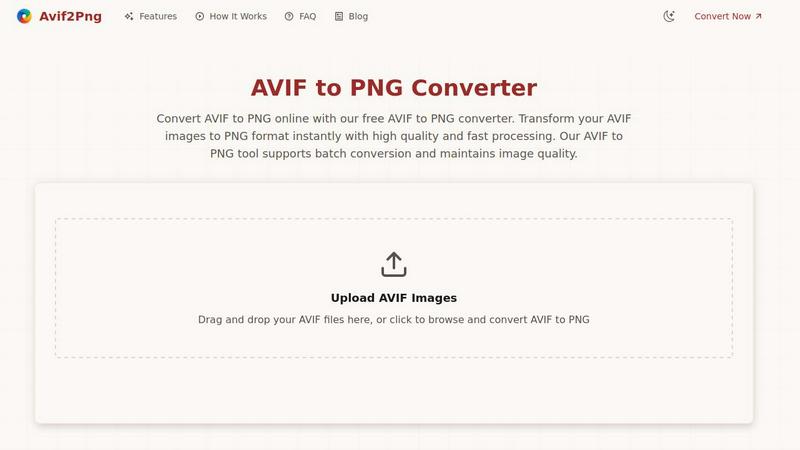
Convert AVIF images to universally compatible PNG format instantly while preserving quality.
Last updated: March 1, 2026

Img Editor
Easily create stunning AI-generated images from your ideas in seconds with Img Editor's advanced technology.
Last updated: February 28, 2026
Visual Comparison
Avif2Png
Img Editor

Feature Comparison
Avif2Png
High-Quality, Lossless Conversion
Avif2Png prioritizes image integrity. The conversion process is engineered to maintain the highest possible quality, ensuring that your PNG output retains the sharp details, accurate colors, and clarity of the original AVIF file. This lossless approach is crucial for professional work where image degradation is not an option, providing peace of mind that your visuals will look stunning in their new, more compatible format.
Batch Conversion for Efficiency
Time is a valuable resource, especially when handling multiple images. Avif2Png's batch conversion feature allows you to upload and convert numerous AVIF files to PNG simultaneously in one streamlined operation. This eliminates the tedious, time-consuming process of converting files one by one, dramatically boosting productivity for projects involving large image sets or galleries.
Secure and Private Processing
We understand that your images are important and often confidential. Avif2Png operates with a strong commitment to security. All uploaded files are processed on secure servers and are automatically deleted shortly after the conversion is complete and you have downloaded your PNGs. This ensures your original AVIF files and converted PNGs are not stored or accessible to anyone else.
Zero-Cost, No-Registration Access
Accessibility is key to solving compatibility issues. Avif2Png is completely free to use and does not require any form of user registration, account creation, or subscription. You can visit the site, convert your files, and download the results immediately without any barriers, making professional-grade format conversion available to everyone instantly.
Img Editor
AI-Powered Image Generation
Img Editor harnesses cutting-edge AI technology to convert text prompts into stunning visuals. This feature enables users to create unique, professional-grade images in mere seconds, allowing for rapid prototyping and creative expression without the steep learning curve typical of traditional design software.
Intuitive Image Editing
The platform offers intuitive editing tools that allow users to modify existing images easily. Whether adjusting colors, enhancing details, or applying filters, Img Editor provides a user-friendly interface that simplifies the editing process, making it accessible for both novices and experienced designers.
Prompt Generator
The built-in prompt generator helps users brainstorm and refine their ideas, providing suggestions to enhance creativity. This feature is invaluable for those who may struggle with writer's block or want to explore new concepts, ensuring that inspiration is always at hand.
Unlimited Creative Potential
With Img Editor's free tier, users can generate 10 images daily, with opportunities to earn additional generations. This commitment to accessibility means that anyone can explore their creative potential without worrying about financial barriers, making high-quality visual content attainable for all.
Use Cases
Avif2Png
Ensuring Universal Web Compatibility
Web developers and content creators face the challenge of using modern formats like AVIF while ensuring their websites render correctly for all visitors, including those on older browsers. Converting AVIF to PNG guarantees that images will display flawlessly across every browser and device, preventing broken images and providing a consistent, reliable user experience for a global audience.
Preparing Assets for Graphic Design Projects
Graphic designers often receive or create assets in efficient formats but need to work with them in editing software that may have limited AVIF support. Converting these files to PNG ensures full compatibility with industry-standard tools like Adobe Photoshop or Illustrator, enabling seamless editing, manipulation, and incorporation of images with transparency into layouts and compositions.
Archiving and Sharing Images for Print
Print services and publishing platforms frequently require widely accepted, high-fidelity formats. AVIF files, despite their quality, may not be accepted by all print systems. Converting AVIF to PNG creates a standardized, lossless file that is universally recognized by professional printing services, ensuring the final physical output matches the digital original's quality.
Simplifying Cross-Platform Content Sharing
Social media managers, marketers, and individuals often need to share images across multiple platforms and messaging apps, where format support can be inconsistent. Converting AVIF files to the universally readable PNG format removes the uncertainty, ensuring that your visuals can be uploaded, viewed, and shared by anyone, anywhere, without compatibility warnings or failures.
Img Editor
Social Media Content Creation
Social media managers can leverage Img Editor to quickly generate eye-catching visuals for their posts, ensuring that their content stands out in a crowded digital landscape. With the ability to create tailored images that resonate with their audience, marketers can enhance engagement and drive interaction.
Digital Art and Illustration
Artists can use Img Editor as a source of inspiration or to create digital illustrations effortlessly. The platform's AI capabilities allow for experimentation with various styles and concepts, fostering creativity and enabling artists to explore new artistic directions.
Marketing Materials Design
Small business owners can design promotional materials such as flyers, banners, and social media ads using Img Editor's powerful image generation and editing tools. This feature allows them to produce professional-grade content that effectively communicates their brand message.
Educational Resource Development
Educators can create engaging visual materials for their lessons, such as infographics, diagrams, and illustrations. Img Editor streamlines the process of visual content creation, enabling teachers to enhance their teaching materials and improve student engagement.
Overview
About Avif2Png
Avif2Png is a dedicated online solution designed to solve a critical modern digital challenge: the compatibility gap created by advanced image formats. While the AVIF (AV1 Image File Format) offers remarkable compression and superior image quality, its adoption is not yet universal across all browsers, devices, and software applications. This creates a significant problem for photographers, web developers, and graphic designers who want to leverage AVIF's benefits but cannot risk their images failing to display for their audience or clients. Avif2Png directly addresses this by providing a swift, reliable, and high-fidelity converter that transforms AVIF files into the universally supported PNG format. The tool ensures that the visual integrity, sharpness, and detail of your original images are preserved during conversion, offering a seamless bridge between cutting-edge efficiency and broad compatibility. With its user-centric design requiring no registration and supporting batch processing, Avif2Png is the essential utility for anyone who needs to ensure their images work everywhere, without compromise.
About Img Editor
Img Editor is an innovative AI-powered platform that empowers users to create and edit images effortlessly and without any cost. Designed for creators, marketers, and hobbyists alike, it addresses the common struggle of accessing high-quality image generation tools without the complexities of subscriptions or intricate software. By simply entering text descriptions or modifying existing images, users can bring their creative visions to life. The platform is tailored for anyone needing compelling visual content—from social media managers curating engaging posts to small business owners crafting marketing materials. Img Editor's value proposition lies in its robust free tier, which allows users to generate up to 10 images daily with the possibility to earn more, ensuring that creativity is not hindered by financial constraints.
Frequently Asked Questions
Avif2Png FAQ
Is Avif2Png really free to use?
Yes, absolutely. Avif2Png is a completely free online tool. There are no hidden fees, subscription plans, or usage limits. You can convert your AVIF images to PNG format as often as you need without any cost and without requiring an account or registration.
Will converting my AVIF to PNG reduce the image quality?
No, the conversion process is designed to be lossless. Avif2Png focuses on preserving the original quality of your AVIF file during the transformation to PNG. The resulting PNG image will maintain the sharpness, color accuracy, and detail of your source file, ensuring no visual degradation occurs.
Are my uploaded files kept private and secure?
Your privacy and security are paramount. All files you upload to Avif2Png are processed on secure servers and are automatically deleted from our systems shortly after the conversion is complete and you have downloaded your PNG files. We do not store, share, or access your images for any other purpose.
How many files can I convert at one time?
Avif2Png supports batch conversion, allowing you to convert multiple AVIF files to PNG simultaneously in a single session. The exact limit may depend on server capacity, but the tool is built to handle numerous files at once, saving you significant time compared to converting each image individually.
Img Editor FAQ
How does Img Editor work?
Img Editor uses advanced AI algorithms to transform text prompts into images or modify existing images. Users enter a description, and the platform generates a visual representation based on that input.
Is Img Editor completely free?
Yes, Img Editor offers a robust free tier that allows users to generate up to 10 images daily. There are also opportunities to earn additional generations, ensuring users have plenty of chances to explore their creativity.
What types of images can I create with Img Editor?
With Img Editor, users can create a wide variety of images, including digital art, illustrations, marketing materials, and social media content. The flexibility of the platform caters to various creative needs.
Do I need design experience to use Img Editor?
No, Img Editor is designed to be user-friendly and accessible for everyone, regardless of their design background. The intuitive interface and AI-generated suggestions make it easy for anyone to produce high-quality visuals.
Alternatives
Avif2Png Alternatives
Avif2Png is a specialized online tool in the image conversion category, designed to solve a specific compatibility problem. It effortlessly transforms modern AVIF files into the universally supported PNG format, ensuring your high-quality images work everywhere you need them to. Users often explore alternatives for various practical reasons. Some might require offline software for sensitive work, while others seek integrated tools within a larger creative suite. Needs can vary from advanced editing capabilities and different output formats to specific platform compatibility or handling much larger file volumes. When evaluating other options, focus on your core requirements. Key considerations include the output quality and fidelity, the tool's security and privacy policy, support for batch processing to save time, and of course, the overall cost and accessibility. The right choice balances these factors with your specific workflow.
Img Editor Alternatives
Img Editor is a groundbreaking AI-powered platform that falls within the image and photo category, designed to transform ideas into stunning visuals effortlessly. Users often seek alternatives to Img Editor for various reasons, including pricing structures, desired features, or compatibility with different platforms. The need for a diverse set of functionalities, ease of use, and access to more advanced tools can drive users to explore options that better match their specific needs or preferences. When choosing an alternative to Img Editor, it's essential to consider factors such as the range of features offered, the user interface's intuitiveness, and the pricing model. Look for platforms that provide a blend of creative freedom and accessibility, ensuring that you can generate high-quality images without compromising on quality or incurring significant costs. The right alternative should align with your creative goals and enhance your image editing experience.