Filator vs NanoBanana 2
Side-by-side comparison to help you choose the right tool.
Filator
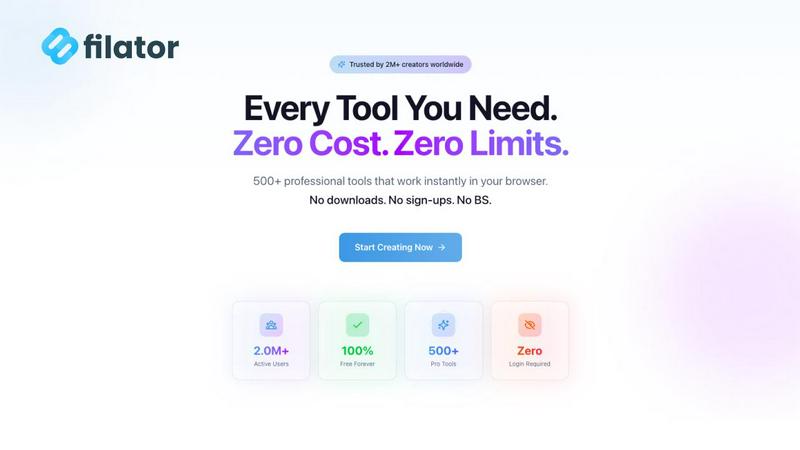
Filator offers 500+ free tools to create, convert, and automate tasks instantly without any signup.
Last updated: March 1, 2026

NanoBanana 2
NanoBanana 2 revolutionizes photo editing with advanced AI for professional-grade enhancements and intelligent retouching in real time.
Last updated: March 18, 2026
Visual Comparison
Filator
NanoBanana 2

Feature Comparison
Filator
Zero-Friction Instant Access
The most defining feature of Filator is its commitment to removing barriers. There is no mandatory signup to use the vast majority of its tools. You simply visit the website, find your tool, and start using it immediately. This eliminates the hassle of remembering passwords, verifying emails, or dealing with trial limitations, allowing you to maintain focus and momentum on your actual task without any administrative overhead.
AI-Powered Smart Tool Suite
Filator integrates advanced artificial intelligence to provide context-aware assistance and automation. This includes tools like the AI Chat with Files and Links, which let you converse with your documents and webpages, and the AI Image Generator for creating visuals from text prompts. These smart tools understand your intent, delivering sophisticated results like background removal, content rewriting, and video summarization in seconds, dramatically speeding up complex creative and analytical tasks.
Extensive & Organized Tool Library
With over 500 tools and counting, Filator acts as a one-stop-shop. The tools are meticulously organized into intuitive categories like AI Tools, PDF Tools, Image Tools, Social Media Tools, and Developer Tools. This structured library makes discovery easy, ensuring you can quickly find the perfect utility for converting a PDF, resizing an image, generating a QR code, or formatting JSON without leaving the platform.
Professional-Grade Output & Privacy
Filator ensures that the quality of your work is never compromised. Outputs are high-resolution, production-ready, and free of watermarks. Crucially, this professional quality comes with an unwavering commitment to privacy. The platform operates on a strict no-data-collection policy for tool usage. Your files and data are processed securely in your browser whenever possible, meaning your sensitive information never needs to be uploaded to or stored on external servers.
NanoBanana 2
Smart Auto-Enhancement
Smart Auto-Enhancement is an innovative feature that intelligently analyzes each uploaded image and applies optimal enhancements automatically. This ensures that users achieve professional quality results without needing extensive editing experience.
Advanced Color Correction
The Advanced Color Correction feature utilizes powerful deep learning algorithms to perform professional-grade color grading and correction. This allows users to manipulate colors with precision, achieving vibrant and true-to-life images effortlessly.
Noise Reduction AI
NanoBanana 2 includes Noise Reduction AI, which effectively eliminates unwanted image noise while preserving fine details. This feature is essential for photographers who want to maintain the integrity of their images, especially in low-light conditions.
Batch Processing
With Batch Processing capabilities, users can edit multiple images simultaneously, significantly speeding up their workflow. This feature is ideal for content creators and businesses that need to process large volumes of images efficiently without compromising on quality.
Use Cases
Filator
The Freelancer's Productivity Hub
A freelance graphic designer or marketer can use Filator to handle an entire project's ancillary tasks. They can quickly remove image backgrounds with AI, convert client files to different formats, compress PDFs for email, generate social media mockups for presentations, and craft professional emails—all within one tab. This streamlines their workflow, saves hours of switching between disparate free tools with signup walls, and allows them to deliver polished work faster.
The Developer's Quick Utility Belt
Developers often need rapid, one-off solutions for tasks outside their core code. With Filator, they can instantly format and validate JSON, generate secure passwords, create QR codes for testing, convert data between formats, or summarize documentation using AI chat. Having these utilities readily available in a clean, ad-free interface eliminates context-switching and keeps their development environment efficient and focused.
The Student's Project Companion
For students working on essays, reports, or presentations, Filator is an invaluable resource. They can use the AI Essay Writer to structure ideas, summarize lengthy research papers or YouTube lectures with AI tools, merge multiple PDFs into a single submission, resize images for their paper, and check word counts. The platform's free tier and no-signup policy make it perfectly accessible for academic use without cost or commitment.
The Small Business Owner's Administrative Assistant
Small business owners wearing multiple hats can leverage Filator to automate and simplify daily operations. They can generate professional invoices, create marketing materials like social media posts and QR codes, compress large files for sharing, convert documents, and use AI to help write customer emails or product descriptions. This reduces reliance on expensive software subscriptions or complex tools, saving both time and money.
NanoBanana 2
Professional Photography
Professional photographers can utilize NanoBanana 2 to enhance their images quickly and efficiently. The AI-powered enhancements help save valuable time during post-processing while delivering stunning results that meet client expectations.
Social Media Content Creation
Content creators focused on social media can leverage the platform to produce striking visuals that engage their audience. The batch processing feature allows them to maintain a consistent aesthetic across multiple posts, enhancing their brand identity.
E-commerce Product Images
E-commerce businesses can enhance product images using NanoBanana 2 to ensure they are visually appealing and accurately represent the items for sale. Advanced color correction and noise reduction help create images that attract potential buyers.
Marketing and Advertising
Marketing teams can use NanoBanana 2 to create compelling visuals for campaigns and advertisements. The intelligent retouching and auto-enhancement features enable them to produce high-quality images that resonate with their target audience.
Overview
About Filator
Filator is the ultimate digital workspace designed to solve a common modern professional problem: the frustrating, time-consuming hunt for reliable online tools. Professionals waste countless hours switching between different websites, creating accounts, and dealing with data limits or watermarked outputs. Filator tackles this head-on by providing a comprehensive, unified platform with over 500 utilities for tasks ranging from PDF processing and image conversion to AI-powered content generation and developer workflows. It's built for developers, designers, marketers, students, and anyone who needs quick, professional results without friction. The core value proposition is powerful simplicity: instant access to pro-grade tools with zero signup requirements, no data collection, and transparent pricing. Your data stays on your device, your privacy is respected, and you can start working the moment you land on the site. Filator empowers you to finish work faster by eliminating the barriers between you and the tools you need.
About NanoBanana 2
NanoBanana 2 is an advanced AI image editing model designed to transform the way photographers, designers, and content creators enhance and manipulate images. Building on the success of its predecessor, NanoBanana, this next-generation tool leverages cutting-edge machine learning algorithms to deliver professional-grade photo enhancement, intelligent retouching, and seamless editing workflows. It caters to both amateur and professional users, offering a user-friendly interface that simplifies complex editing processes. With NanoBanana 2, users can expect sharper edits, improved prompt control, and an overall premium image workflow. The platform enables creators to achieve high-quality results quickly, allowing them to focus more on their artistry and less on tedious editing tasks.
Frequently Asked Questions
Filator FAQ
Is Filator really free to use?
Yes, Filator offers a robust free plan that provides access to over 60 core tools without any cost. This includes many PDF, image, text, and developer utilities. The free plan also includes a monthly allowance of AI credits to try the advanced AI features. You only need to consider the paid plans if you require higher volumes of AI usage, unlimited features like dynamic QR codes, or wish to remove ads and gain priority support.
How does Filator protect my privacy?
Filator is built with a privacy-first architecture. For most standard tools (like converters, generators, and formatters), the processing happens directly within your web browser. This means your files and data never leave your computer and are not uploaded to any server. For AI tools that require server processing, data is handled securely and is not used for training models or sold to third parties. The platform has no tracking and requires no personal information to start using the tools.
What are AI credits?
AI credits are the currency used for Filator's advanced AI-powered tools, such as the AI Image Generator, AI Essay Writer, and AI Chat. Each action in these tools consumes a certain number of credits. The Free plan includes a monthly allotment to let you test these features. If you find yourself using AI tools frequently, you can upgrade to a paid plan (Starter, Pro, or Premium) which provides substantially higher or unlimited monthly credits for a flat fee.
Can I use Filator on mobile devices?
Absolutely. Filator is a fully responsive web application, meaning it is designed to work seamlessly on desktops, tablets, and smartphones. The interface adjusts to fit your screen size, allowing you to access and use hundreds of tools directly from your mobile browser. This makes it perfect for quick tasks on the go, like converting an image, generating a QR code, or checking a document.
NanoBanana 2 FAQ
How does NanoBanana 2 enhance images?
NanoBanana 2 enhances images using advanced machine learning algorithms that analyze photos for optimal improvements. This includes auto-enhancement, color correction, and noise reduction.
Can I use NanoBanana 2 for batch editing?
Yes, NanoBanana 2 offers batch processing capabilities, allowing users to edit multiple images at once, making it ideal for busy professionals and content creators.
What types of image formats does NanoBanana 2 support?
NanoBanana 2 supports all major image formats, including JPEG, PNG, and WEBP, making it versatile for various editing needs.
Is there a free version of NanoBanana 2 available?
Yes, NanoBanana 2 offers a Lite version that users can try for free. This allows potential users to experience the platform's capabilities before committing to a subscription.
Alternatives
Filator Alternatives
Filator is a comprehensive online platform in the tech tools category, offering over 500 free utilities for tasks like file conversion, content creation, and automation. It operates entirely without signups, subscriptions, or data collection, prioritizing user privacy and instant access. Users often explore alternatives for various reasons. Some may require a tool that integrates with a specific operating system or workflow, while others might seek a platform with a different mix of features, such as collaborative functions or specialized capabilities not covered by a generalist suite. The need for a permanent desktop application versus a web-based tool can also drive the search. When evaluating alternatives, key considerations include the core functionality you need most, the platform's privacy policy and data handling practices, and the overall user experience. It's crucial to assess whether the tool's output quality, speed, and cost structure align with your professional requirements and personal workflow preferences.
NanoBanana 2 Alternatives
NanoBanana 2 is a cutting-edge AI image editing model designed to transform the way users enhance their photos. This next-generation AI tool offers powerful features that cater to both amateur photographers and professional editors, providing intelligent image processing capabilities that streamline the editing workflow. Users often seek alternatives to NanoBanana 2 for various reasons, including pricing, specific feature sets, and compatibility with different platforms. When choosing an alternative, it is crucial to consider factors such as the ease of use, the range of editing tools available, and the overall performance of the software. Additionally, assessing customer support and community resources can further guide users in making an informed decision that best fits their photo editing needs.