NanoBanana 2 vs QuickImg
Side-by-side comparison to help you choose the right tool.

NanoBanana 2
NanoBanana 2 revolutionizes photo editing with advanced AI for professional-grade enhancements and intelligent retouching in real time.
Last updated: March 18, 2026

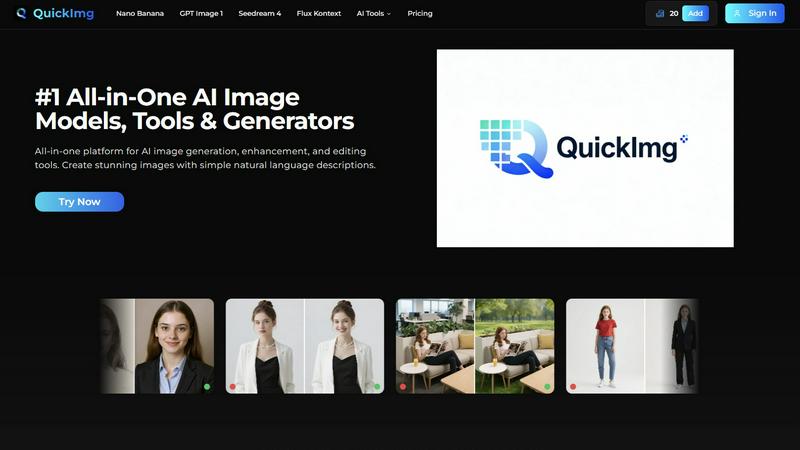
QuickImg is your all-in-one AI platform for effortless image creation, enhancement, and editing using simple text.
Last updated: February 28, 2026
Visual Comparison
NanoBanana 2

QuickImg
Feature Comparison
NanoBanana 2
Smart Auto-Enhancement
Smart Auto-Enhancement is an innovative feature that intelligently analyzes each uploaded image and applies optimal enhancements automatically. This ensures that users achieve professional quality results without needing extensive editing experience.
Advanced Color Correction
The Advanced Color Correction feature utilizes powerful deep learning algorithms to perform professional-grade color grading and correction. This allows users to manipulate colors with precision, achieving vibrant and true-to-life images effortlessly.
Noise Reduction AI
NanoBanana 2 includes Noise Reduction AI, which effectively eliminates unwanted image noise while preserving fine details. This feature is essential for photographers who want to maintain the integrity of their images, especially in low-light conditions.
Batch Processing
With Batch Processing capabilities, users can edit multiple images simultaneously, significantly speeding up their workflow. This feature is ideal for content creators and businesses that need to process large volumes of images efficiently without compromising on quality.
QuickImg
AI Image Generation
QuickImg allows users to generate images based on simple text descriptions. This feature leverages advanced AI models to create visual content that aligns with user specifications, making it accessible for everyone, regardless of design experience.
Image Editing Tools
The platform provides a suite of editing tools that enable users to enhance their images effortlessly. Users can remove backgrounds, change colors, and apply various filters, all through intuitive natural language commands, streamlining the editing process.
Multiple AI Models
With QuickImg, users gain access to multiple cutting-edge AI models tailored for different tasks. This feature allows users to select the most suitable model for their specific project requirements, ensuring optimal results and flexibility.
Ready-to-Use Templates
QuickImg offers a collection of professionally designed templates for common scenarios like social media posts and product photos. This feature enables users to kickstart their projects instantly, saving time and ensuring high-quality outputs.
Use Cases
NanoBanana 2
Professional Photography
Professional photographers can utilize NanoBanana 2 to enhance their images quickly and efficiently. The AI-powered enhancements help save valuable time during post-processing while delivering stunning results that meet client expectations.
Social Media Content Creation
Content creators focused on social media can leverage the platform to produce striking visuals that engage their audience. The batch processing feature allows them to maintain a consistent aesthetic across multiple posts, enhancing their brand identity.
E-commerce Product Images
E-commerce businesses can enhance product images using NanoBanana 2 to ensure they are visually appealing and accurately represent the items for sale. Advanced color correction and noise reduction help create images that attract potential buyers.
Marketing and Advertising
Marketing teams can use NanoBanana 2 to create compelling visuals for campaigns and advertisements. The intelligent retouching and auto-enhancement features enable them to produce high-quality images that resonate with their target audience.
QuickImg
Marketing Campaigns
QuickImg is ideal for marketers looking to create eye-catching visuals for campaigns. With the ability to generate images quickly from descriptions, marketers can produce tailored content that resonates with their target audience without the need for extensive design skills.
Social Media Content
Content creators can leverage QuickImg to produce stunning visuals for their social media channels. The platform’s user-friendly nature allows for quick image generation and editing, ensuring that creators can consistently post engaging content.
E-commerce Product Images
Small business owners can utilize QuickImg to enhance their product images. The ability to remove backgrounds and upscale images helps businesses present their products in the best light, leading to improved customer engagement and sales.
Personal Projects
Individuals looking to create unique artwork or personal projects can find immense value in QuickImg. Whether transforming personal photos into anime art or creating custom illustrations, users can express their creativity effortlessly.
Overview
About NanoBanana 2
NanoBanana 2 is an advanced AI image editing model designed to transform the way photographers, designers, and content creators enhance and manipulate images. Building on the success of its predecessor, NanoBanana, this next-generation tool leverages cutting-edge machine learning algorithms to deliver professional-grade photo enhancement, intelligent retouching, and seamless editing workflows. It caters to both amateur and professional users, offering a user-friendly interface that simplifies complex editing processes. With NanoBanana 2, users can expect sharper edits, improved prompt control, and an overall premium image workflow. The platform enables creators to achieve high-quality results quickly, allowing them to focus more on their artistry and less on tedious editing tasks.
About QuickImg
Creating professional, high-quality images has traditionally posed significant challenges for marketers, content creators, small business owners, and designers alike. This often required expensive software, extensive design expertise, and the time-consuming task of mastering complex interfaces, which could lead to compromised visuals and inflated budgets. QuickImg addresses these issues by offering an all-in-one platform for AI-powered image generation, enhancement, and editing. With QuickImg, users can simply describe their vision in natural language and watch as cutting-edge AI models like Nano Banana Pro, GPT Image 1, and Seedream 4 bring their ideas to life. The platform eliminates the need to navigate multiple specialized tools, providing a unified workspace that simplifies the entire image creation process. From generating new scenes to upscaling resolution and transforming photos into anime art, QuickImg empowers anyone to create stunning visuals without the steep learning curve, saving both time and money.
Frequently Asked Questions
NanoBanana 2 FAQ
How does NanoBanana 2 enhance images?
NanoBanana 2 enhances images using advanced machine learning algorithms that analyze photos for optimal improvements. This includes auto-enhancement, color correction, and noise reduction.
Can I use NanoBanana 2 for batch editing?
Yes, NanoBanana 2 offers batch processing capabilities, allowing users to edit multiple images at once, making it ideal for busy professionals and content creators.
What types of image formats does NanoBanana 2 support?
NanoBanana 2 supports all major image formats, including JPEG, PNG, and WEBP, making it versatile for various editing needs.
Is there a free version of NanoBanana 2 available?
Yes, NanoBanana 2 offers a Lite version that users can try for free. This allows potential users to experience the platform's capabilities before committing to a subscription.
QuickImg FAQ
How does QuickImg work?
QuickImg uses advanced AI technology to generate and enhance images based on user-defined descriptions. Users can describe what they want or upload an image for editing, making the entire process intuitive and straightforward.
What types of images can I create with QuickImg?
Users can create a variety of images, from marketing visuals to personal artwork. The platform supports generating new scenes, editing existing images, and transforming photos into different styles, such as anime.
Are there any design skills required to use QuickImg?
No prior design skills are necessary to use QuickImg. The platform is designed for everyone, allowing users to generate and edit images using simple natural language descriptions without needing complex prompts.
Can I use QuickImg for commercial purposes?
Yes, images generated through QuickImg can be used for commercial purposes, including marketing and advertising. However, users should review the licensing agreements to ensure compliance with any specific terms related to commercial use.
Alternatives
NanoBanana 2 Alternatives
NanoBanana 2 is a cutting-edge AI image editing model designed to transform the way users enhance their photos. This next-generation AI tool offers powerful features that cater to both amateur photographers and professional editors, providing intelligent image processing capabilities that streamline the editing workflow. Users often seek alternatives to NanoBanana 2 for various reasons, including pricing, specific feature sets, and compatibility with different platforms. When choosing an alternative, it is crucial to consider factors such as the ease of use, the range of editing tools available, and the overall performance of the software. Additionally, assessing customer support and community resources can further guide users in making an informed decision that best fits their photo editing needs.
QuickImg Alternatives
QuickImg is an innovative AI-powered platform designed to meet all your image creation and editing needs in one place. As a unified tool, it allows users—ranging from marketers to content creators—to generate high-quality visuals without the complexities of traditional design software. However, many users often seek alternatives due to factors such as pricing, specific feature sets, or compatibility with their existing workflows. When searching for alternatives, it's essential to consider several key aspects. Look for platforms that not only offer a robust set of features but also emphasize user-friendliness and intuitive interfaces. Additionally, evaluate the pricing structure to ensure it aligns with your budget, as well as the platform's ability to integrate seamlessly with your current tools and processes.