SparkPix vs Text Remover
Side-by-side comparison to help you choose the right tool.

SparkPix
Transform your photos effortlessly by typing commands to enhance, restore, or change styles with SparkPix's powerful AI photo editor.
Last updated: March 11, 2026

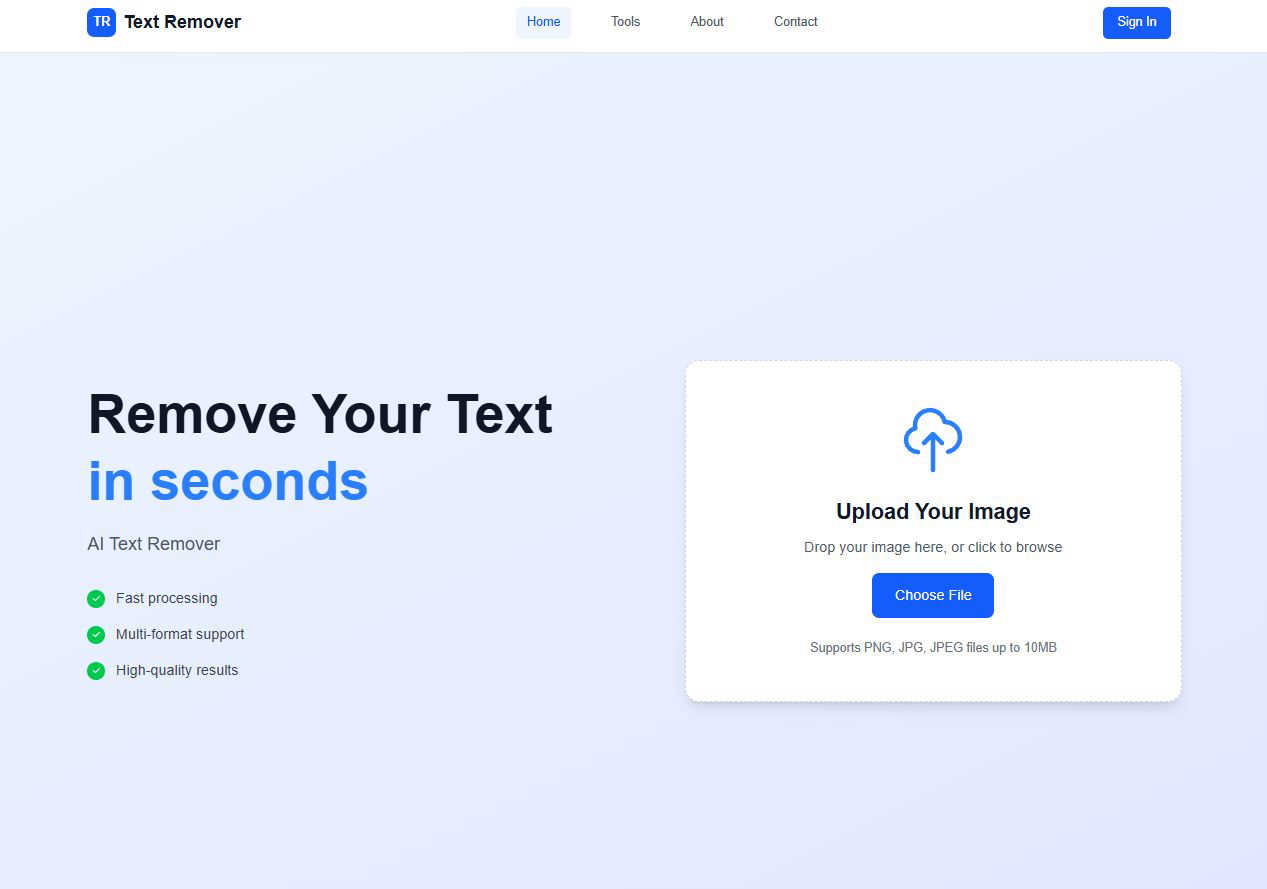
Text Remover
Effortlessly erase unwanted text from images, enhancing privacy and creating professional visuals in seconds.
Last updated: March 1, 2026
Visual Comparison
SparkPix

Text Remover
Feature Comparison
SparkPix
AI Photo Editor
The AI Photo Editor enables users to edit photos using straightforward text commands. Just type what you want, like "remove background" or "enhance colors," and the AI will apply the changes in under 30 seconds, making it incredibly efficient and user-friendly.
Background Remover
With the one-click background remover, users can easily eliminate unwanted backgrounds from portraits, product photos, or any complex scenes. This feature is designed to enhance the focus on the subject and create clean, professional-looking images without the hassle of manual editing.
Unblur Image
The Unblur Image feature employs advanced AI technology to fix motion blur, out-of-focus shots, and compression artifacts. Users can quickly restore clarity to their images, ensuring that every detail is sharp and defined, which is especially useful for preserving important memories.
Photo Restoration
Photo Restoration is a standout feature that allows users to repair old, faded, scratched, or damaged photos. This tool is ideal for family archives, enabling users to bring cherished memories back to life with just a few clicks, maintaining the original atmosphere of the images.
Text Remover
AI-Powered Accuracy
Text Remover utilizes advanced machine learning algorithms to ensure precise text removal. This feature guarantees that the background remains intact and undamaged, allowing users to maintain the original aesthetic of their images while effectively eliminating unwanted text.
Multiple Format Support
Our tool supports a variety of image formats including PNG, JPG, and JPEG. This flexibility allows users to work with their preferred file types, ensuring that the text removal process meets their specific needs without any compatibility issues.
Batch Processing
Efficiency is key, and with Text Remover's batch processing feature, users can remove text from multiple images simultaneously. This saves time and effort, making it ideal for professionals who need to handle large volumes of images quickly and effectively.
Quality Preservation
Text Remover is designed to maintain the original resolution and quality of images during the text removal process. Users can trust that their images will look just as good, if not better, after using the tool, ensuring that the final product meets professional standards.
Use Cases
SparkPix
Personal Photo Editing
SparkPix is perfect for personal photo editing, whether it's enhancing vacation pictures or creating stunning portraits for social media. Users can quickly apply filters, remove distractions, and enhance overall image quality to share with friends and family.
E-commerce Product Images
Small business owners can benefit greatly from SparkPix by creating high-quality product images without needing advanced photography skills. The background remover and photo enhancer ensure that products stand out, making them more appealing to potential customers.
Social Media Content Creation
For content creators and influencers, SparkPix provides a fast and efficient way to produce eye-catching visuals. Users can transform their photos into art styles, create engaging posts, and maintain a consistent aesthetic across their social media platforms.
Family Photo Restoration
Families can utilize SparkPix to restore old family photos, preserving memories for future generations. The photo restoration feature allows users to repair and enhance these treasured images, making them suitable for sharing or displaying in the home.
Text Remover
Social Media Content
Social media managers can benefit from Text Remover by easily removing watermarks, timestamps, or unwanted text overlays from their images. This ensures that the visuals shared on various platforms are clean and engaging, helping to capture audience attention.
Photography
Photographers often need to clean up their images by removing price tags, labels, or promotional text. Text Remover allows for precise editing, enabling photographers to present their work in the best light without distractions that could detract from their artistic vision.
Meme Creation
For meme creators, starting with a clean slate is essential. Text Remover makes it easy to remove existing text from memes, allowing users to infuse their own creativity and humor into the images, leading to more engaging and shareable content.
Privacy Protection
In today's digital age, protecting personal information is crucial. Text Remover helps users safeguard their privacy by allowing them to delete sensitive information, such as addresses or phone numbers, from images, ensuring compliance with data protection regulations.
Overview
About SparkPix
SparkPix is an innovative AI-powered photo editing tool designed to simplify the way users enhance and transform their images. With its unique text-based editing capabilities, SparkPix allows anyone, regardless of their technical skills, to edit photos effortlessly by simply typing their desired changes. Whether you want to remove backgrounds, restore old images, or apply artistic styles, SparkPix makes it easy and accessible. The tool is perfect for casual photographers, small business owners needing product images, social media enthusiasts, and anyone looking to enhance their digital memories. The main value proposition of SparkPix lies in its ability to provide professional-quality editing results in a matter of seconds, all without the need for advanced software or extensive experience.
About Text Remover
Text Remover is an innovative AI-powered tool designed to swiftly eliminate unwanted text from images, catering to a diverse range of users including photographers, social media managers, and graphic designers. This tool is engineered to enhance workflows by providing users with the ability to produce clean, professional visuals effortlessly. Whether you need to remove distracting overlays, watermarks, or any text that diminishes the visual impact of your content, Text Remover stands ready to assist. Its core value proposition lies in maintaining high image quality while ensuring rapid processing times. With a user-friendly interface, it empowers even those without technical skills to leverage the power of artificial intelligence for creating stunning visuals, ensuring that every image is polished and professional. By focusing on user experience and efficiency, Text Remover aims to be the go-to solution for all your image editing needs.
Frequently Asked Questions
SparkPix FAQ
How does SparkPix work?
SparkPix uses advanced AI algorithms to process images based on user-defined text commands. Users simply describe the desired edits, and the AI executes those changes, delivering edited photos within seconds.
Is SparkPix free to use?
Yes, SparkPix offers a free plan that provides users with 5 credits to start. This allows new users to explore the features without any financial commitment, making it accessible for everyone.
Can I use SparkPix on my mobile device?
Absolutely! SparkPix is a web-based platform that works seamlessly on desktops, iPhones, and Android devices. There is no need to download any software, allowing for convenient editing on the go.
What types of images can I edit with SparkPix?
You can edit a wide range of images with SparkPix, including portraits, product photos, landscapes, and old family pictures. The versatility of the tool allows for various editing needs, from simple enhancements to complex restorations.
Text Remover FAQ
How does Text Remover ensure the quality of the images after text removal?
Text Remover employs advanced algorithms that not only focus on text removal but also prioritize quality preservation. This means that the original resolution and details of the image are maintained, resulting in a polished final product.
What file formats does Text Remover support?
Text Remover supports a variety of popular image formats, including PNG, JPG, and JPEG. This ensures that users can work with their preferred file types without any compatibility issues.
Is there a limit to how many images I can process at once?
Yes, with the batch processing feature, users can remove text from multiple images at the same time. This feature is particularly beneficial for professionals who need to manage large volumes of images efficiently.
How can I ensure my privacy while using Text Remover?
Text Remover focuses on user privacy by processing images securely without storing them on external servers. Once the text removal is complete, users can download their images directly, ensuring that their content remains confidential.
Alternatives
SparkPix Alternatives
SparkPix is an AI-powered photo editor that allows users to enhance and manipulate images through easy-to-use text commands. This online tool excels in various photo editing tasks, such as background removal, photo restoration, and style transfers, making it accessible for users with little to no Photoshop experience. However, users often seek alternatives due to several factors like pricing, specific feature sets, or platform compatibility. When choosing an alternative, it’s essential to consider the range of editing capabilities, the ease of use, the pricing structure, and whether the platform supports your preferred devices.
Text Remover Alternatives
Text Remover is an advanced AI-powered tool designed to efficiently eliminate unwanted text from images, belonging to the category of AI Assistants. Users often seek alternatives to Text Remover for various reasons, including pricing concerns, specific feature requirements, or compatibility with different platforms. As the demand for high-quality visuals grows, finding a solution that matches one’s unique workflow becomes essential. When considering alternatives, users should prioritize features such as ease of use, image quality preservation, and batch processing capabilities. Additionally, compatibility with various image formats and the level of AI accuracy should be key factors in ensuring that the chosen tool meets their needs without compromising visual integrity or efficiency.