Beesift vs Text Remover
Side-by-side comparison to help you choose the right tool.

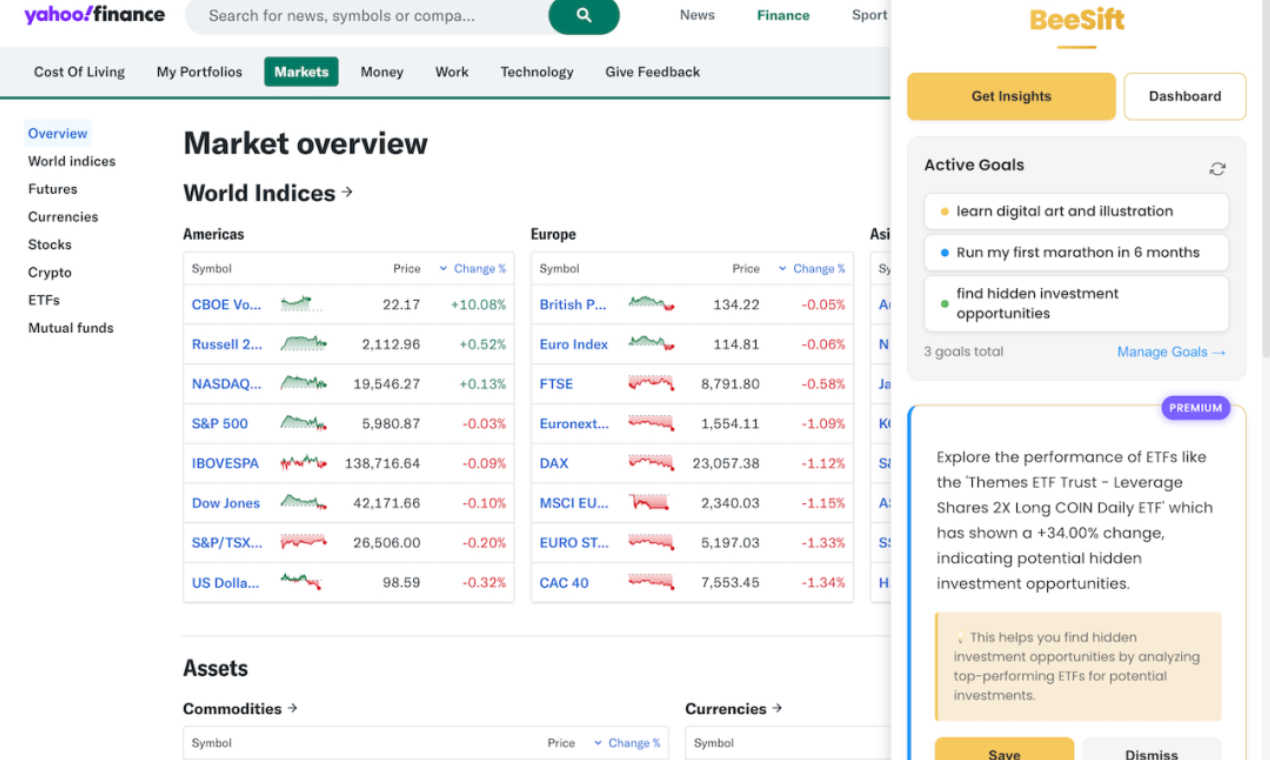
BeeSift instantly extracts goal-aligned insights from any webpage to save you time.
Last updated: March 1, 2026

Text Remover
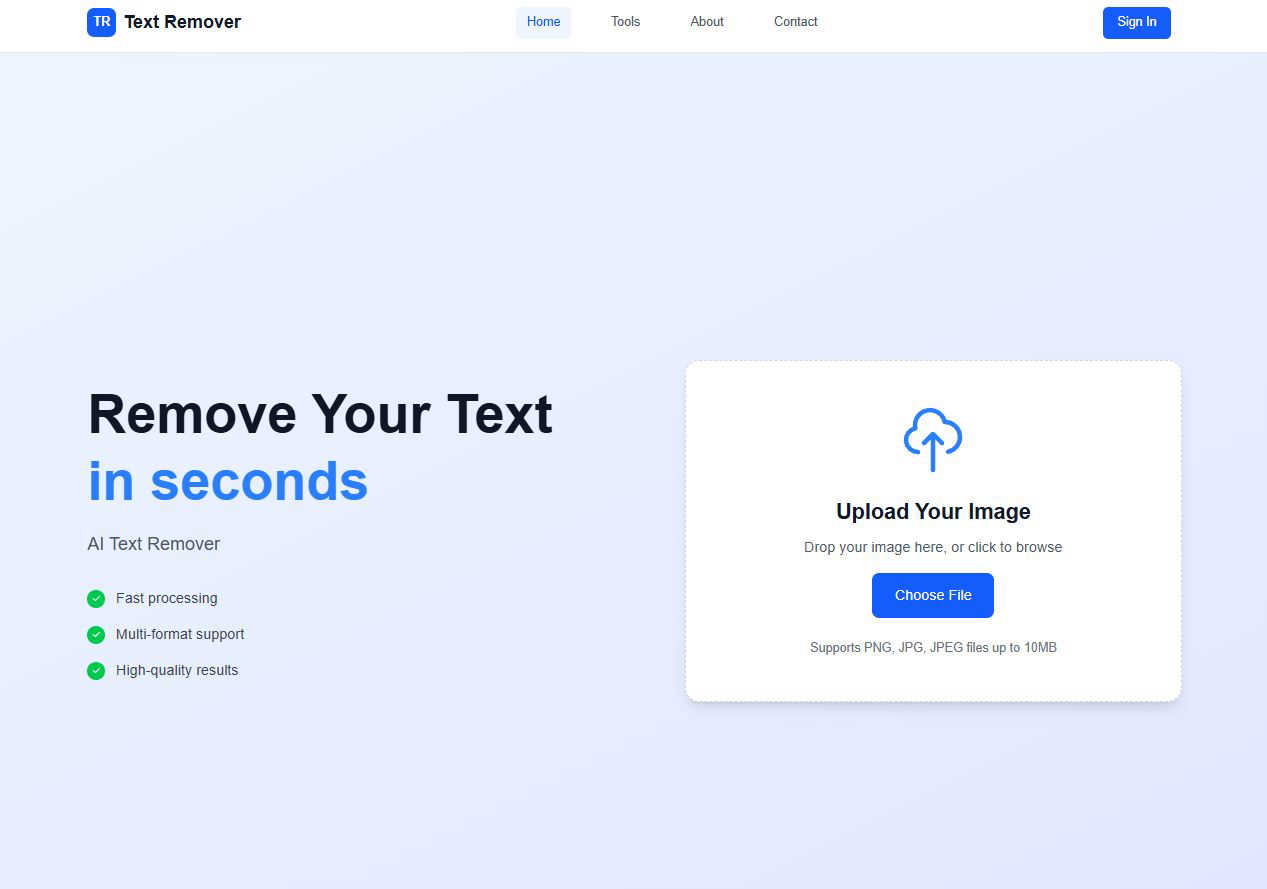
Effortlessly erase unwanted text from images, enhancing privacy and creating professional visuals in seconds.
Last updated: March 1, 2026
Visual Comparison
Beesift
Text Remover
Feature Comparison
Beesift
Goal-Aligned Insight Extraction
Beesift's core functionality is its intelligent, context-aware extraction engine. Unlike generic summarizers, it filters all webpage content through the lens of your personally defined goals. Whether you're "Learning Python for data science" or "Training for a first marathon," the AI scans articles, documentation, and reports to highlight only the concepts, steps, data points, and recommendations that directly advance your current projects. This ensures every insight is actually useful and actionable, not just a condensed version of the text.
One-Shortcut Activation (Ctrl+Shift+K)
Efficiency is paramount. Beesift integrates seamlessly into your existing workflow without disruptive interfaces or complex menus. On any webpage you visit, a simple keyboard shortcut (Ctrl+Shift+K) instantly activates the AI scanner. Within seconds, the page transforms, presenting you with a concise list of key insights. This frictionless design eliminates the barrier between having a question and getting a focused answer, making powerful AI assistance a natural part of your browsing habit.
Personal Knowledge Dashboard
Every insight you extract isn't just viewed once and forgotten. Beesift automatically saves and organizes your findings into a personal dashboard, where each insight is tagged to the specific goal it relates to. This builds a searchable, growing arsenal of knowledge tailored to your ambitions. If you're building a fitness routine, all your saved health and training insights are instantly accessible in one place, turning scattered browsing into structured, reusable personal research.
Privacy-First Architecture
In an era of pervasive tracking, Beesift is built on a foundation of user privacy. The extension processes page content locally in your browser to generate insights. Crucially, it does not store your browsing history, track which sites you visit, or sell your data. Your defined goals and the insights you save are kept private, giving you the power of advanced AI analysis without the cost of surrendering your personal information.
Text Remover
AI-Powered Accuracy
Text Remover utilizes advanced machine learning algorithms to ensure precise text removal. This feature guarantees that the background remains intact and undamaged, allowing users to maintain the original aesthetic of their images while effectively eliminating unwanted text.
Multiple Format Support
Our tool supports a variety of image formats including PNG, JPG, and JPEG. This flexibility allows users to work with their preferred file types, ensuring that the text removal process meets their specific needs without any compatibility issues.
Batch Processing
Efficiency is key, and with Text Remover's batch processing feature, users can remove text from multiple images simultaneously. This saves time and effort, making it ideal for professionals who need to handle large volumes of images quickly and effectively.
Quality Preservation
Text Remover is designed to maintain the original resolution and quality of images during the text removal process. Users can trust that their images will look just as good, if not better, after using the tool, ensuring that the final product meets professional standards.
Use Cases
Beesift
Accelerating Academic Research
Students and researchers can use Beesift to power through dense academic papers, lengthy articles, and educational content. Instead of reading thousands of words hoping to find relevant theories or data, they set a goal like "Understand quantum computing basics." Beesift then extracts key concepts, recommended resources, and critical learning paths from any source, dramatically speeding up literature review and study sessions while ensuring comprehension of core material.
Navigating Technical Documentation
Developers, engineers, and builders often struggle with verbose and complex documentation. Beesift cuts to the chase. When researching API integrations, new frameworks, or implementation guides, a goal like "Implement user authentication" prompts the AI to find specific code examples, best practices, and potential "gotchas" buried in the text. This turns hours of frustrating search into minutes of targeted learning, accelerating project development.
Filtering Industry News and Reports
Professionals need to stay informed but lack the time to read every market analysis or industry report. Beesift solves this by filtering for relevance. A professional can set a goal such as "Monitor fintech regulatory trends." When scanning relevant news, Beesift will extract only the specific data points, regulatory changes, and competitive insights that could impact their business decisions, keeping them strategically informed without the noise.
Managing Personal Project Learning
For lifelong learners tackling personal projects—from investing to marathon training—the internet is a vast, unstructured library. Beesift provides structure. A user can create goals like "Start investing wisely" or "Plan a home renovation." As they browse blogs, forums, and tutorials, Beesift pulls out actionable steps, product comparisons, cost estimates, and training schedules relevant to that exact project, creating a curated guide from disparate online sources.
Text Remover
Social Media Content
Social media managers can benefit from Text Remover by easily removing watermarks, timestamps, or unwanted text overlays from their images. This ensures that the visuals shared on various platforms are clean and engaging, helping to capture audience attention.
Photography
Photographers often need to clean up their images by removing price tags, labels, or promotional text. Text Remover allows for precise editing, enabling photographers to present their work in the best light without distractions that could detract from their artistic vision.
Meme Creation
For meme creators, starting with a clean slate is essential. Text Remover makes it easy to remove existing text from memes, allowing users to infuse their own creativity and humor into the images, leading to more engaging and shareable content.
Privacy Protection
In today's digital age, protecting personal information is crucial. Text Remover helps users safeguard their privacy by allowing them to delete sensitive information, such as addresses or phone numbers, from images, ensuring compliance with data protection regulations.
Overview
About Beesift
In today's digital world, we face a constant and overwhelming challenge: information overload. You open a browser tab with a clear goal, only to find yourself lost in endless scrolling, drowning in data, and wasting precious time on content that doesn't matter. The frustration of missing the point and being unable to find actionable insights is a universal experience for students, professionals, and lifelong learners alike. Beesift is the revolutionary solution to this modern problem. It's a Chrome extension that acts as your personal insight extraction agent, cutting through the noise to deliver only what progresses your specific goals. By simply pressing Ctrl+Shift+K on any webpage, Beesift's AI instantly analyzes the content and provides 3-8 goal-aligned bullets, skipping the fluff. It transforms your browsing from a passive, unfocused activity into an efficient, goal-aligned process. Built with a privacy-first ethos that doesn't store your browsing history, Beesift empowers ambitious individuals to sift through the internet's haystack and retrieve the golden needles of actionable insight, saving hours every week.
About Text Remover
Text Remover is an innovative AI-powered tool designed to swiftly eliminate unwanted text from images, catering to a diverse range of users including photographers, social media managers, and graphic designers. This tool is engineered to enhance workflows by providing users with the ability to produce clean, professional visuals effortlessly. Whether you need to remove distracting overlays, watermarks, or any text that diminishes the visual impact of your content, Text Remover stands ready to assist. Its core value proposition lies in maintaining high image quality while ensuring rapid processing times. With a user-friendly interface, it empowers even those without technical skills to leverage the power of artificial intelligence for creating stunning visuals, ensuring that every image is polished and professional. By focusing on user experience and efficiency, Text Remover aims to be the go-to solution for all your image editing needs.
Frequently Asked Questions
Beesift FAQ
How is Beesift different from using ChatGPT or other AI chatbots?
While ChatGPT is a general-purpose conversational AI, Beesift is a specialized tool laser-focused on extraction and personal relevance. Beesift is integrated directly into your browser, works with a single shortcut on any webpage, and filters all information through your pre-defined goals. It doesn't require crafting the perfect prompt for each page; it automatically provides insights aligned with what you're actively working on, making it far more efficient for goal-oriented browsing.
Does Beesift work on all websites and types of content?
Yes, Beesift is designed to work on virtually any webpage you can visit and read. This includes news articles, blog posts, academic research papers, technical documentation, forum threads (like Reddit or Stack Overflow), social media posts, and more. If the text is publicly accessible and renderable in your Chrome browser, Beesift's AI can process it to extract goal-aligned insights.
Is my browsing data and personal information kept private?
Absolutely. Privacy is a core principle of Beesift. The AI processes the content of the page you are actively on to generate insights, but this processing is done locally in your browser. Beesift does not store your browsing history, track which specific websites you visit, or sell your data. Your saved goals and extracted insights are also stored locally on your device, ensuring your research and interests remain completely confidential.
Can I edit or change my goals after I set them up?
Yes, you have complete flexibility. You can update, add, or remove your active goals at any time from the Beesift dashboard. The AI adapts instantly to your current focus. This means you can switch from a "Learn Python" goal to a "Plan a vacation" goal, and Beesift will immediately begin filtering webpage content through that new lens, ensuring the insights you extract are always relevant to your present priorities.
Text Remover FAQ
How does Text Remover ensure the quality of the images after text removal?
Text Remover employs advanced algorithms that not only focus on text removal but also prioritize quality preservation. This means that the original resolution and details of the image are maintained, resulting in a polished final product.
What file formats does Text Remover support?
Text Remover supports a variety of popular image formats, including PNG, JPG, and JPEG. This ensures that users can work with their preferred file types without any compatibility issues.
Is there a limit to how many images I can process at once?
Yes, with the batch processing feature, users can remove text from multiple images at the same time. This feature is particularly beneficial for professionals who need to manage large volumes of images efficiently.
How can I ensure my privacy while using Text Remover?
Text Remover focuses on user privacy by processing images securely without storing them on external servers. Once the text removal is complete, users can download their images directly, ensuring that their content remains confidential.
Alternatives
Beesift Alternatives
Beesift is a goal-driven content filtering tool in the productivity and management category. It acts as a Chrome extension that cuts through online noise, extracting and summarizing key insights from webpages to align with your personal objectives, saving valuable time. Users often explore alternatives for various practical reasons. These can include budget constraints, a need for features beyond a Chrome extension (like mobile apps or integrations), or simply a desire to compare different approaches to information management before committing to one solution. When evaluating an alternative, focus on your core needs. Consider the primary problem you're solving: is it research overload, distraction-free reading, or knowledge management? Key factors include the tool's ability to filter content meaningfully, its privacy policy, platform availability, and how well it organizes extracted information for later use.
Text Remover Alternatives
Text Remover is an advanced AI-powered tool designed to efficiently eliminate unwanted text from images, belonging to the category of AI Assistants. Users often seek alternatives to Text Remover for various reasons, including pricing concerns, specific feature requirements, or compatibility with different platforms. As the demand for high-quality visuals grows, finding a solution that matches one’s unique workflow becomes essential. When considering alternatives, users should prioritize features such as ease of use, image quality preservation, and batch processing capabilities. Additionally, compatibility with various image formats and the level of AI accuracy should be key factors in ensuring that the chosen tool meets their needs without compromising visual integrity or efficiency.