
Best Productivity & Management tools (264+)
Discover 264+ best productivity & management tools. Compare features, pricing, and reviews. Free and paid options available.

My Tools Suite Pro
Discover the best free online tools with ToolSuite Pro. Explore AI, productivity, marketing, SEO, writing, business, and software tools in one place.

Kivloo
Workplace and food safety software for daily checks on phones, with photo evidence and inspection records across every site.
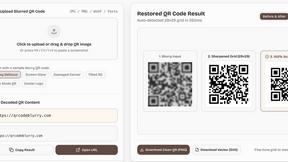
QSharpener
Is your QR code blurred or unreadable? Fix and scan blurred QR codes online with AI & mathematical deconvolution. Restore any blur QR code to crystal
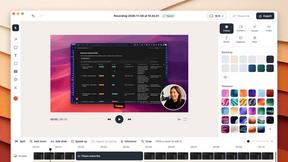
ScreenOtter
A Mac app for screen recordings and screenshots. A zoom on every click, captions made on your Mac, and eight camera layouts. Free to use, pay once.


GigUp
GigUp helps freelancers discover relevant Upwork jobs through AI matching, automated monitoring, and instant alerts.

Greatooly
Greatooly is a curated directory of small, useful apps — discover focused tools for art, learning, money, health, travel and everyday life.

Safe Outreach
AI-powered platform that evaluates the safety of LinkedIn automation tools and helps reduce the risk of account restrictions.


How Long How Many Tool
Timers and hourly checks to figure how out long until a certain time or how many days away.
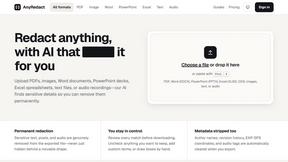
AnyRedact
Free online auto redaction tool with AI for PDFs, images, Word, PowerPoint, Excel, text and audio. Files are never stored.


FeatQ
Feature request boards for software teams. Customers vote with just an email; your coding agent pulls the top request over MCP.
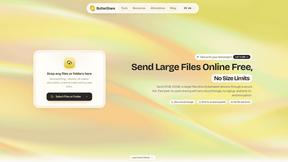
ButterShare
Realtime peer-to-peer file transfer in the browser. Send files directly between devices, no account and no upload to a server.

Emailyy
Free email tools for signatures, subject lines, HTML previews, word counts, and email headers. Browser-based, simple to use, and no signup required.
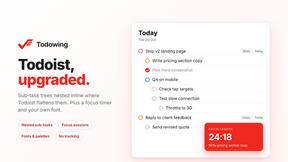
Todowing
Chrome extension that nests Todoist sub-tasks inline in Today, Upcoming, Filters and Labels, where Todoist shows them flat.

Uniclip
Clip pages, take full-page screenshots and batch-capture list data to Notion, Feishu, Obsidian, Markdown, CSV or JSON.

TroveKey
Search tabs, Chrome bookmarks and history, run browser commands, and save webpages and social posts locally—no account.
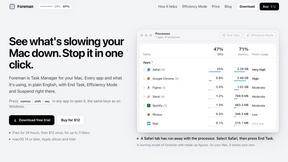
Foreman
See every app and what it's using in plain English, and end or slow down the one that's hogging your Mac.
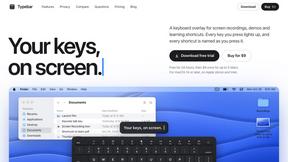
Typebar
Every key you press lights up on an on-screen keyboard, and each shortcut is named. For screen recordings, demos and learning shortcuts.

Notchpals
Little characters peek out of your Mac's notch to remind you to drink water, eat, sit up and get to bed. Quiet during calls. $4.99 once.

LightScreen
Free fullscreen light screen tool online. Turn any display into a flashlight, ambient light, or solid-color screen. No download or sign-up.
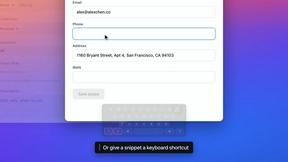
TypeFire
Free text expander, Markdown notes app and clipboard manager for Mac and Chrome
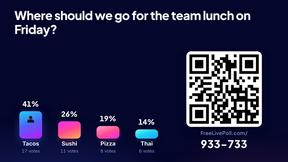
LivePoll
Create a free live poll, share a QR code, and watch the votes come in live.

LevCharity
Fundraising platform for nonprofits combining donations, campaigns, donor CRM, events, communications, and reporting.

Kovnerov
Personal site of Vlad Kovnerov: analytics dashboards, web development, Telegram bots and browser tools for sellers and subscription tracking.

Everywhere
Fast file search for the Mac. Results as you type, files inside Mail and Photos, works with Wi-Fi off. $19 once.
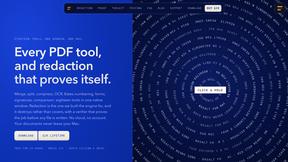
Basalt
Eighteen PDF tools in one native Mac window: merge, split, compress, OCR, Bates numbering, forms, signing and redaction. Offline. $29 once.

Voice Keyboard Pro
Hold a key, say what you mean, let go. Clean, punctuated text lands at the cursor in any app on your Mac or iPhone.
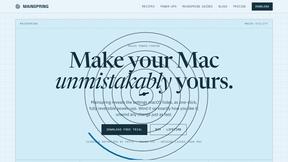
Mainspring
Mainspring turns the settings macOS hides into 90+ one-click, fully reversible power-ups for Finder, Dock, screenshots and more. $29 once.

Inkling
Catch a thought without leaving what you are doing. Notes, checklists and a little companion in your Mac's notch. $12 once.

Context Board
Context Board brings your numbers, docs, clients, content and day into one workspace that Claude and Codex can read and update.

HookAds
Free ad creative hub: 1,750+ prompts behind viral AI ads, 118 hook frameworks, teardowns, swipe files and 27 free AI tools.

@fuck.it - email with attitude
Private email. Pure. Secure. Exclusive. No ads, no tracking, no data selling. GDPR compliant, EU-hosted.
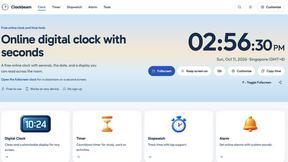
Novastart
Apps and files on an infinite canvas where people and AI agents work together.
Notes Calculator
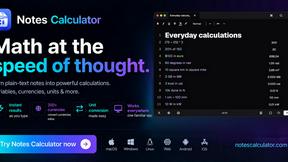
A notepad calculator that reads plain text and gives instant answers as you type, free on Mac, iOS, Windows, Linux, Android and Web.

CubexSoft EML Converter
Convert EML Files to PST, PDF, EML, MBOX, CSV, Gmail, IMAP, Thunderbird, and more.
AI Email Filter
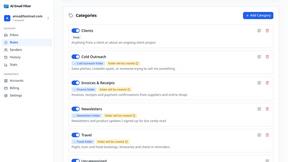
AI Email Filter sorts incoming mail into folders using plain-language prompts you write. Works with any IMAP mailbox; bring your own LLM if you want.
Popular Alternatives in Productivity & Management
About Productivity & Management tools
Productivity and Management tools help individuals and teams organize work, manage projects, track time, communicate effectively, and accomplish more in less time. This category includes project management platforms, task managers, time trackers, team communication tools, note-taking apps, and workspace organization solutions.
Whether you are managing a complex project with multiple stakeholders, organizing personal tasks, tracking billable hours, coordinating a remote team, or building a personal knowledge management system, these tools provide the organizational infrastructure for productive work.
Compare productivity and management tools by their task management features, collaboration capabilities, integration ecosystem, customization options, and pricing to find the right tools for your work style and team needs.
FAQs for Productivity & Management
What types of productivity tools are listed?
This category includes project management platforms, task and to-do managers, time tracking tools, team communication apps, note-taking and knowledge management tools, calendar and scheduling apps, and workspace organization solutions.
Which productivity tool is best for teams?
The best tool depends on your team size, workflow, and collaboration style. Look for platforms with shared workspaces, task assignments, real-time updates, integrations with your existing tools, and communication features that match how your team works.
Can productivity tools integrate with other software?
Yes. Most productivity tools offer extensive integrations with email, calendar, communication, file storage, and development tools. Many also support automation through Zapier, Make, or native webhook integrations.
How do time tracking tools work?
Time tracking tools let you log hours manually or through automatic timers, categorize time by project and task, generate reports for billing or analysis, and integrate with project management tools for comprehensive work tracking.
Are there free productivity tools?
Yes. Many productivity tools offer generous free tiers with core task management, basic project features, and limited team collaboration. Premium plans unlock advanced features, larger team support, and more storage.
How do I choose the right productivity tool?
Consider whether you need individual task management or team collaboration, your preferred workflow methodology, required integrations, and budget. Test free tiers of several tools to find the interface and feature set that matches your work style.