
Browsilla
Transform your Chrome new tab into a focused workspace with tasks, bookmarks, weather, and daily inspiration at a.
Visit
About Browsilla
Browsilla is a lightweight Chrome extension designed to enhance your browsing experience by transforming every new tab into a streamlined, productivity-focused workspace. Instead of being bombarded with distracting news feeds and advertisements, Browsilla provides users with a clean dashboard that prioritizes what truly matters: your tasks, bookmarks, quick links, local weather, and a direct search bar. This tool is tailored for makers, founders, and professionals who seek simplicity and efficiency in their daily routines. With Browsilla, you can kickstart your browsing sessions in a focused manner, ensuring that you remain on track throughout the day. The extension operates entirely within your browser, requiring no accounts or tracking, thereby respecting user privacy and data integrity. By installing Browsilla, you create purposeful moments each time you open a new tab, ultimately leading to greater productivity and reduced clutter.
Features of Browsilla
Task Manager Built-In
With Browsilla's integrated task manager, you can effortlessly add and organize your to-do lists directly in your new tab. This feature allows you to create folders for various tasks and check them off as you complete them. Your tasks are visible every time you open a new tab, ensuring that nothing slips through the cracks and helping you maintain focus on your objectives.
Quick Bookmarks
Say goodbye to the hassle of digging through multiple bookmark folders. Browsilla allows you to pin your most-used websites directly on your new tab for instant access. This feature streamlines your browsing experience by enabling you to add, organize, and launch your favorite sites without leaving the dashboard, saving you time and energy.
Local Weather
Stay informed about the weather without the need to open a separate tab. Browsilla displays the current weather conditions and temperature for your location, automatically updated. This feature empowers you to plan your day effectively before even starting your browsing, ensuring you are prepared for whatever weather comes your way.
Daily Inspiration
Start each browsing session with a motivational quote that sets a positive tone for your work. This feature provides a small dose of daily inspiration, helping to uplift your mood and enhance your focus, fostering a productive mindset as you tackle your tasks.
Use Cases of Browsilla
For Busy Professionals
Professionals can leverage Browsilla to consolidate essential tools in one place. By accessing their tasks, bookmarks, and local weather every time they open a new tab, they can streamline their workflow and minimize disruptions, leading to improved efficiency.
For Students
Students can benefit from Browsilla by organizing their study tasks and frequently visited educational resources. The task manager helps them keep track of assignments, while quick bookmarks provide easy access to online learning materials, enhancing their overall productivity.
For Entrepreneurs
Entrepreneurs can use Browsilla to maintain focus on their goals by managing tasks related to their projects directly from the new tab. With quick access to important links and daily inspirational quotes, they can stay motivated and organized as they navigate their business journeys.
For Remote Workers
Remote workers can transform their new tab into a dedicated workspace with Browsilla. By integrating their to-do lists and necessary bookmarks, they can create a distraction-free environment that fosters concentration, ultimately boosting their productivity while working from home.
Frequently Asked Questions
Is Browsilla really free?
Yes, Browsilla is completely free to use. There are no hidden fees or premium plans, allowing everyone to benefit from its features without any cost.
Do I need to create an account?
No, Browsilla does not require you to create an account. You can install the extension and start using it immediately without providing any personal information.
Does Browsilla work offline?
Browsilla operates within your browser and does not require an internet connection to display your tasks and bookmarks once they are loaded. However, internet access is needed for real-time weather updates and search functionalities.
Is my data private and secure?
Absolutely. Browsilla is designed with privacy as a core principle. Your data is synced using an anonymous ID, and no personal information is collected or stored, ensuring that your browsing habits remain private and secure.
Explore more in this category:
Similar to Browsilla
Novastart
Apps and files on an infinite canvas where people and AI agents work together.
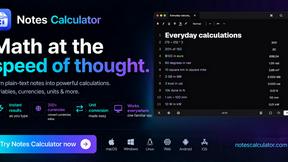
Notes Calculator
A notepad calculator that reads plain text and gives instant answers as you type, free on Mac, iOS, Windows, Linux, Android and Web.

CubexSoft EML Converter
Convert EML Files to PST, PDF, EML, MBOX, CSV, Gmail, IMAP, Thunderbird, and more.
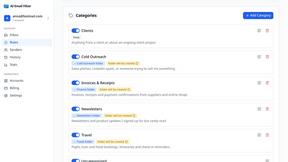
AI Email Filter
AI Email Filter sorts incoming mail into folders using plain-language prompts you write. Works with any IMAP mailbox; bring your own LLM if you want.

Egmatic
No-code 2D game editor: visual node logic, drag-and-drop scenes, live preview. Exports to Windows, macOS, Linux, Android, iOS, Web.
Kody Tools
Free collection of online developer utilities, code formatters, and digital converters designed to streamline your daily workflow.
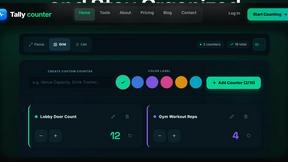
Tally counter
Online tally counter for tracking attendance, workouts, inventory, sports scores, visitors, habits, and everyday counting tasks.
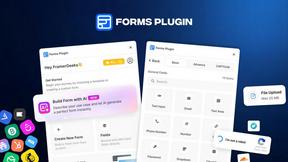
Forms Plugin
The #1 Native Form Builder Plugin for Framer - No Code, No Embeds, No External Platforms.