Blur Image Online vs dmaya
Side-by-side comparison to help you choose the right tool.

Blur Image Online
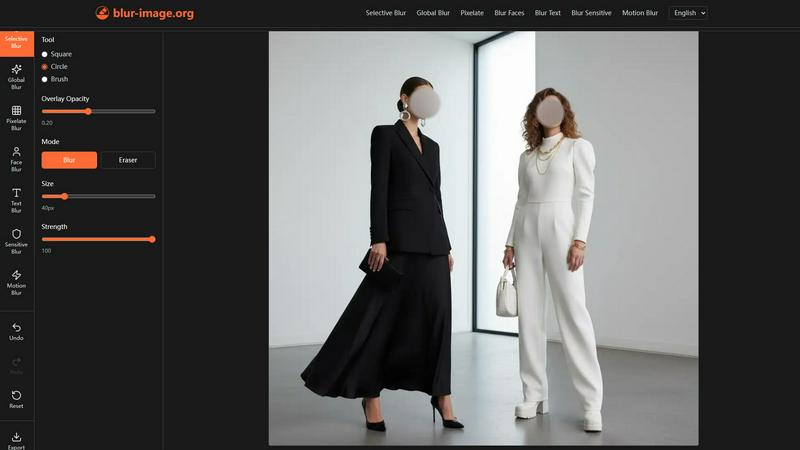
Easily blur sensitive details in your images online with powerful, precise tools—all for free and without uploads.
Last updated: February 28, 2026

dmaya
AI vibe design platform for agencies and teams. Chat with AI, generate UI designs, get client approval, and export to code.
Visual Comparison
Blur Image Online
dmaya
Overview
About Blur Image Online
In today's digital landscape, sharing images often comes with the risk of exposing sensitive information such as personal identities, license plates, and confidential documents. Navigating the challenge of preserving privacy while ensuring high-quality image editing can be daunting. Blur Image Online emerges as the definitive solution for anyone needing to safeguard their information without sacrificing convenience or quality. This 100% free, browser-based suite of AI-powered tools caters to a wide audience—from social media enthusiasts and content creators to professionals and businesses—offering complete control over image privacy and focus. Its core value proposition lies in delivering pixel-perfect blurring effects through seven specialized tools while guaranteeing that your data remains on your device. With features like one-click AI detection for faces and text, along with non-destructive manual editing, achieving secure and high-quality results has never been easier. Whether your goal is to protect identities, obscure sensitive data, or create artistic depth-of-field effects, Blur Image Online ensures your privacy remains uncompromised, providing an efficient solution for all your image blurring needs.
About dmaya
Vibe design platform built for agencies, teams, and freelancers who need to design before they code. dMaya lets you chat with an AI agent to generate professional UI designs from text descriptions. Describe a SaaS dashboard, an e-commerce flow, or a mobile app and get polished screens in seconds.
Iterate through conversation. Ask the AI to change colors, swap layouts, adjust typography, or add sections. Every change is instant and precise. Design tokens keep everything consistent across all screens automatically.
When ready, share a preview link with your client. They review in the browser, leave feedback, and approve. No account needed. The review cycle that used to take days now happens in minutes.
Once approved, export as clean HTML, CSS, and JS code. Hand it to Cursor, Claude Code, or any coding agent to build in React, Next.js, Flutter, or whatever your team uses.
Most AI tools skip design and go straight to code. dMaya gives you the visual design step where you make intentional decisions, catch problems early, and align your team before development starts. Built for teams that present, approve, and ship with confidence.