
Blur Image Online
Easily blur sensitive details in your images online with powerful, precise tools—all for free and without uploads.
VisitPublished on:
December 19, 2025
Pricing:
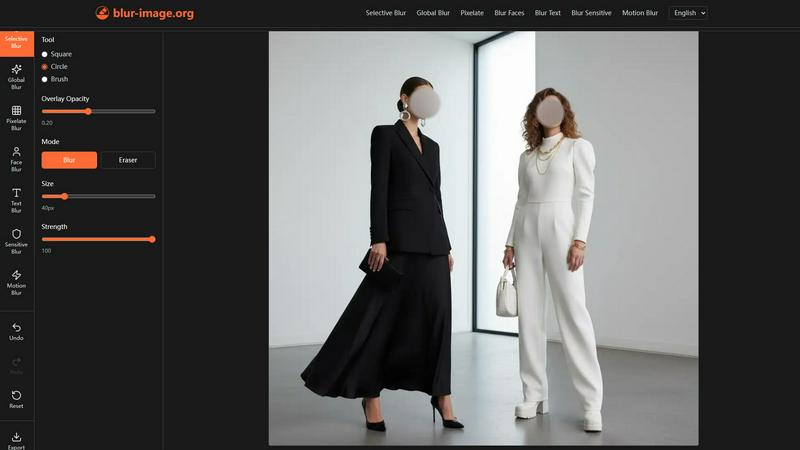
About Blur Image Online
In today's digital landscape, sharing images often comes with the risk of exposing sensitive information such as personal identities, license plates, and confidential documents. Navigating the challenge of preserving privacy while ensuring high-quality image editing can be daunting. Blur Image Online emerges as the definitive solution for anyone needing to safeguard their information without sacrificing convenience or quality. This 100% free, browser-based suite of AI-powered tools caters to a wide audience—from social media enthusiasts and content creators to professionals and businesses—offering complete control over image privacy and focus. Its core value proposition lies in delivering pixel-perfect blurring effects through seven specialized tools while guaranteeing that your data remains on your device. With features like one-click AI detection for faces and text, along with non-destructive manual editing, achieving secure and high-quality results has never been easier. Whether your goal is to protect identities, obscure sensitive data, or create artistic depth-of-field effects, Blur Image Online ensures your privacy remains uncompromised, providing an efficient solution for all your image blurring needs.
Features of Blur Image Online
Selective Blur
The Selective Blur tool provides complete control over which parts of your image remain clear and which are blurred. This functionality allows users to hide sensitive details, emphasize key subjects, or create professional-quality depth-of-field effects with precision.
Global Blur
With the Global Blur tool, users can apply a uniform blur to an entire image with just one click. This tool allows for further customization through adjustable shape, strength, and hardness, enabling selective clarity restoration and secondary blurring to meet specific artistic needs.
Blur Faces
The Blur Faces tool utilizes advanced AI to automatically detect faces within the image and apply a blur effect instantly. This feature is complemented by a Manual Drawing Mode, allowing users to refine the effect by adding or erasing blur precisely where needed for optimal privacy.
Blur Sensitive Info
Designed to protect personal data, the Blur Sensitive Info tool employs intelligent AI to identify and obscure private content, such as credit card numbers or addresses. Users can select from various blur styles and refine results manually, ensuring maximum confidentiality.
Use Cases of Blur Image Online
Protecting Personal Privacy
Social media users can utilize Blur Image Online to obscure faces and sensitive information in their photos, ensuring that personal data remains private before sharing images online.
Editing Professional Documents
Businesses can benefit by blurring confidential information in documents or presentations. This ensures that sensitive data is not exposed when sharing visuals with clients or stakeholders.
Creating Artistic Effects
Photographers and graphic designers can leverage the Selective Blur and Motion Blur tools to create stunning artistic effects. By applying depth-of-field or motion blur, they can add a professional touch to their images.
Enhancing Security in Visual Content
Content creators, bloggers, and marketers can enhance the security of their visuals by using the Blur Text and Blur Sensitive Info tools. This allows them to share engaging content without compromising sensitive information.
Frequently Asked Questions
How does Blur Image Online ensure my privacy?
Blur Image Online guarantees privacy by ensuring that no images are uploaded to remote servers. All processing occurs locally on your device, and EXIF data is automatically removed.
Can I customize the level of blur applied to my images?
Yes, Blur Image Online offers various tools that allow you to adjust the intensity, shape, and hardness of the blur, ensuring you can achieve the desired effect with precision.
Is there a limit to the size of images I can upload?
While there is no explicit limit mentioned, performance may vary based on the complexity and size of the image. It is advisable to use images optimized for web use for the best experience.
Do I need to create an account to use Blur Image Online?
No, Blur Image Online is completely free to use without requiring any account creation. You can access all features directly from your browser, ensuring a hassle-free user experience.
Similar to Blur Image Online
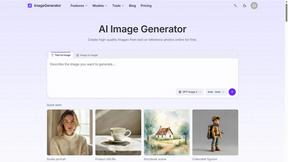
ImageGenerator
Create and edit AI images online with multiple models, text-to-image, image-to-image, background removal, and upscaling.
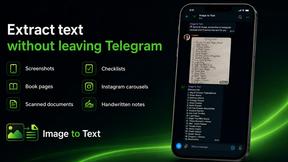
imgtxtapp.laviolab.com
imgtxtapp.laviolab.com is a Telegram-based image-to-text converter that turns photos, screenshots, scanned documents into editable text
SightRadar
Face recognition API, a drop-in replacement for AWS Rekognition. Index, search, compare and detect faces, billed per photo with no subscription.
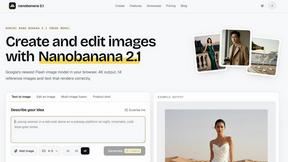
Nano Banana 2.1
A fast, simple image studio powered by Nano Banana 2.1. Create and edit high-quality images with accurate details, readable text, consistent character
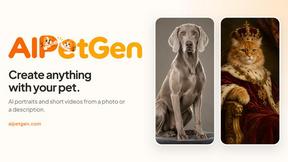
AIPetGen
AIPetGen turns a photo of your dog, cat, or other pet, or a written description, into a new picture or a short animation.

Image to Layers AI
Turn any image into editable transparent PNG/PSD layers with AI
Egmatic
No-code 2D game editor: visual node logic, drag-and-drop scenes, live preview. Exports to Windows, macOS, Linux, Android, iOS, Web.