
Caller vs LuxSign
Side-by-side comparison to help you choose the right tool.

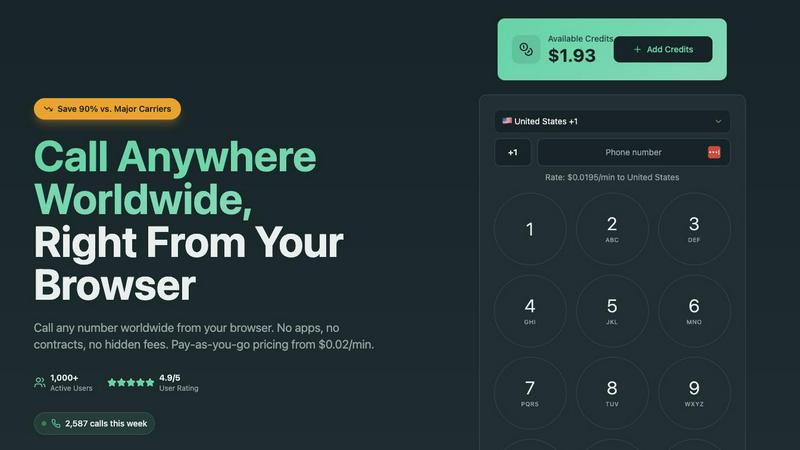
Make affordable global calls from your browser at just $0.02/min with no contracts or hidden fees.
Last updated: March 1, 2026

LuxSign simplifies secure document signing with legally valid eIDAS compliant electronic signatures from Luxembourg.
Last updated: February 27, 2026
Visual Comparison
Caller
LuxSign

Feature Comparison
Caller
Global Coverage
Caller offers extensive global coverage, allowing users to make calls to over 200 countries worldwide. This feature ensures that whether you are calling landlines or mobile phones, you can reach your contacts no matter where they are located.
Pay-As-You-Go Pricing
With Caller, users benefit from a pay-as-you-go pricing model, starting as low as $0.02 per minute. This feature eliminates monthly fees and hidden charges, allowing users to pay only for the minutes they actually use, making it budget-friendly for all kinds of callers.
HD Voice Quality
Caller provides high-definition voice quality for all calls. This ensures that conversations are crystal clear, enhancing the user experience and making it feel as though both parties are in the same room. The enterprise-grade infrastructure guarantees reliable connections every time.
Secure and Private Calls
Security is a priority for Caller. All calls and transactions are protected by bank-level encryption, ensuring that conversations remain private and secure. Users can communicate confidently, knowing their data is safe from unauthorized access.
LuxSign
Multiple Signature Methods
LuxSign offers diverse signature methods tailored to user preferences. You can draw your signature using a mouse, type your name, or upload an image for quick document signing. This flexibility ensures that every user can find a signing method that suits them best, making the process smooth and efficient.
Document Support for Various Formats
The platform supports multiple document formats including PDF, DOC, and DOCX with automatic conversion capabilities. Users can upload files up to 10MB effortlessly, allowing businesses to work with the formats they are already using without hassle.
Advanced Security Protocols
LuxSign prioritizes security with industry-standard encryption for all documents during upload, storage, and transmission. Documents are securely stored in EU data centers, complying with strict data protection regulations, which is crucial for businesses handling sensitive information.
Collaboration Workspaces
The platform features collaboration workspaces that enable teams to organize documents in folders and manage member access effectively. This feature allows for seamless collaboration on signing workflows, ensuring that all project members can contribute efficiently while maintaining control over document access.
Use Cases
Caller
Remote Team Communication
Caller is an excellent solution for remote teams needing to communicate effectively across different time zones and countries. With no app installation required, team members can connect instantly from their web browsers, facilitating seamless collaboration.
Sales Professionals
Sales teams can leverage Caller to reach potential clients across the globe without worrying about high international calling costs. The pay-as-you-go model allows sales professionals to manage their budgets efficiently while maintaining clear communication with prospects.
Customer Support Services
Businesses providing customer support can utilize Caller to handle calls from international customers. The high-definition audio quality ensures that support representatives can effectively assist customers, enhancing overall satisfaction and service quality.
Family and Friends Communication
Caller also serves personal users looking to stay in touch with family and friends abroad. With affordable rates and easy accessibility from any device, making international calls has never been more convenient for personal communication.
LuxSign
Streamlining Contract Management
Businesses can utilize LuxSign to streamline their contract management processes. By quickly sending contracts for signature and tracking their progress, organizations can reduce turnaround times and improve efficiency in closing deals.
Onboarding New Employees
HR departments can leverage LuxSign to handle onboarding paperwork digitally. This feature allows new hires to sign employment contracts, tax forms, and other necessary documents seamlessly, ensuring a smooth onboarding experience without the hassle of physical paperwork.
Client Agreement Formalization
Consultants and freelancers can use LuxSign to formalize agreements with clients. By sending proposals and receiving signed agreements electronically, they can ensure that all parties are on the same page, enhancing professionalism and trust.
Regulatory Compliance Documentation
Organizations in regulated industries can rely on LuxSign to manage compliance documentation securely. The platform's end-to-end encryption and detailed audit trails provide the necessary security and transparency required for regulatory oversight.
Overview
About Caller
Caller is a revolutionary online calling platform designed to transform the way individuals and businesses communicate across the globe. By removing the barriers of app installations, SIM cards, and complicated VoIP configurations, Caller enables users to make calls directly from their web browsers. This streamlined approach caters to a wide audience, from remote teams to sales professionals and everyday users seeking reliable communication. With Caller, you can connect with clients, family, banks, or government offices anywhere in the world, all while taking advantage of a flexible pay-as-you-go pricing model. Rates start at an incredibly low $0.02 per minute, offering a cost-effective alternative to traditional carriers and making international calls up to 90% cheaper. The platform's commitment to crystal clear HD audio, global coverage in over 200 countries, and user-friendly experience makes it the ideal choice for modern communication needs.
About LuxSign
LuxSign is a secure, cloud-based electronic signature platform specifically designed for businesses that require high levels of compliance and security in document management. Built in Luxembourg, this platform ensures that all documents are encrypted end-to-end and stored exclusively within the country, thereby guaranteeing full compliance with GDPR regulations. LuxSign is particularly valuable for organizations operating across the European Union, as it supports eIDAS Simple Electronic Signatures (SES), providing legal validity for contracts in all EU member states. With its user-friendly interface, businesses can quickly set up signing workflows, manage multiple signers, and automate notifications, streamlining the signature process from start to finish. Whether you are a small team or a large enterprise, LuxSign offers the tools necessary to enhance your document signing experience while prioritizing security and compliance.
Frequently Asked Questions
Caller FAQ
How do I get started with Caller?
To start using Caller, simply sign up for a free account. No credit card is required during the signup process. Once your account is set up, you can top up your credits and begin making calls immediately.
Are there any hidden fees with Caller?
No, Caller operates on a transparent pricing model. Users only pay for the minutes they use, starting from $0.02 per minute, with no hidden fees or monthly charges.
Can I call any number worldwide?
Yes, Caller allows you to make calls to any number worldwide, including both landlines and mobile phones. The service supports over 200 countries, ensuring you can connect globally.
Is my data secure with Caller?
Absolutely. Caller employs bank-level encryption for all calls and transactions, ensuring that your conversations and payment information remain confidential and secure from unauthorized access.
LuxSign FAQ
How does LuxSign ensure document security?
LuxSign employs industry-standard encryption methods to secure documents during upload, storage, and transmission. Additionally, documents are stored in secure servers located in Luxembourg, complying with GDPR and EU data protection laws.
Can I use LuxSign for international transactions?
Yes, LuxSign is compliant with eIDAS SES, making it suitable for international transactions across all EU member states. This ensures that your electronically signed documents are legally valid throughout the European Union.
What document formats can I upload to LuxSign?
LuxSign supports various document formats, including PDF, DOC, and DOCX. Users can upload files up to 10MB, making it easy to work with the formats most commonly used in business.
Is there a mobile version of LuxSign?
Yes, LuxSign is optimized for mobile and tablet use, allowing users to sign documents anytime and anywhere. The touch-friendly interface ensures that the signing process is convenient even on smaller screens.
Alternatives
Caller Alternatives
Caller is an innovative online calling solution that allows users to make global calls directly from their web browsers, making it a part of the productivity and management category. With its user-friendly interface and pay-as-you-go pricing, Caller addresses the communication needs of both individuals and businesses. However, users often seek alternatives due to varying pricing models, specific feature requirements, or compatibility with different platforms. When exploring alternatives, it's essential to consider factors such as cost efficiency, ease of use, call quality, and global coverage. A reliable alternative should provide clear pricing without hidden fees, ensure high-definition audio quality, and support a wide range of international connections for seamless communication.
LuxSign Alternatives
LuxSign is an electronic signature platform designed for businesses seeking compliance and security in document signing. As an eIDAS SES compliant tool, it ensures that signatures are legally valid across all EU member states. Users often seek alternatives to LuxSign for various reasons, including pricing concerns, the need for specific features, or the desire for a platform that aligns better with their unique operational requirements. When looking for an alternative, consider essential factors such as compliance standards, security measures, and the flexibility of features like signing workflows and integration options. Additionally, evaluate the user interface and customer support availability to ensure a smooth transition and effective use of the new platform.