
ChatIMG.io vs Shrinkpad
Side-by-side comparison to help you choose the right tool.

ChatIMG.io
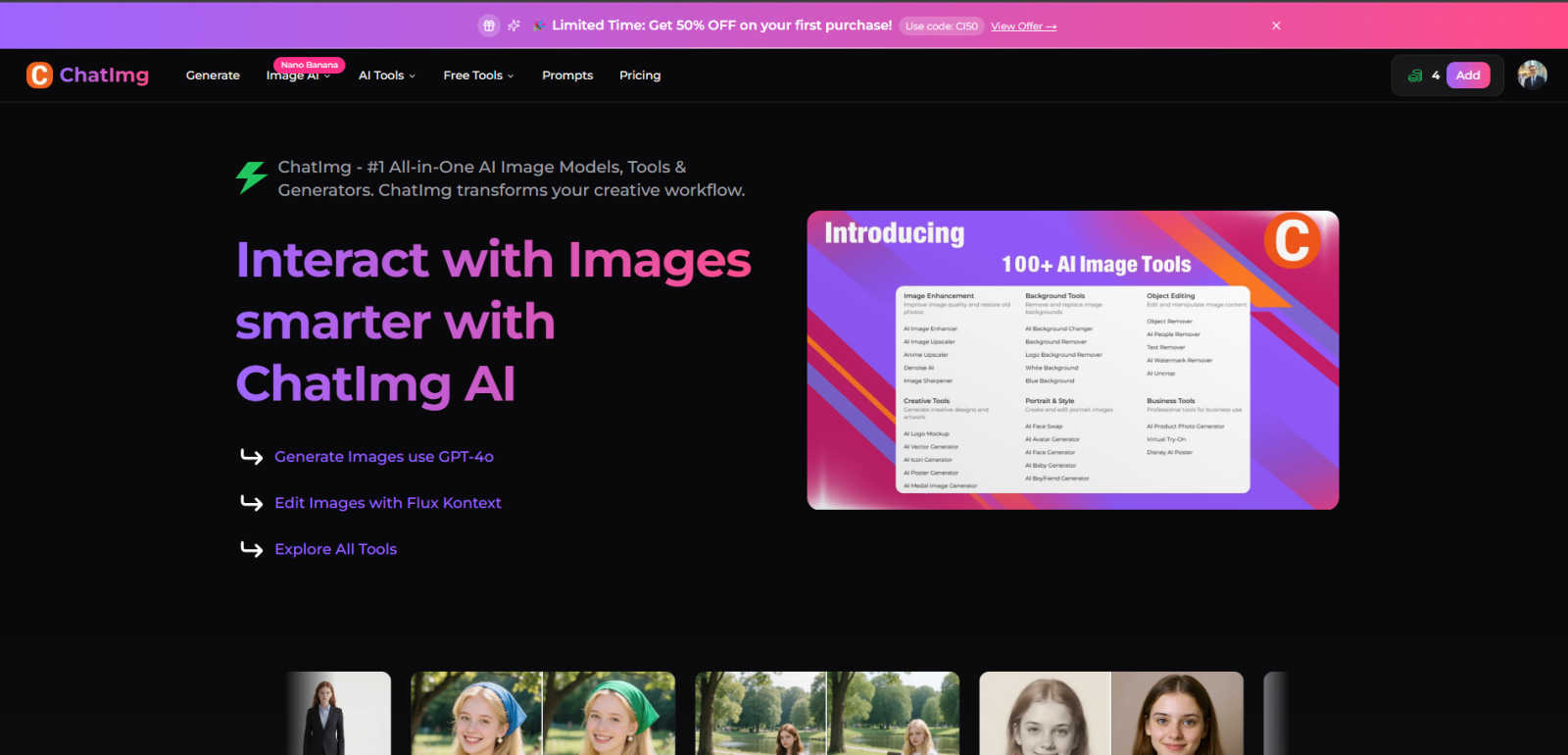
ChatIMG.io empowers your creativity with AI tools for generating, enhancing, and editing images effortlessly.
Last updated: March 1, 2026

Shrinkpad
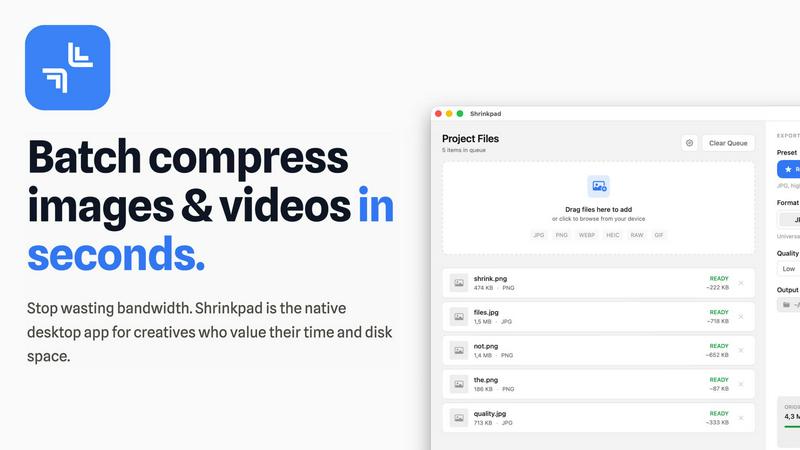
Shrinkpad compresses images and videos on Mac effortlessly, saving space and time for creatives with automatic.
Last updated: February 28, 2026
Visual Comparison
ChatIMG.io
Shrinkpad
Feature Comparison
ChatIMG.io
GPT-4o Image Generation
ChatIMG.io leverages the power of GPT-4o, allowing users to generate stunning images based on text descriptions. This capability enables creators to visualize concepts rapidly, turning ideas into visuals without the need for extensive design skills.
Flux Kontext Editing
With the Flux Kontext feature, users can edit images using natural language instructions. This intuitive approach to image editing allows for quick modifications and refinements, making it easier to achieve the desired look without getting bogged down in technicalities.
AI Hairstyle Changer
The AI Hairstyle Changer feature lets users experiment with different hairstyles in their photos effortlessly. This is particularly useful for beauty professionals and marketers who want to showcase various looks without the hassle of traditional photoshoots.
Image Restoration
ChatIMG.io includes tools for restoring and enhancing old or damaged photos. Users can breathe new life into cherished memories by improving quality and details, making this feature invaluable for both personal and professional use.
Shrinkpad
Batch Compression
Shrinkpad enables users to compress images and videos in bulk, saving time and bandwidth. The one-drop import functionality allows users to effortlessly drag and drop entire folders, which the app then processes instantly, handling thousands of files without crashing.
Intelligent Compression Settings
Shrinkpad automatically analyzes the visual complexity of files to apply optimal compression ratios without introducing artifacts. This ensures that users receive high-quality results while significantly reducing file sizes, making their assets more efficient and manageable.
Format Compatibility
The application supports a wide range of image and video formats, including JPG, PNG, WEBP, AVIF, MP4, and MOV, among others. This extensive compatibility allows users to process various media types seamlessly, ensuring that every file is optimized according to its unique requirements.
Privacy and Security
All processing occurs locally on the user's machine, meaning that sensitive assets never leave the device. This privacy-first approach eliminates concerns associated with cloud-based tools, providing users with peace of mind while managing their valuable media files.
Use Cases
ChatIMG.io
Social Media Marketing
Marketers can utilize ChatIMG.io to create visually striking social media posts that capture their audience's attention. The ability to generate high-quality images quickly means they can maintain a consistent posting schedule without compromising on quality.
E-Commerce Product Listings
E-commerce entrepreneurs can leverage ChatIMG.io to produce unique and appealing product images. This not only enhances their online storefronts but also helps in converting visitors into customers through attractive visual presentations.
Concept Art for Creative Projects
Creative professionals, such as illustrators and concept artists, can use ChatIMG.io to generate initial concepts rapidly. The platform aids in brainstorming sessions, allowing artists to visualize their ideas and iterate quickly.
Personal Projects and Gifts
Individuals looking to create custom images for personal projects or gifts can find tremendous value in ChatIMG.io. Whether designing personalized artwork or crafting unique photo gifts, the tool simplifies the process and enhances creativity.
Shrinkpad
Photographer's Asset Management
Photographers can utilize Shrinkpad to efficiently compress large batches of high-resolution images before exporting them to clients or uploading them to websites. This not only saves storage space but also ensures that their online portfolios load quickly and efficiently.
Video Content Creation
For video creators, Shrinkpad offers an ideal solution for compressing large video files without compromising quality. This is particularly beneficial when preparing content for web platforms where file size can significantly impact loading times and viewer experience.
Design Workflow Optimization
Designers can streamline their workflow by exporting entire asset folders from tools like Figma or Photoshop and using Shrinkpad to handle the optimization and renaming in bulk. This saves hours of manual work, allowing designers to focus on creativity rather than file management.
Web Development Efficiency
Web developers can benefit from Shrinkpad by reducing app bundle sizes and improving website performance. With faster load times and optimized media files, developers can enhance user experience and boost site rankings, making Shrinkpad an invaluable asset in their toolkit.
Overview
About ChatIMG.io
ChatIMG.io is an innovative AI-driven image generator and editor that democratizes the creative process, making it accessible to everyone, regardless of their design expertise. This powerful tool allows users to turn simple text prompts into high-quality images in just a few clicks. Whether you are a marketer aiming to create eye-catching social media graphics, an e-commerce entrepreneur needing compelling product visuals, or a creative professional in search of concept art, ChatIMG.io has tailored solutions for all. With its user-friendly interface and advanced AI technology, users can generate images quickly and efficiently, spurring creativity and enhancing productivity. The platform also includes built-in prompt tips, enabling users to overcome creative blocks and produce professional-grade images that rival those created by seasoned designers. In a world where visual content is key, ChatIMG.io stands out as a go-to tool for anyone looking to elevate their creative outputs.
About Shrinkpad
Shrinkpad is a robust, native macOS application engineered to address the storage and workflow challenges faced by today's digital creators. In an era where high-resolution media files, such as 4K videos, intricate design exports, and high-quality photographs can easily consume precious disk space, Shrinkpad emerges as an essential solution. It mitigates the common frustrations of managing bloated files that not only occupy significant storage but also hinder website performance and application speed. Unlike slow online tools that often compromise your privacy or the tedious process of compressing files individually, Shrinkpad offers a seamless experience with its lightning-fast batch compression—all processed locally on your Mac. Tailored for photographers, designers, developers, and content creators, its main value proposition lies in achieving substantial file size reductions—up to 90%—without sacrificing visual quality. Users can effortlessly drag and drop entire folders, configure their preferences, and watch as Shrinkpad swiftly optimizes their media, reclaiming gigabytes of storage while maintaining a private, offline environment.
Frequently Asked Questions
ChatIMG.io FAQ
How does ChatIMG.io generate images?
ChatIMG.io utilizes advanced AI models, including GPT-4o, to convert text prompts into high-resolution images. Users simply input their ideas, and the AI generates corresponding visuals almost instantly.
Is ChatIMG.io suitable for beginners?
Absolutely! ChatIMG.io is designed with a user-friendly interface that caters to users of all skill levels. With built-in prompt tips and intuitive editing features, even those with no design experience can create stunning images.
What types of images can I create with ChatIMG.io?
Users can create a wide variety of images, including social media graphics, product visuals, concept art, and personal projects. The platform's versatility makes it suitable for marketers, entrepreneurs, and creative professionals alike.
Can I edit images after generating them?
Yes, ChatIMG.io offers robust editing features, including the Flux Kontext editing tool, which allows users to make changes to generated images using natural language instructions. This makes refining images simple and efficient.
Shrinkpad FAQ
Can I use Shrinkpad for free?
Yes, Shrinkpad offers a free starter version that includes essential tools for casual use, allowing users to explore its functionality with limited features.
What file formats does Shrinkpad support?
Shrinkpad supports over 30 image formats, including RAW, JPG, PNG, WEBP, and HEIC, as well as major video formats like MP4 and MOV, ensuring versatility in handling various media types.
Does Shrinkpad support video compression?
Absolutely! Shrinkpad provides robust video compression capabilities, allowing users to reduce the size of their video files significantly while maintaining high visual quality.
How many files can I process at once?
Shrinkpad allows unlimited batch processing, enabling users to handle thousands of files simultaneously without crashing, making it a powerful tool for creators with extensive media libraries.
Alternatives
ChatIMG.io Alternatives
ChatIMG.io is an innovative AI-driven platform that specializes in image generation, enhancement, and editing. This tool caters to a wide range of users, from marketers and entrepreneurs to creative professionals, making it easier for anyone to transform text into high-quality visuals without requiring extensive design skills. Despite its impressive features, users often seek alternatives due to factors such as pricing, specific functionalities, or the need for compatibility with different platforms. When choosing an alternative, consider aspects like ease of use, versatility in image applications, speed and efficiency, as well as the range of editing tools available to ensure the solution meets your creative needs effectively.
Shrinkpad Alternatives
Shrinkpad is a native macOS application that specializes in compressing images and videos to optimize storage and streamline workflows for creators. It addresses the common problem of managing large media files which can bog down both devices and applications. Users often seek alternatives to Shrinkpad due to various reasons, including pricing, specific feature requirements, or compatibility with different platforms. When exploring options, it's crucial to consider factors such as privacy, batch processing capabilities, and overall ease of use to ensure that the alternative meets your unique needs. As the demand for efficient media management continues to grow, finding the right compression tool is vital for photographers, designers, and content creators. Look for alternatives that not only offer similar compression rates but also prioritize user privacy and provide a seamless, intuitive interface. Ultimately, the best choice will align with your workflow requirements while guaranteeing the preservation of visual quality in your media files.