
Shrinkpad
Shrinkpad compresses images and videos on Mac effortlessly, saving space and time for creatives with automatic.
Visit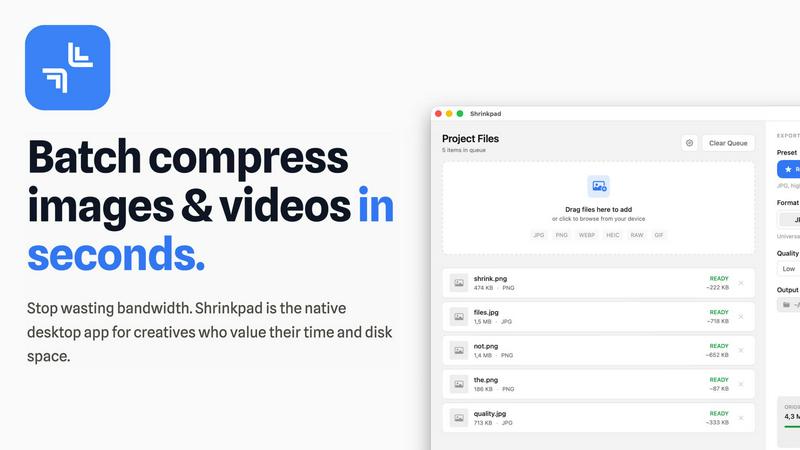
About Shrinkpad
Shrinkpad is a robust, native macOS application engineered to address the storage and workflow challenges faced by today's digital creators. In an era where high-resolution media files, such as 4K videos, intricate design exports, and high-quality photographs can easily consume precious disk space, Shrinkpad emerges as an essential solution. It mitigates the common frustrations of managing bloated files that not only occupy significant storage but also hinder website performance and application speed. Unlike slow online tools that often compromise your privacy or the tedious process of compressing files individually, Shrinkpad offers a seamless experience with its lightning-fast batch compression—all processed locally on your Mac. Tailored for photographers, designers, developers, and content creators, its main value proposition lies in achieving substantial file size reductions—up to 90%—without sacrificing visual quality. Users can effortlessly drag and drop entire folders, configure their preferences, and watch as Shrinkpad swiftly optimizes their media, reclaiming gigabytes of storage while maintaining a private, offline environment.
Features of Shrinkpad
Batch Compression
Shrinkpad enables users to compress images and videos in bulk, saving time and bandwidth. The one-drop import functionality allows users to effortlessly drag and drop entire folders, which the app then processes instantly, handling thousands of files without crashing.
Intelligent Compression Settings
Shrinkpad automatically analyzes the visual complexity of files to apply optimal compression ratios without introducing artifacts. This ensures that users receive high-quality results while significantly reducing file sizes, making their assets more efficient and manageable.
Format Compatibility
The application supports a wide range of image and video formats, including JPG, PNG, WEBP, AVIF, MP4, and MOV, among others. This extensive compatibility allows users to process various media types seamlessly, ensuring that every file is optimized according to its unique requirements.
Privacy and Security
All processing occurs locally on the user's machine, meaning that sensitive assets never leave the device. This privacy-first approach eliminates concerns associated with cloud-based tools, providing users with peace of mind while managing their valuable media files.
Use Cases of Shrinkpad
Photographer's Asset Management
Photographers can utilize Shrinkpad to efficiently compress large batches of high-resolution images before exporting them to clients or uploading them to websites. This not only saves storage space but also ensures that their online portfolios load quickly and efficiently.
Video Content Creation
For video creators, Shrinkpad offers an ideal solution for compressing large video files without compromising quality. This is particularly beneficial when preparing content for web platforms where file size can significantly impact loading times and viewer experience.
Design Workflow Optimization
Designers can streamline their workflow by exporting entire asset folders from tools like Figma or Photoshop and using Shrinkpad to handle the optimization and renaming in bulk. This saves hours of manual work, allowing designers to focus on creativity rather than file management.
Web Development Efficiency
Web developers can benefit from Shrinkpad by reducing app bundle sizes and improving website performance. With faster load times and optimized media files, developers can enhance user experience and boost site rankings, making Shrinkpad an invaluable asset in their toolkit.
Frequently Asked Questions
Can I use Shrinkpad for free?
Yes, Shrinkpad offers a free starter version that includes essential tools for casual use, allowing users to explore its functionality with limited features.
What file formats does Shrinkpad support?
Shrinkpad supports over 30 image formats, including RAW, JPG, PNG, WEBP, and HEIC, as well as major video formats like MP4 and MOV, ensuring versatility in handling various media types.
Does Shrinkpad support video compression?
Absolutely! Shrinkpad provides robust video compression capabilities, allowing users to reduce the size of their video files significantly while maintaining high visual quality.
How many files can I process at once?
Shrinkpad allows unlimited batch processing, enabling users to handle thousands of files simultaneously without crashing, making it a powerful tool for creators with extensive media libraries.
Explore more in this category:
Similar to Shrinkpad

ImageGenerator
Create and edit AI images online with multiple models, text-to-image, image-to-image, background removal, and upscaling.
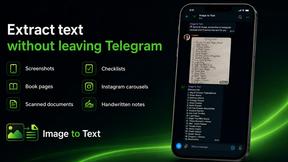
imgtxtapp.laviolab.com
imgtxtapp.laviolab.com is a Telegram-based image-to-text converter that turns photos, screenshots, scanned documents into editable text
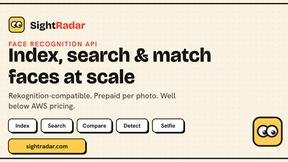
SightRadar
Face recognition API, a drop-in replacement for AWS Rekognition. Index, search, compare and detect faces, billed per photo with no subscription.
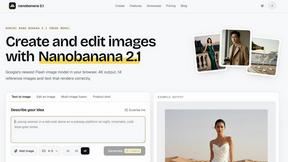
Nano Banana 2.1
A fast, simple image studio powered by Nano Banana 2.1. Create and edit high-quality images with accurate details, readable text, consistent character

AIPetGen
AIPetGen turns a photo of your dog, cat, or other pet, or a written description, into a new picture or a short animation.


Image to Layers AI
Turn any image into editable transparent PNG/PSD layers with AI

CubexSoft EML Converter
Convert EML Files to PST, PDF, EML, MBOX, CSV, Gmail, IMAP, Thunderbird, and more.