conceptviz vs DigitalMagicWand
Side-by-side comparison to help you choose the right tool.

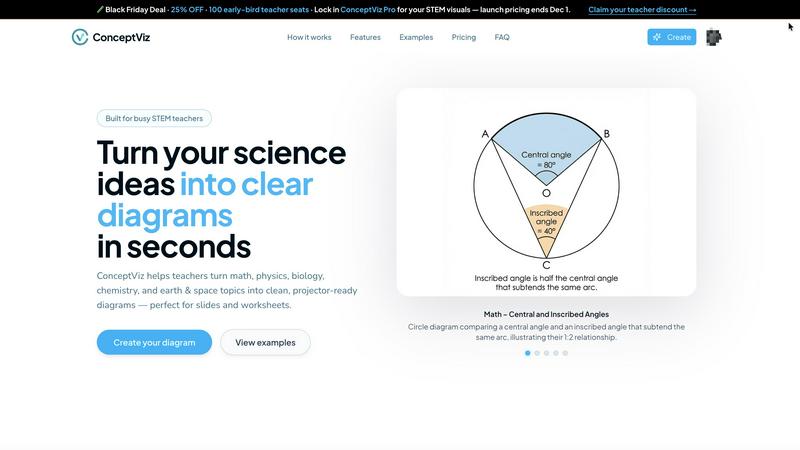
ConceptViz instantly creates clear, ready-to-use science and math diagrams for educators and researchers.
Last updated: February 28, 2026

DigitalMagicWand
DigitalMagicWand transforms text, audio, visuals, and video with advanced AI tools for seamless creativity and precise content analysis.
Last updated: March 18, 2026
Visual Comparison
conceptviz
DigitalMagicWand

Feature Comparison
conceptviz
Subject & Grade Level Presets
ConceptViz eliminates guesswork by offering quick-start presets tuned for real STEM classrooms. Users can select from core subjects like Physics, Biology, Chemistry, Earth & Space, and Math, and further refine by U.S. grade bands (elementary, middle, high school). These presets inform the tool's styling and complexity, ensuring a diagram on "Parts of a Plant" for 5th graders is appropriately detailed compared to a "Mitosis 4-Stage Sequence" for high school biology. This structured approach guarantees age-appropriate and curriculum-relevant visuals from the very first prompt.
Plain Language Diagram Generation
The most powerful feature is the ability to generate diagrams using simple, descriptive text. There is no need for technical drawing commands or design terminology. Educators can type a short description like "convex lens ray diagram with object between F and 2F" or "labeled plant cell cross-section for 8th grade," and ConceptViz's AI interprets the request to produce an accurate visual. This intuitive interface puts the focus on the educational concept itself, not the tool, making it accessible to anyone regardless of their technical or artistic ability.
Projector-Ready Clarity & Design
Every diagram is engineered for the classroom environment. ConceptViz prioritizes legibility with thick, clear lines and bold, readable labels that remain sharp even from the back of the room. Diagrams feature simple, uncluttered backgrounds with minimal visual noise to direct student attention to the core concept. This thoughtful design philosophy ensures that visuals are not just accurate but are functionally optimized for display on classroom projectors and screens, where clarity is non-negotiable.
Slide & Worksheet Friendly Exports
Created with practical workflow integration in mind, diagrams are delivered in a widescreen aspect ratio perfect for PowerPoint or Google Slides, and with clean white backgrounds ideal for printing on worksheets. Users can download high-resolution PNG images and paste them directly into their existing teaching materials. This seamless export process saves additional formatting time, allowing educators to move from idea to integrated visual in their lesson plan within minutes.
DigitalMagicWand
Accurate AI Detector for Text
Our Accurate AI Detector for Text allows users to swiftly determine if a piece of writing is human-generated or AI-generated. With one click, you receive clear confidence scores, helping you make informed decisions about the authenticity of the content. This feature is invaluable for educators, content creators, and businesses alike, as it saves time and ensures the reliability of the text being evaluated.
Undetectable AI Text Humanizer
The Undetectable AI Text Humanizer converts machine-generated text into natural, human-like writing. Utilizing proprietary linguistic algorithms, this feature effectively removes statistical patterns that typically trigger AI detection, all while maintaining the original message. It's perfect for writers who want their content to resonate authentically across various contexts, from academic papers to marketing materials.
Digital Ear™: Convert Piano Tracks to MIDI
Digital Ear™ is a trusted tool for musicians, now reimagined for solo piano performances. This feature accurately transcribes piano tracks into MIDI, capturing the complexity and nuance of the music. It's an essential tool for composers and arrangers who want to digitize their original works, allowing for greater flexibility in editing and performance.
Instant Background Removal
Our Instant Background Removal tool employs advanced algorithms to seamlessly separate subjects from distracting backgrounds. This feature ensures professional-quality cutouts with minimal effort, making it ideal for designers, marketers, and anyone needing pristine images for presentations or social media.
Use Cases
conceptviz
Enhancing Daily Lesson Plans and Presentations
Teachers can rapidly generate custom diagrams to illustrate specific points within their daily lectures. Instead of relying on generic textbook images, they can create visuals that perfectly match their unique explanation of a concept, such as "energy transformation in a roller coaster" for a physics class or "acid-base titration setup" for chemistry. This leads to more coherent, engaging, and effective presentations that resonate with students.
Creating Customized Assessments and Worksheets
Educators can produce original, clear diagrams for quizzes, tests, and homework assignments. This prevents students from memorizing images from common online sources and allows teachers to tailor questions precisely. For example, generating a unique "block on incline free body diagram" or a specific "animal cell cross-section" ensures assessments are fair, secure, and test true understanding rather than recognition.
Supporting Student Projects and Study Aids
Students and researchers can use ConceptViz to create accurate figures for their own reports, presentations, and study materials. A graduate student can illustrate a complex research concept, while a middle school student can generate a diagram to study the "structure of an atom." This empowers learners to actively visualize and reinforce their own understanding, fostering deeper engagement with the material.
Streamlining Lab Activity Preparation
When preparing for laboratory sessions, instructors often need diagrams of experimental setups, safety procedures, or expected results. ConceptViz allows for the quick creation of these instructional visuals, such as a detailed "states of matter particle model" for a demo or a labeled anatomy diagram for dissection guidance. Clear, consistent lab diagrams improve student comprehension and procedural accuracy during hands-on activities.
DigitalMagicWand
Educators Verifying Academic Integrity
Educators can use the Accurate AI Detector for Text to uphold academic integrity by detecting AI-generated submissions. This feature enables them to ensure that students' work is original, thus fostering a culture of genuine learning and creativity.
Musicians Enhancing Their Compositions
With the Digital Ear™ feature, musicians can easily convert their piano performances into MIDI files, allowing for easier editing, arrangement, and collaboration with other musicians. This use case highlights how DigitalMagicWand empowers artists to innovate and refine their craft effortlessly.
Content Creators Crafting Engaging Stories
Content creators can utilize the Undetectable AI Text Humanizer to refine their drafts, ensuring that machine-generated text flows naturally. This allows them to maintain their unique voice while benefiting from AI assistance, making storytelling more efficient and engaging.
Marketers Creating Eye-Catching Visuals
Marketers can leverage the Instant Background Removal tool to create striking visuals for advertisements and social media without the need for extensive graphic design skills. This tool enhances their ability to produce professional-looking content quickly, improving campaign effectiveness.
Overview
About conceptviz
For educators, students, and researchers in STEM, creating clear, accurate, and classroom-ready diagrams is a persistent challenge. Scouring the internet for the "almost right" image, wrestling with complex design software, or spending hours hand-drawing visuals eats into precious preparation time and often yields inconsistent results. The struggle to translate complex scientific concepts into universally understandable visuals can hinder both teaching effectiveness and learning comprehension. ConceptViz directly solves this problem. It is an innovative AI-powered platform designed to generate precise, projector-ready diagrams in seconds. Users simply describe the visual they need in plain English, and ConceptViz automatically creates a high-quality, optimized illustration. Tailored specifically for STEM subjects—from K-12 physics and biology to graduate-level research—it ensures every diagram is built with educational clarity in mind: high-contrast lines, readable labels, and minimal visual noise. The core value proposition is immense time savings paired with pedagogical precision, empowering educators to enhance lesson plans, lab activities, and assessments with professional-grade visuals that match their exact teaching narrative without requiring any design skill.
About DigitalMagicWand
DigitalMagicWand™ is a groundbreaking online platform that harnesses the power of artificial intelligence to transform the way we create and process digital content. Whether you are an artist, content creator, musician, educator, or business professional, DigitalMagicWand provides a versatile suite of AI-powered tools for image, audio, video, and text manipulation. Our platform is designed to enhance creativity and streamline workflows, enabling users to produce high-quality content with ease. With a focus on user-friendliness and efficiency, DigitalMagicWand eliminates the need for complex software and technical expertise. Users can simply describe their needs in plain language, and our advanced algorithms take care of the rest, ensuring that anyone can create stunning visuals, engaging audio, and compelling text. The main value proposition lies in our ability to save time and reduce the complexity of digital content creation, allowing users to focus on what truly matters: their creativity.
Frequently Asked Questions
conceptviz FAQ
What subjects and grade levels does ConceptViz support?
ConceptViz is specifically built for STEM education and research. It supports core subjects including Physics, Biology, Chemistry, Earth & Space, and Mathematics. It is designed to cater to a wide range of levels, from elementary school (K-12) basics to advanced high school and university-level concepts, with presets that adjust the detail and complexity accordingly.
Do I need any design or drawing skills to use ConceptViz?
No, absolutely not. ConceptViz is designed for educators and researchers, not graphic designers. The entire platform is built around the simple process of describing what you need in plain English. You do not need to draw anything or understand design software. The AI handles the creation of a clean, professional diagram based solely on your descriptive text prompt.
How are the diagrams optimized for classroom use?
Diagrams are created with key classroom practicalities in mind. They use high-contrast, thick lines and large, legible text labels to ensure visibility from anywhere in the room. Backgrounds are kept simple and uncluttered to reduce visual distraction. The output is also formatted in a widescreen aspect ratio for easy insertion into presentation slides and with print-friendly white backgrounds for worksheets.
Can I try ConceptViz for free before purchasing?
Yes, ConceptViz offers a free tier that allows you to create diagrams without requiring a credit card. This includes access to generate diagrams and download them in high-quality 4K Ultra HD resolution. This lets you fully test the platform's capabilities and integrate it into your lesson preparation workflow to see the time-saving benefits firsthand before committing to a paid plan.
DigitalMagicWand FAQ
What types of content can I create with DigitalMagicWand?
DigitalMagicWand enables users to create and process a wide range of content types, including images, audio, video, and text. This versatility makes it suitable for various industries and creative fields.
Is DigitalMagicWand user-friendly for beginners?
Absolutely! DigitalMagicWand is designed with user-friendliness in mind, allowing users to create high-quality content without requiring technical skills. Simply describe your needs, and our AI tools will handle the rest.
How accurate is the AI Detector for Text?
The AI Detector for Text provides clear confidence scores, indicating the likelihood that a piece of text is AI-generated. This feature is highly accurate and helps users make informed decisions about the authenticity of content.
Can I use DigitalMagicWand for professional projects?
Yes, DigitalMagicWand is suitable for both personal and professional projects. Its advanced tools cater to artists, educators, marketers, and anyone looking to produce high-quality digital content efficiently.
Alternatives
conceptviz Alternatives
ConceptViz is an AI-powered design tool in the data visualization and content creation category. It specializes in transforming complex STEM concepts into clear, classroom-ready diagrams for educators and researchers. Users often seek alternatives for various reasons, including budget constraints, the need for different feature sets like advanced customization, or compatibility with other platforms and workflows. When evaluating an alternative, it's crucial to identify your primary need. Consider whether you require general-purpose diagramming, deep subject-matter accuracy, or seamless integration with specific software. The ideal tool should effectively solve your core challenge of creating understandable visuals without introducing unnecessary complexity or a steep learning curve that defeats the purpose of saving time.
DigitalMagicWand Alternatives
DigitalMagicWand is an innovative platform that leverages artificial intelligence to assist users in creating and enhancing various forms of digital content, including visuals, audio, video, and text. As a comprehensive AI assistant, it caters to a wide range of creative needs, making it a popular choice for individuals and businesses alike. However, users often seek alternatives to DigitalMagicWand for several reasons, including pricing structures, specific feature sets, or compatibility with different platforms. When exploring alternatives, it's crucial to consider factors such as ease of use, the range of tools offered, customer support, and overall value for money. By assessing these aspects, users can find a solution that aligns more closely with their unique requirements.