
conceptviz
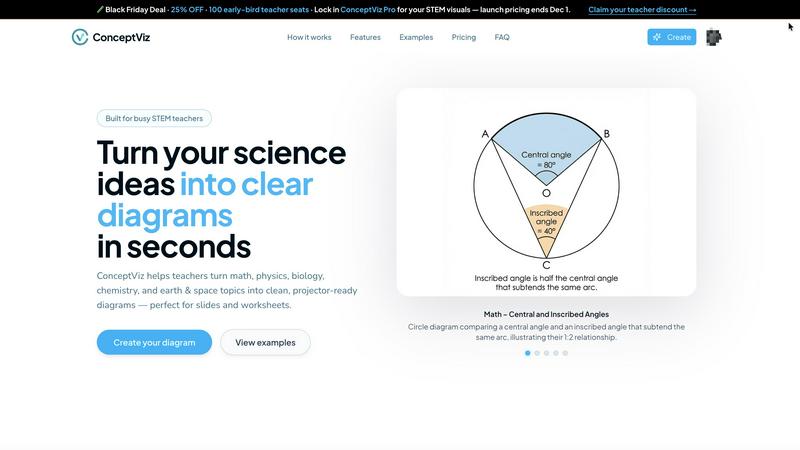
ConceptViz instantly creates clear, ready-to-use science and math diagrams for educators and researchers.
VisitPublished on:
December 3, 2025
Pricing:
About conceptviz
For educators, students, and researchers in STEM, creating clear, accurate, and classroom-ready diagrams is a persistent challenge. Scouring the internet for the "almost right" image, wrestling with complex design software, or spending hours hand-drawing visuals eats into precious preparation time and often yields inconsistent results. The struggle to translate complex scientific concepts into universally understandable visuals can hinder both teaching effectiveness and learning comprehension. ConceptViz directly solves this problem. It is an innovative AI-powered platform designed to generate precise, projector-ready diagrams in seconds. Users simply describe the visual they need in plain English, and ConceptViz automatically creates a high-quality, optimized illustration. Tailored specifically for STEM subjects—from K-12 physics and biology to graduate-level research—it ensures every diagram is built with educational clarity in mind: high-contrast lines, readable labels, and minimal visual noise. The core value proposition is immense time savings paired with pedagogical precision, empowering educators to enhance lesson plans, lab activities, and assessments with professional-grade visuals that match their exact teaching narrative without requiring any design skill.
Features of conceptviz
Subject & Grade Level Presets
ConceptViz eliminates guesswork by offering quick-start presets tuned for real STEM classrooms. Users can select from core subjects like Physics, Biology, Chemistry, Earth & Space, and Math, and further refine by U.S. grade bands (elementary, middle, high school). These presets inform the tool's styling and complexity, ensuring a diagram on "Parts of a Plant" for 5th graders is appropriately detailed compared to a "Mitosis 4-Stage Sequence" for high school biology. This structured approach guarantees age-appropriate and curriculum-relevant visuals from the very first prompt.
Plain Language Diagram Generation
The most powerful feature is the ability to generate diagrams using simple, descriptive text. There is no need for technical drawing commands or design terminology. Educators can type a short description like "convex lens ray diagram with object between F and 2F" or "labeled plant cell cross-section for 8th grade," and ConceptViz's AI interprets the request to produce an accurate visual. This intuitive interface puts the focus on the educational concept itself, not the tool, making it accessible to anyone regardless of their technical or artistic ability.
Projector-Ready Clarity & Design
Every diagram is engineered for the classroom environment. ConceptViz prioritizes legibility with thick, clear lines and bold, readable labels that remain sharp even from the back of the room. Diagrams feature simple, uncluttered backgrounds with minimal visual noise to direct student attention to the core concept. This thoughtful design philosophy ensures that visuals are not just accurate but are functionally optimized for display on classroom projectors and screens, where clarity is non-negotiable.
Slide & Worksheet Friendly Exports
Created with practical workflow integration in mind, diagrams are delivered in a widescreen aspect ratio perfect for PowerPoint or Google Slides, and with clean white backgrounds ideal for printing on worksheets. Users can download high-resolution PNG images and paste them directly into their existing teaching materials. This seamless export process saves additional formatting time, allowing educators to move from idea to integrated visual in their lesson plan within minutes.
Use Cases of conceptviz
Enhancing Daily Lesson Plans and Presentations
Teachers can rapidly generate custom diagrams to illustrate specific points within their daily lectures. Instead of relying on generic textbook images, they can create visuals that perfectly match their unique explanation of a concept, such as "energy transformation in a roller coaster" for a physics class or "acid-base titration setup" for chemistry. This leads to more coherent, engaging, and effective presentations that resonate with students.
Creating Customized Assessments and Worksheets
Educators can produce original, clear diagrams for quizzes, tests, and homework assignments. This prevents students from memorizing images from common online sources and allows teachers to tailor questions precisely. For example, generating a unique "block on incline free body diagram" or a specific "animal cell cross-section" ensures assessments are fair, secure, and test true understanding rather than recognition.
Supporting Student Projects and Study Aids
Students and researchers can use ConceptViz to create accurate figures for their own reports, presentations, and study materials. A graduate student can illustrate a complex research concept, while a middle school student can generate a diagram to study the "structure of an atom." This empowers learners to actively visualize and reinforce their own understanding, fostering deeper engagement with the material.
Streamlining Lab Activity Preparation
When preparing for laboratory sessions, instructors often need diagrams of experimental setups, safety procedures, or expected results. ConceptViz allows for the quick creation of these instructional visuals, such as a detailed "states of matter particle model" for a demo or a labeled anatomy diagram for dissection guidance. Clear, consistent lab diagrams improve student comprehension and procedural accuracy during hands-on activities.
Frequently Asked Questions
What subjects and grade levels does ConceptViz support?
ConceptViz is specifically built for STEM education and research. It supports core subjects including Physics, Biology, Chemistry, Earth & Space, and Mathematics. It is designed to cater to a wide range of levels, from elementary school (K-12) basics to advanced high school and university-level concepts, with presets that adjust the detail and complexity accordingly.
Do I need any design or drawing skills to use ConceptViz?
No, absolutely not. ConceptViz is designed for educators and researchers, not graphic designers. The entire platform is built around the simple process of describing what you need in plain English. You do not need to draw anything or understand design software. The AI handles the creation of a clean, professional diagram based solely on your descriptive text prompt.
How are the diagrams optimized for classroom use?
Diagrams are created with key classroom practicalities in mind. They use high-contrast, thick lines and large, legible text labels to ensure visibility from anywhere in the room. Backgrounds are kept simple and uncluttered to reduce visual distraction. The output is also formatted in a widescreen aspect ratio for easy insertion into presentation slides and with print-friendly white backgrounds for worksheets.
Can I try ConceptViz for free before purchasing?
Yes, ConceptViz offers a free tier that allows you to create diagrams without requiring a credit card. This includes access to generate diagrams and download them in high-quality 4K Ultra HD resolution. This lets you fully test the platform's capabilities and integrate it into your lesson preparation workflow to see the time-saving benefits firsthand before committing to a paid plan.
Pricing of conceptviz
ConceptViz is currently offering a limited-time Lifetime Deal for $229. This one-time purchase provides permanent access to the platform's features. The offer is time-limited and quantity-restricted, with only 20 seats remaining at this price point.
Similar to conceptviz

Leadeon
AI growth tool for X and LinkedIn: write posts in your voice, schedule at your best times, find leads on X and see what works.

Bulin 47 AI
Put yourself in the viral Bulin 47 freestyle video from one photo.
ImageGenerator
Create and edit AI images online with multiple models, text-to-image, image-to-image, background removal, and upscaling.
Genjutsu AI Video Editor
AI video-to-video editing for character, outfit, object, and style swaps guided by your source clip and reference images.
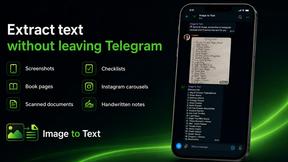
imgtxtapp.laviolab.com
imgtxtapp.laviolab.com is a Telegram-based image-to-text converter that turns photos, screenshots, scanned documents into editable text
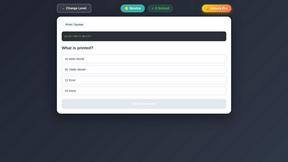
PythonExercise.com
An interactive coding platform featuring bite-sized Python exercises designed to build real coding skills through hands-on practice.
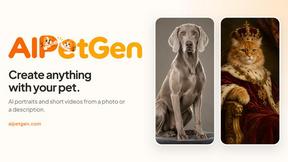
AIPetGen
AIPetGen turns a photo of your dog, cat, or other pet, or a written description, into a new picture or a short animation.