Dividend Data
Access 30+ years of dividend data, financials, and stock metrics instantly in your spreadsheets with our easy-to-use add-in for Excel and Google.
Visit
About Dividend Data
Dividend Data is an innovative tool designed specifically for dividend and fundamental investors seeking seamless access to comprehensive stock market data. With over 30 years of historical information covering more than 80,000 tickers, Dividend Data integrates directly into Google Sheets and Microsoft Excel, allowing users to retrieve crucial financial metrics without the need for complicated API keys or coding knowledge. This user-friendly solution empowers investors by providing instant access to key data points such as dividends, yields, payout ratios, growth rates, financial statements, and earnings. By simply typing a custom formula into their spreadsheet, users can obtain real-time data, significantly enhancing their investment analysis and decision-making process. Whether you are a seasoned investor or just starting, Dividend Data serves as a powerful ally in navigating the complex world of stock investments, making it easier to track and understand dividend performance and overall financial health.
Features of Dividend Data
Free Tier with Monthly Credits
Dividend Data offers a generous free tier that provides users with 2,500 monthly credits, allowing them to explore the platform without any trial expiration. This feature is perfect for both novice investors who are just beginning their journey and experienced investors who want to test out the tool without financial commitment.
Custom Functions for Dividend Investors
The platform includes 16 custom functions tailored to meet the specific needs of dividend investors. From calculating forward-looking dividend yields to accessing earnings per share, these functions simplify complex financial analyses, enabling users to make informed investment decisions quickly.
Extensive Historical Data
With over 30 years of historical stock data, Dividend Data equips users with the ability to conduct thorough analyses of market trends and stock performance. This extensive data range allows investors to identify patterns, assess long-term growth opportunities, and understand the historical context of their investments.
Seamless Integration with Popular Spreadsheet Tools
Dividend Data works effortlessly within both Google Sheets and Microsoft Excel, making it accessible to a broad audience. This integration allows users to automate their data retrieval process, eliminating the need for tedious copy-pasting and enabling them to focus on analysis and strategy.
Use Cases of Dividend Data
Analyzing Dividend Stocks
Investors looking to analyze dividend stocks can utilize Dividend Data's custom functions to retrieve essential metrics like dividend yields and payout ratios. This helps them evaluate the sustainability of dividends and identify stocks that align with their investment goals.
Portfolio Management
Dividend Data enhances portfolio management by allowing users to track dividends automatically and link their portfolios directly to the tool. This feature enables investors to view aggregate statistics and make adjustments based on real-time performance data.
Conducting Fundamental Analysis
Fundamental investors can leverage Dividend Data to access a wealth of financial statements, earnings reports, and key ratios. This access allows for in-depth evaluations of a company's financial health and growth potential, aiding in more informed investment decisions.
Researching Historical Performance
With 30+ years of data available, investors can research and analyze historical stock performance. This valuable insight aids in understanding market cycles and identifying potential investment opportunities based on past trends.
Frequently Asked Questions
What types of data can I access with Dividend Data?
You can access a wide range of data, including dividends, yields, payout ratios, growth rates, financial statements, earnings, ratios, price history, and over 100 other metrics.
Is there a limit to the number of credits I can use each month?
Yes, the free tier offers 2,500 monthly credits, which can be used to access various data points. This allows users to manage their usage without incurring unexpected costs.
Can I use Dividend Data on both Google Sheets and Excel?
Absolutely! Dividend Data is designed to work seamlessly with both Google Sheets and Microsoft Excel, making it convenient for users to choose their preferred platform.
Do I need any coding skills to use Dividend Data?
No coding skills are necessary. The platform is built for ease of use, allowing you to simply type a formula to retrieve live data directly into your spreadsheets.
Similar to Dividend Data
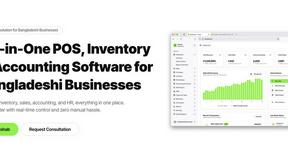
Hishab
All-in-One POS, Inventory & Accounting Software for Bangladeshi Businesses




IZIPAY
IZIPAY is a virtual and physical crypto card service that lets users top up with digital assets and pay online like with a regular card.

Efficienco
Efficienco is a free collection of practical online calculators for construction, materials, home improvement, engineering, trades, and business.
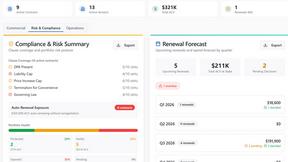
Venduris
Venduris is a renewal intelligence platform that gives mid-size companies control over SaaS & AI contract renewals before leverage disappears.