Doodle Duel vs SVG to 3D
Side-by-side comparison to help you choose the right tool.

Doodle Duel
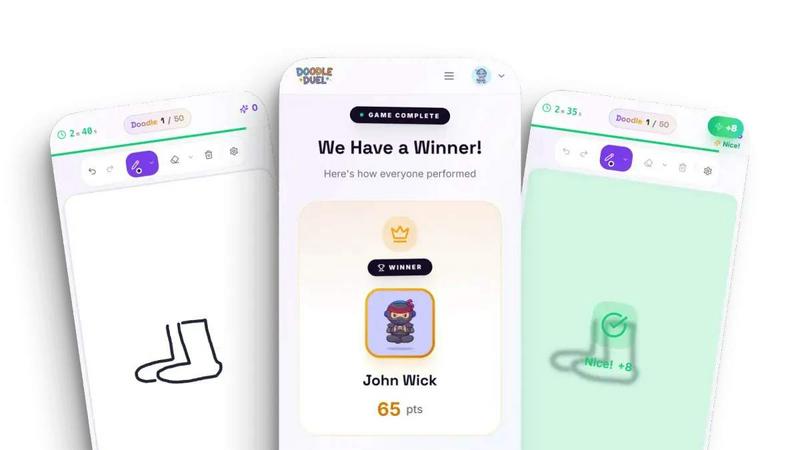
Compete in fast-paced drawing duels with friends as AI judges your creativity in this fun, free multiplayer game.
Last updated: February 28, 2026
SVG to 3D
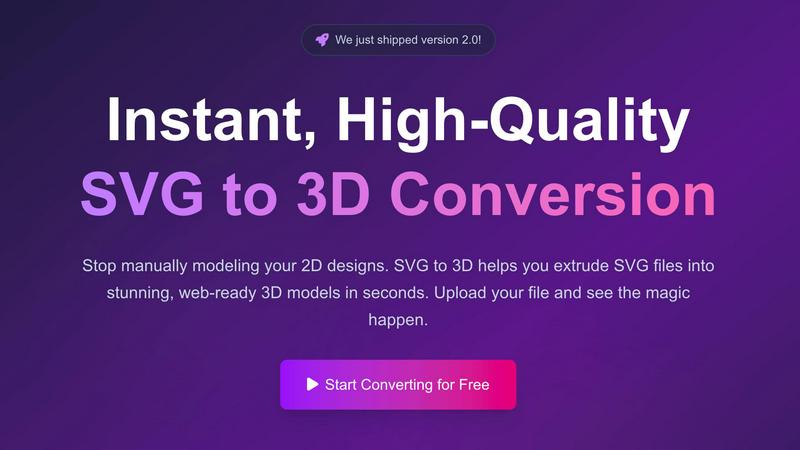
Effortlessly convert your SVG files into stunning 3D models with advanced features and lightning-fast processing.
Last updated: February 27, 2026
Visual Comparison
Doodle Duel
SVG to 3D
Feature Comparison
Doodle Duel
Create a Room
With Doodle Duel, setting up a game is effortless. You can create a room in mere seconds and share a unique code with your friends. There is no need for account sign-ups or downloads. Just generate a room code and invite your friends to join the fun instantly.
Real-Time Drawing
Engage in fast-paced real-time drawing battles where everyone receives the same prompt and has only 60 seconds to sketch their interpretation. This feature guarantees a lively atmosphere and keeps the excitement high as players race against the clock, turning creativity into an exhilarating competition.
AI Judging
Doodle Duel employs an AI judge that scores each drawing based on accuracy, creativity, and style. This ensures a fair evaluation of each submission, removing any biases that might arise in a popularity contest. The AI's humorous feedback adds an entertaining twist, making the judging process part of the fun.
Multiplayer and Solo Modes
Whether you prefer to challenge yourself solo or compete with friends, Doodle Duel has you covered. The game features a solo arcade mode with 50 levels of increasing difficulty, along with multiplayer duels that allow for chaotic and fun interactions with up to 30 players. This flexibility caters to different gaming preferences.
SVG to 3D
One-Click to GLB for the Web
This feature allows users to quickly convert their SVG files into lightweight GLB models optimized for web use. These files can seamlessly integrate into frameworks like Three.js and React Three Fiber, making it easy for developers to enhance their websites with interactive 3D elements.
3D-Print Ready
SVG to 3D supports clean STL exports, enabling users to directly prepare their designs for 3D printing. This feature simplifies the workflow for creators looking to transform digital designs into physical objects without navigating complex CAD software.
Advanced Material System
Users can apply realistic PBR materials and custom textures to their 3D models, enhancing visual quality. This feature allows for the creation of professional-looking models that stand out, making them ideal for presentations and client work.
Lightning-Fast Processing
Thanks to optimized algorithms, SVG to 3D converts your designs into 3D models in mere seconds. This speed allows users to iterate quickly and efficiently, a significant advantage in fast-paced environments where time is critical.
Use Cases
Doodle Duel
Family Game Night
Doodle Duel is perfect for family gatherings, providing an engaging way for all ages to come together and enjoy some lighthearted competition. The game's easy setup makes it accessible for everyone, ensuring that every family member can participate and have fun.
Office Team Building
Looking for an exciting team-building activity? Doodle Duel can enhance collaboration and creativity among colleagues. By competing in drawing duels, team members can bond over shared laughter and friendly rivalry, breaking the ice and improving camaraderie.
Parties and Social Events
Transform any party into an unforgettable experience with Doodle Duel. The game encourages interaction and entertainment, making it a fantastic icebreaker. Guests can dive into drawing battles, creating memorable moments and plenty of laughs throughout the event.
Skill Development
For those looking to improve their drawing skills, Doodle Duel offers a fun and engaging way to practice. The solo arcade mode presents challenges that can help players enhance their artistic abilities while enjoying the thrill of competition and instant feedback from the AI judge.
SVG to 3D
Creating Interactive Web Elements
Web developers can easily convert SVG icons into 3D models, enriching user interactions on websites. This use case is particularly beneficial for enhancing the visual appeal of UI components, making them more engaging and dynamic.
Prototyping 3D Designs for Marketing
Designers can use SVG to 3D to create quick prototypes of logos and promotional materials. The ability to visualize designs in 3D helps in presenting ideas to clients and stakeholders, ensuring clarity and improving feedback.
Preparing Designs for 3D Printing
Artists and engineers can upload their SVG files and instantly get high-quality STL outputs for 3D printing. This streamlined process is perfect for rapid prototyping and producing custom parts without needing extensive CAD training.
Elevating UI/UX Presentations
With seamless integration for Figma, designers can quickly mock up UI elements in 3D, adding depth and realism to their presentations. This captivating approach can impress clients and enhance the overall impact of design proposals.
Overview
About Doodle Duel
Doodle Duel is an innovative real-time drawing game that harnesses creativity, competition, and laughter, making it an ideal choice for anyone who enjoys sketching. Whether you are a seasoned artist or a doodle novice, Doodle Duel invites you to engage in thrilling drawing battles with friends, accommodating up to 30 players. The game eliminates the need for accounts or downloads, allowing you to jump straight into the fun. Each game round begins with a prompt, and players race against the clock to create their unique interpretations within a 60-second timeframe. Adding to the excitement, an AI judge powered by advanced technologies evaluates each submission, providing humorous yet fair feedback. This unique blend of speed and creativity transforms Doodle Duel into an exhilarating experience, making it perfect for parties, family gatherings, or casual hangouts. With flexible modes available, players can opt for a solo arcade journey or chaotic multiplayer duels, ensuring that everyone finds their perfect way to play.
About SVG to 3D
SVG to 3D is a groundbreaking tool designed to transform your 2D SVG vector graphics into stunning, high-quality 3D models with unparalleled ease and speed. Whether you are a web developer, designer, or a 3D printing enthusiast, this tool is tailored for you. It eliminates the hassle of using heavyweight software like Blender or Cinema 4D, which often comes with steep learning curves and long processing times. With SVG to 3D, you can effortlessly extrude logos, icons, and other designs in seconds, all directly from your browser. The main value proposition is its ability to provide fast, professional-grade outputs that cater to various applications, from web development to 3D printing, all while maintaining user privacy and security by processing files locally.
Frequently Asked Questions
Doodle Duel FAQ
Do I need to create an account to play Doodle Duel?
No, Doodle Duel does not require any account creation. You can start playing immediately by creating a room and sharing the code with friends.
How many players can join a game?
Doodle Duel allows up to 30 players to join a game, making it perfect for large gatherings or casual hangouts with friends.
What devices can I play Doodle Duel on?
Doodle Duel is designed to be played on any device with internet access, so you can enjoy drawing duels on your computer, tablet, or smartphone without any downloads.
Can I play solo in Doodle Duel?
Yes, Doodle Duel features a solo arcade mode where players can take on 50 levels of increasing difficulty, allowing you to hone your drawing skills at your own pace.
SVG to 3D FAQ
How do I start using SVG to 3D?
To get started, simply upload your SVG file to the platform. You can drag and drop your file or paste the code directly into the editor, and the tool will handle the rest.
What file formats can I export my 3D models in?
You can export your 3D models in several formats including GLB, GLTF, OBJ, and STL, ensuring compatibility with various applications and platforms.
Is my data secure while using SVG to 3D?
Yes, your files are processed locally in your browser when possible, which means your designs remain private and secure without being uploaded to external servers.
Can I fine-tune my 3D models after conversion?
Absolutely! SVG to 3D allows you to adjust thickness, bevels, and apply realistic PBR materials. You can see these changes in real-time, ensuring your model meets your expectations before exporting.
Alternatives
Doodle Duel Alternatives
Doodle Duel is a dynamic real-time drawing game that falls under the category of multiplayer entertainment. It allows players to engage in creative battles with friends, where an AI judges their artistic skills. Many users seek alternatives to Doodle Duel for various reasons such as pricing, features, or compatibility with different devices. Some might prefer games with unique art styles, additional features like voice chat, or those that offer a different user experience. When exploring alternatives, it's essential to consider aspects such as gameplay mechanics, community engagement, and overall enjoyment to find the best fit for your needs.
SVG to 3D Alternatives
SVG to 3D is a specialized tool designed to transform 2D SVG vector graphics into high-quality 3D models. It falls under the category of AI Assistants, catering primarily to designers, developers, and 3D printing enthusiasts who seek a streamlined approach to model creation. Users often explore alternatives due to factors such as pricing, feature sets, platform compatibility, or the desire for more advanced functionalities. When selecting an alternative, it's crucial to consider ease of use, the range of features offered, and whether the solution aligns with specific project needs. --- [{"question": "What is SVG to 3D?", "answer": "SVG to 3D is a tool that converts 2D SVG vector graphics into high-quality 3D models."}, {"question": "Who is SVG to 3D for?", "answer": "SVG to 3D is designed for developers, designers, and 3D printing enthusiasts looking for efficient model transformation."}, {"question": "Is SVG to 3D free?", "answer": "The pricing of SVG to 3D may vary, and users should check the official site for current pricing details."}, {"question": "What are the main features of SVG to 3D?", "answer": "Key features include one-click GLB export for web use, 3D-print ready STL files, and advanced modeling options in a browser."}]