
SVG to 3D
Effortlessly convert your SVG files into stunning 3D models with advanced features and lightning-fast processing.
Visit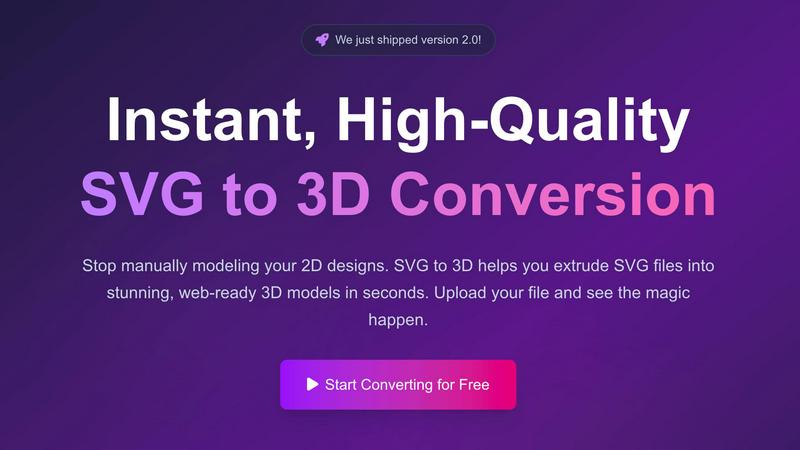
About SVG to 3D
SVG to 3D is a groundbreaking tool designed to transform your 2D SVG vector graphics into stunning, high-quality 3D models with unparalleled ease and speed. Whether you are a web developer, designer, or a 3D printing enthusiast, this tool is tailored for you. It eliminates the hassle of using heavyweight software like Blender or Cinema 4D, which often comes with steep learning curves and long processing times. With SVG to 3D, you can effortlessly extrude logos, icons, and other designs in seconds, all directly from your browser. The main value proposition is its ability to provide fast, professional-grade outputs that cater to various applications, from web development to 3D printing, all while maintaining user privacy and security by processing files locally.
Features of SVG to 3D
One-Click to GLB for the Web
This feature allows users to quickly convert their SVG files into lightweight GLB models optimized for web use. These files can seamlessly integrate into frameworks like Three.js and React Three Fiber, making it easy for developers to enhance their websites with interactive 3D elements.
3D-Print Ready
SVG to 3D supports clean STL exports, enabling users to directly prepare their designs for 3D printing. This feature simplifies the workflow for creators looking to transform digital designs into physical objects without navigating complex CAD software.
Advanced Material System
Users can apply realistic PBR materials and custom textures to their 3D models, enhancing visual quality. This feature allows for the creation of professional-looking models that stand out, making them ideal for presentations and client work.
Lightning-Fast Processing
Thanks to optimized algorithms, SVG to 3D converts your designs into 3D models in mere seconds. This speed allows users to iterate quickly and efficiently, a significant advantage in fast-paced environments where time is critical.
Use Cases of SVG to 3D
Creating Interactive Web Elements
Web developers can easily convert SVG icons into 3D models, enriching user interactions on websites. This use case is particularly beneficial for enhancing the visual appeal of UI components, making them more engaging and dynamic.
Prototyping 3D Designs for Marketing
Designers can use SVG to 3D to create quick prototypes of logos and promotional materials. The ability to visualize designs in 3D helps in presenting ideas to clients and stakeholders, ensuring clarity and improving feedback.
Preparing Designs for 3D Printing
Artists and engineers can upload their SVG files and instantly get high-quality STL outputs for 3D printing. This streamlined process is perfect for rapid prototyping and producing custom parts without needing extensive CAD training.
Elevating UI/UX Presentations
With seamless integration for Figma, designers can quickly mock up UI elements in 3D, adding depth and realism to their presentations. This captivating approach can impress clients and enhance the overall impact of design proposals.
Frequently Asked Questions
How do I start using SVG to 3D?
To get started, simply upload your SVG file to the platform. You can drag and drop your file or paste the code directly into the editor, and the tool will handle the rest.
What file formats can I export my 3D models in?
You can export your 3D models in several formats including GLB, GLTF, OBJ, and STL, ensuring compatibility with various applications and platforms.
Is my data secure while using SVG to 3D?
Yes, your files are processed locally in your browser when possible, which means your designs remain private and secure without being uploaded to external servers.
Can I fine-tune my 3D models after conversion?
Absolutely! SVG to 3D allows you to adjust thickness, bevels, and apply realistic PBR materials. You can see these changes in real-time, ensuring your model meets your expectations before exporting.
Similar to SVG to 3D

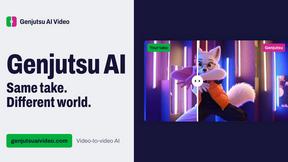
Genjutsu AI Video Editor
AI video-to-video editing for character, outfit, object, and style swaps guided by your source clip and reference images.

Honer AI
Android AI assistant with chat, web search, photo and document analysis, and voice input.
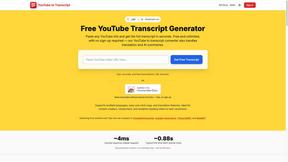
GetYouTubeTranscript
Free YouTube transcripts on the web, a Chrome extension, and an API + MCP server so AI assistants can read YouTube.

Free Gemini Omni
Create, remix, and edit cinematic AI videos online with Free Gemini Omni using text, image, audio, and video prompts.
