
Hush Touch | Voice-to-Text for MacOS vs URL to Any
Side-by-side comparison to help you choose the right tool.

Hush Touch | Voice-to-Text for MacOS
Hush Touch is an offline voice-to-text app for Mac that learns your vocabulary, ensuring accurate, real-time dictation.
Last updated: February 27, 2026

URL to Any
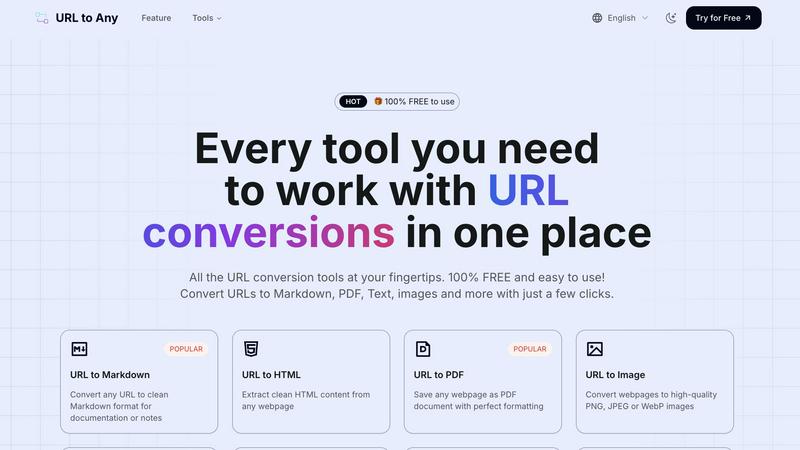
URL to Any instantly converts any webpage into PDF, text, images, and more with one click.
Last updated: March 2, 2026
Visual Comparison
Hush Touch | Voice-to-Text for MacOS

URL to Any
Feature Comparison
Hush Touch | Voice-to-Text for MacOS
Dual-Engine Recognition
Hush Touch leverages two advanced Apple dictation engines: DictationTranscriber for natural flow and punctuation, and SFSpeechRecognizer for custom vocabulary enhancement. This dual-engine approach ensures that your dictation is both accurate and context-aware, producing cleaner text in real time.
Custom Vocabulary
The app allows you to store up to 500 unique terms and phrases, learning from corrections to adapt to your specific language needs. Whether it is technical jargon, brand names, or medical terminology, Hush Touch recognizes and processes your unique vocabulary to enhance dictation accuracy.
Smart Text Processing
Hush Touch features intelligent text processing capabilities, including filler word removal and auto-correction. This means that common distractions in speech are minimized, allowing you to focus on delivering clear and concise messages, while unnecessary words are automatically filtered out.
Context Modes & Hands-Free Operation
Users can switch between different context modes—General, Email, Code, and Notes—tailoring the dictation experience to their specific needs. Additionally, hands-free operation is enabled via Siri, allowing you to start dictation and send messages with simple voice commands, enhancing overall productivity.
URL to Any
Comprehensive Format Conversion
URL to Any eliminates the need for multiple disparate tools by offering over ten different conversion formats from a single interface. Beyond basic text and PDF, it provides specialized outputs like clean Markdown for note-taking platforms, structured JSON and XML for developers, and high-resolution PNG/JPEG images for visual content. This versatility ensures that no matter your project's requirements—from academic citation to software integration—you have the right tool instantly available without switching between websites or applications.
Advanced Content Extraction & AI Summarization
The tool goes beyond simple conversion with intelligent extraction features. The AI Summarizer condenses lengthy articles into concise overviews using advanced AI, saving hours of reading time. Furthermore, specialized extractors pull out all meta tags, headings, and even every single URL from a site, providing invaluable data for SEO analysis, content auditing, and competitive research. These features transform a passive webpage into a structured dataset ready for analysis.
Secure, Cloud-Based Processing
Your privacy and security are paramount. All conversions are processed in the cloud using optimized engines, ensuring lightning-fast results without taxing your local machine. Crucially, your data and the web content you convert are never stored on their servers. This commitment to privacy means you can confidently convert sensitive or proprietary information without security concerns, all while enjoying the benefits of powerful cloud processing from any device.
Developer & Productivity Utilities
URL to Any includes a suite of utilities that cater specifically to technical and productivity needs. The URL Encoder/Decoder supports 8+ formats including Base64 and JWT. The URL Opener allows for batch-opening multiple links simultaneously, streamlining research workflows. The new URL to IP tool helps with network diagnostics by resolving domain names. These ancillary tools make it a comprehensive Swiss Army knife for anyone who works extensively with web-based information.
Use Cases
Hush Touch | Voice-to-Text for MacOS
Drafting Emails
Professionals can use Hush Touch to compose emails quickly and efficiently. By dictating their thoughts, users can save time and maintain focus on the content rather than typing, making it an ideal tool for busy work environments.
Creating Medical Notes
Healthcare providers can benefit from Hush Touch's ability to accurately capture medical terminology. The app's custom vocabulary feature allows physicians to dictate notes seamlessly, ensuring that critical information is recorded correctly without the hassle of manual entry.
Writing Code Documentation
Software developers can utilize Hush Touch to document their code verbally. With its context-specific modes and dual-engine transcription, developers can dictate complex technical instructions accurately, streamlining their workflow.
Taking Meeting Notes
During meetings or brainstorming sessions, Hush Touch allows users to capture ideas and notes hands-free. This eliminates the distraction of typing, enabling participants to engage fully in discussions while ensuring that important points are recorded effortlessly.
URL to Any
Academic Research and Study
Students and researchers often struggle to organize information from dozens of online sources. With URL to Any, they can instantly convert research papers, articles, and online journals into clean PDFs for annotation or extract pure text to highlight key points. Converting complex web pages to simple Markdown makes compiling notes and references for a thesis or literature review dramatically faster and more organized, turning a chaotic research process into a streamlined workflow.
Content Creation and Documentation
Bloggers, technical writers, and content creators frequently need to reference or quote online sources. Manually reformatting web content is error-prone. URL to Any solves this by converting any source page into clean HTML or Markdown with preserved links and structure, allowing for easy, accurate integration into blogs, documentation, or e-books. Converting a competitor's article to text also facilitates efficient analysis and ideation without distracting ads and layouts.
Web Development and SEO Analysis
Developers can use URL to Any to convert live webpages into JSON or XML to test APIs or parse data structures. SEO specialists rely on the Meta Tags and Heading Extractors to audit websites, analyze on-page SEO elements, and export findings to CSV for reporting. The URL Extractor tool is perfect for finding all links on a site to check for broken ones or map site structure, providing critical technical SEO insights in seconds.
Professional Sharing and Archiving
Professionals need to share web-based information effectively. Instead of sending a plain link that may get overlooked, they can use URL to Any to generate a high-quality screenshot (PNG/JPEG) of a dashboard or report for a presentation, create a QR code for a marketing campaign, or save a crucial legal notice or news article as a perfectly formatted PDF for the permanent company records, ensuring the content is preserved exactly as it appeared.
Overview
About Hush Touch | Voice-to-Text for MacOS
Hush Touch is an innovative voice-to-text application developed specifically for macOS users who seek a fast, natural, and private dictation experience. Unlike many dictation tools that rely on cloud processing, Hush Touch operates entirely on-device, ensuring that your voice data remains secure and confidential. The app utilizes a combination of two advanced Apple transcription engines, enhanced by an Apple Intelligence final pass, to deliver accurate and contextually relevant text output. With a lightweight footprint of just 5.5 MB, Hush Touch offers seamless integration into your daily writing tasks, whether you are drafting emails, notes, or lengthy documents. Ideal for professionals across various fields, including writers, medical practitioners, and software developers, Hush Touch eliminates the need for cloud dependency while improving your dictation efficiency. With a one-time purchase of $20 for a lifetime license, users can enjoy a powerful dictation tool without any ongoing subscription fees.
About URL to Any
In today's digital-first world, professionals, students, and creators face a constant challenge: online information is trapped in a browser. You find a perfect article for research, but saving it as a cluttered PDF loses the formatting. You discover a crucial tutorial, but you can't easily extract the code snippets. You need to share a webpage with a team, but a simple link gets lost in the noise. Manually copying, reformatting, and converting web content is a tedious, time-consuming process that disrupts your workflow. URL to Any is the definitive solution to this modern problem. It is a powerful, all-in-one web content conversion platform designed to liberate information from any webpage and transform it into the exact format you need. With a single URL, you can generate clean Markdown for documentation, perfectly formatted PDFs for archiving, high-quality images for presentations, structured JSON for development, and even audio files for on-the-go listening. Built with a relentless focus on simplicity and efficiency, it requires no registration, no software installation, and is completely free. Whether you're a developer needing clean HTML, a student compiling research, a marketer creating shareable assets, or a project manager organizing resources, URL to Any streamlines your interaction with the web, turning the challenge of content conversion into a seamless, one-click solution.
Frequently Asked Questions
Hush Touch | Voice-to-Text for MacOS FAQ
Is Hush Touch compatible with all macOS versions?
Yes, Hush Touch is designed to work seamlessly with macOS, providing a smooth dictation experience on supported versions. Always check for the latest system requirements on our website.
How does Hush Touch ensure my privacy?
Hush Touch processes all voice data on-device, meaning that no information is sent to the cloud. This guarantees that your dictation remains private and secure, with zero data collection involved.
Can I customize commands in Hush Touch?
Yes, Hush Touch allows users to create customizable command phrases for sending messages, making it easier to communicate effectively and hands-free.
What happens if I need help using Hush Touch?
Hush Touch offers comprehensive user support, including a detailed FAQ section on our website and a dedicated customer service team ready to assist with any questions or technical issues you may encounter.
URL to Any FAQ
Is URL to Any really free to use?
Yes, URL to Any is 100% free to use. There are no hidden fees, subscription plans, or usage limits. You can access all conversion tools—from URL to PDF and Markdown to the AI Summarizer and Meta Tag Extractor—without any cost or requirement to create an account. The platform is committed to providing free, powerful tools for everyone.
How does URL to Any ensure the privacy of my data?
Privacy is a core principle. When you convert a URL, the content is processed through secure, cloud-based servers. Once the conversion is complete and delivered to you, the data is immediately discarded. URL to Any does not store the web content you convert, your IP address, or any personal information, ensuring your conversions remain completely private and secure.
What formats can I convert a webpage into?
URL to Any supports a wide array of output formats to suit various needs. Key formats include: Markdown, PDF, PNG/JPEG/WebP images, Plain Text, HTML, JSON, XML, and MP3 audio. Additionally, it offers utility outputs like QR Codes and provides tools for encoding/decoding text in multiple formats, extracting all links from a page, and summarizing content with AI.
Do I need to install any software or browser extension?
No software installation is required to use the core tools on the URL to Any website; everything runs directly in your web browser. However, for added convenience, they offer an optional browser extension. Installing this extension allows you to convert the webpage you are currently viewing with just one click from your browser's toolbar, further streamlining the conversion process.
Alternatives
Hush Touch | Voice-to-Text for MacOS Alternatives
Hush Touch | Voice-to-Text for MacOS is a powerful dictation application designed specifically for Mac users. As part of the AI Assistants category, it allows for seamless offline voice-to-text transcription, ensuring that your dictation is fast, accurate, and private. Users often seek alternatives due to various reasons, including pricing concerns, the need for additional features, or compatibility with different platforms. Identifying a suitable alternative involves looking for key aspects such as on-device processing, transcription accuracy, ease of integration into existing workflows, and overall user experience to ensure that it meets your unique dictation needs.
URL to Any Alternatives
URL to Any is a versatile web content conversion tool that falls under the category of AI assistants. It simplifies the process of transforming any webpage into formats like Markdown, PDF, images, or QR codes, catering to the needs of content creators, students, and developers. Users often explore alternatives for various reasons. Some may require advanced features like batch processing or API access, while others might need a tool that integrates with a specific platform or workflow. Budget considerations also play a role, as some users seek premium services with dedicated support, even if it comes at a cost. When evaluating other options, consider your primary use case. Look for a balance between the range of output formats offered and the ease of use. Security and privacy policies are crucial, especially when handling sensitive URLs. Finally, assess the overall value, whether it's a robust free tier or a paid plan that justifies its price with superior reliability and features.