
Hush Touch | Voice-to-Text for MacOS
Hush Touch is an offline voice-to-text app for Mac that learns your vocabulary, ensuring accurate, real-time dictation.
Visit
About Hush Touch | Voice-to-Text for MacOS
Hush Touch is an innovative voice-to-text application developed specifically for macOS users who seek a fast, natural, and private dictation experience. Unlike many dictation tools that rely on cloud processing, Hush Touch operates entirely on-device, ensuring that your voice data remains secure and confidential. The app utilizes a combination of two advanced Apple transcription engines, enhanced by an Apple Intelligence final pass, to deliver accurate and contextually relevant text output. With a lightweight footprint of just 5.5 MB, Hush Touch offers seamless integration into your daily writing tasks, whether you are drafting emails, notes, or lengthy documents. Ideal for professionals across various fields, including writers, medical practitioners, and software developers, Hush Touch eliminates the need for cloud dependency while improving your dictation efficiency. With a one-time purchase of $20 for a lifetime license, users can enjoy a powerful dictation tool without any ongoing subscription fees.
Features of Hush Touch | Voice-to-Text for MacOS
Dual-Engine Recognition
Hush Touch leverages two advanced Apple dictation engines: DictationTranscriber for natural flow and punctuation, and SFSpeechRecognizer for custom vocabulary enhancement. This dual-engine approach ensures that your dictation is both accurate and context-aware, producing cleaner text in real time.
Custom Vocabulary
The app allows you to store up to 500 unique terms and phrases, learning from corrections to adapt to your specific language needs. Whether it is technical jargon, brand names, or medical terminology, Hush Touch recognizes and processes your unique vocabulary to enhance dictation accuracy.
Smart Text Processing
Hush Touch features intelligent text processing capabilities, including filler word removal and auto-correction. This means that common distractions in speech are minimized, allowing you to focus on delivering clear and concise messages, while unnecessary words are automatically filtered out.
Context Modes & Hands-Free Operation
Users can switch between different context modes—General, Email, Code, and Notes—tailoring the dictation experience to their specific needs. Additionally, hands-free operation is enabled via Siri, allowing you to start dictation and send messages with simple voice commands, enhancing overall productivity.
Use Cases of Hush Touch | Voice-to-Text for MacOS
Drafting Emails
Professionals can use Hush Touch to compose emails quickly and efficiently. By dictating their thoughts, users can save time and maintain focus on the content rather than typing, making it an ideal tool for busy work environments.
Creating Medical Notes
Healthcare providers can benefit from Hush Touch's ability to accurately capture medical terminology. The app's custom vocabulary feature allows physicians to dictate notes seamlessly, ensuring that critical information is recorded correctly without the hassle of manual entry.
Writing Code Documentation
Software developers can utilize Hush Touch to document their code verbally. With its context-specific modes and dual-engine transcription, developers can dictate complex technical instructions accurately, streamlining their workflow.
Taking Meeting Notes
During meetings or brainstorming sessions, Hush Touch allows users to capture ideas and notes hands-free. This eliminates the distraction of typing, enabling participants to engage fully in discussions while ensuring that important points are recorded effortlessly.
Frequently Asked Questions
Is Hush Touch compatible with all macOS versions?
Yes, Hush Touch is designed to work seamlessly with macOS, providing a smooth dictation experience on supported versions. Always check for the latest system requirements on our website.
How does Hush Touch ensure my privacy?
Hush Touch processes all voice data on-device, meaning that no information is sent to the cloud. This guarantees that your dictation remains private and secure, with zero data collection involved.
Can I customize commands in Hush Touch?
Yes, Hush Touch allows users to create customizable command phrases for sending messages, making it easier to communicate effectively and hands-free.
What happens if I need help using Hush Touch?
Hush Touch offers comprehensive user support, including a detailed FAQ section on our website and a dedicated customer service team ready to assist with any questions or technical issues you may encounter.
Explore more in this category:
Similar to Hush Touch | Voice-to-Text for MacOS


Genjutsu AI Video Editor
AI video-to-video editing for character, outfit, object, and style swaps guided by your source clip and reference images.
Honer AI
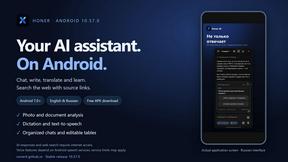
Android AI assistant with chat, web search, photo and document analysis, and voice input.
GetYouTubeTranscript
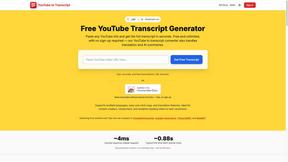
Free YouTube transcripts on the web, a Chrome extension, and an API + MCP server so AI assistants can read YouTube.



Free Gemini Omni
Create, remix, and edit cinematic AI videos online with Free Gemini Omni using text, image, audio, and video prompts.
