invoice Sonic vs Receipt Generator
Side-by-side comparison to help you choose the right tool.

InvoiceSonic creates professional invoices instantly for freelancers, no signup required.
Last updated: February 28, 2026

Receipt Generator
Create authentic, customized receipts in seconds with 400+ templates for business, creative, and personal use—free and easy to download.
Last updated: April 4, 2026
Visual Comparison
invoice Sonic
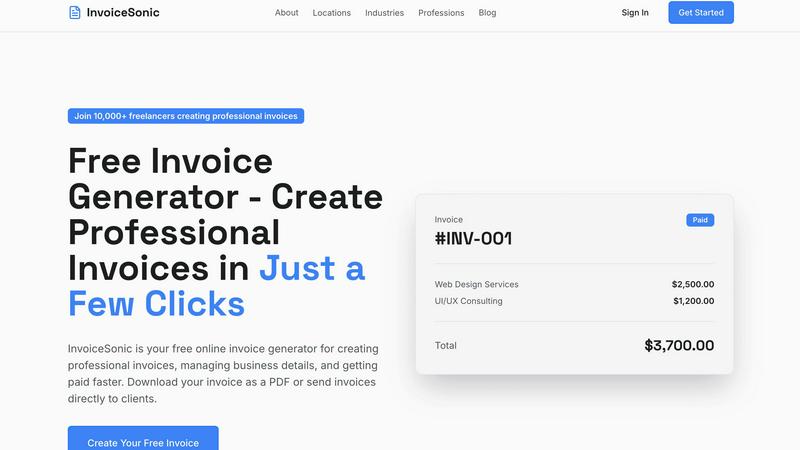
Receipt Generator

Feature Comparison
invoice Sonic
Completely Free Invoice Generation
InvoiceSonic offers a genuinely free tier, allowing users to create up to 5 professional invoices per month without any sign-up, credit card, or hidden fees. This solves the financial barrier to entry, making professional billing accessible to anyone just starting out or with light invoicing needs. You can access all core template and generation features immediately, providing a risk-free way to streamline your billing process.
Professional and Customizable Templates
The tool provides a library of clean, modern invoice templates designed for various industries and purposes, including standard, proforma, and tax invoices. The challenge of creating a visually appealing invoice from scratch is eliminated. Users can easily customize these templates by adding their business logo, details, and brand colors, ensuring every invoice presents a cohesive and professional image to clients without any design skills required.
Instant PDF Download and Calculation
Once an invoice is created, it can be downloaded as a polished PDF file instantly with a single click. This solves the problem of dealing with uneditable formats or poor print quality. Furthermore, InvoiceSonic automatically calculates subtotals, taxes, and final totals as you add line items, eliminating manual math errors and saving valuable time during the invoice creation process.
Streamlined Client and Item Management
The interface allows for quick addition of client billing details, service descriptions, quantities, rates, and payment terms. This centralized approach solves the disorganization of managing client information across multiple documents. Features like saving business details for reuse and adding multiple line items streamline the workflow, enabling users to generate accurate, detailed invoices for different clients in just a few clicks.
Receipt Generator
Extensive Template Library
Receipt Generator boasts over 400 professionally designed templates that cater to diverse industries including retail, restaurants, and pharmacies. Users can select a template that best fits their needs and customize it with ease.
AI "Place in Scene" Feature
This innovative feature allows users to create realistic images of their receipts on various surfaces without printing. It provides a unique way to display receipts for presentations or visual projects, enhancing the overall appeal of content.
Full Customization Options
Users have complete control over their receipts, allowing them to edit every detail including line items, prices, taxes, and payment methods. This ensures that the final product meets specific requirements for any situation.
Instant High-Resolution Downloads
Once the receipt is customized, users can instantly download it in high-resolution PNG or PDF format. This feature eliminates wait times, enabling immediate access to ready-to-use receipts without unnecessary lag.
Use Cases
invoice Sonic
Freelancers Managing Multiple Clients
Freelancers juggling projects for several clients need a fast, organized way to bill for their time. InvoiceSonic allows them to quickly generate separate, professional invoices for each client, customize them with their freelance brand, and set clear payment terms. This solves the administrative headache of manual invoicing, letting them focus more on their core work and less on paperwork.
Startups and Small Businesses on a Budget
New businesses often operate with limited resources and cannot justify expensive accounting software subscriptions. InvoiceSonic's free tier provides a perfect solution, offering professional invoicing capabilities without any cost. This enables startups to maintain a polished business image, manage cash flow effectively, and allocate their funds toward growth-critical areas instead of operational software.
Sending Proforma Invoices or Quotes
Before starting work, many professionals need to send a formal quote or proforma invoice to outline projected costs. InvoiceSonic includes specific templates for this purpose, allowing users to create detailed, binding estimates quickly. This solves the problem of using informal emails or documents that lack professionalism, helping to set clear expectations and secure client approval upfront.
Replacing Cumbersome Spreadsheets
Many individuals and small teams still rely on error-prone spreadsheet templates for invoicing, which are time-consuming to format and lack a professional finish. InvoiceSonic provides a direct upgrade, offering a structured, automated alternative that automatically formats data, calculates totals, and produces a clean, downloadable PDF. This solves the inefficiency and unprofessional appearance of spreadsheet-based invoicing.
Receipt Generator
Small Business Expense Tracking
Small business owners can utilize Receipt Generator to create accurate receipts for transactions. This facilitates streamlined expense tracking and enhances financial documentation for tax purposes or accounting.
Freelance Project Invoicing
Freelancers can generate customized receipts for their clients, showcasing detailed line items and payment methods. This professional approach helps in maintaining clear communication and building trust with clients.
Content Creation and Marketing
Content creators can leverage the AI "Place in Scene" feature to display receipts in engaging ways within their projects. This adds a professional touch to blogs, social media posts, or video content, making it visually appealing.
Inventory Documentation for Resellers
Resellers can document their inventory purchases by generating receipts that reflect actual transactions. This helps in maintaining accurate records and provides proof of purchase for items being sold online.
Overview
About invoice Sonic
For freelancers, startups, and small business owners, creating professional invoices is a critical but often frustrating task. The challenge lies in finding a tool that is both powerful enough to handle business needs and simple enough to use without a steep learning curve. Many resort to time-consuming spreadsheets or expensive, bloated software that complicates a straightforward process. InvoiceSonic directly solves this problem by offering a cutting-edge, web-based invoice generator designed for speed, professionalism, and ease. It empowers users to create, customize, and download polished invoices in mere seconds, completely free of charge and without requiring an account. The platform is built specifically for the needs of independent professionals and small teams, eliminating the burden of manual calculations, messy formatting, and costly subscriptions. With InvoiceSonic, you can ensure every bill you send reflects the quality of your work, helping you get paid faster and manage your cash flow with confidence and efficiency.
About Receipt Generator
Receipt Generator is a powerful online tool designed for effortless receipt creation, catering to a wide array of users including small business owners, freelancers, content creators, and resellers. With an extensive library of over 400 store-specific templates from popular retailers such as Walmart, Target, Starbucks, and CVS, users can quickly customize every aspect of their receipts, including items, prices, dates, and payment methods. This flexibility allows for both personal and professional use, making it an invaluable asset for anyone needing accurate, realistic receipts.
What truly sets Receipt Generator apart is its unique AI "Place in Scene" feature, which allows users to create photorealistic images of their receipts displayed on various surfaces, such as desks or wallets, without the need for physical printing. This functionality is particularly beneficial for content creators who want to showcase expense mockups or inventory documentation visually. The tool's lightning-fast performance ensures that users can download high-resolution PNG files instantly, facilitating immediate use without any delays. With no account required to start, Receipt Generator is accessible and user-friendly, empowering more than 10,000 satisfied users globally to create over 50,000 receipts effortlessly.
Frequently Asked Questions
invoice Sonic FAQ
Is InvoiceSonic really free to use?
Yes, InvoiceSonic offers a completely free tier that allows you to generate up to 5 invoices per month without any cost, sign-up, or credit card required. You have full access to professional templates, customization options, and instant PDF downloads. This model is designed to solve the problem of inaccessible paid tools, providing a powerful solution for users with basic invoicing needs at zero financial commitment.
Can I add my company logo and details to the invoices?
Absolutely. A key feature of InvoiceSonic is the ability to fully customize your invoices. You can add your business logo, name, contact information, and other details. This information can be saved and reused for future invoices, solving the challenge of repeatedly entering the same data and ensuring brand consistency across all your client communications.
What types of invoices can I create with InvoiceSonic?
InvoiceSonic supports the creation of various invoice types to suit different business needs. This includes standard professional invoices for completed work, proforma invoices for quotes and estimates, and blank templates for custom needs. This versatility solves the problem of needing multiple tools for different billing scenarios, centralizing your invoicing process in one platform.
How do I send the invoices to my clients?
Once you create and preview your invoice, InvoiceSonic allows you to download it instantly as a high-quality PDF file. You can then attach this PDF to an email and send it directly to your client. This method solves the problem of relying on integrated systems that may not fit your workflow, giving you full control over how and when you deliver your invoices.
Receipt Generator FAQ
Is there a cost to use Receipt Generator?
Receipt Generator offers a free tier with watermarked downloads, while pro plans are available for a one-time fee that unlocks unlimited downloads and additional features.
Can I customize my receipts fully?
Absolutely! Receipt Generator allows users to edit every detail of their receipts, including items, prices, taxes, and payment methods, ensuring complete customization.
Do I need to create an account to use the tool?
No account is required to start using Receipt Generator. Users can begin creating receipts immediately without any sign-up process.
What types of templates are available?
Receipt Generator features over 400 templates covering a wide range of categories, including retail stores, restaurants, and pharmacies, making it suitable for various purposes.
Alternatives
invoice Sonic Alternatives
InvoiceSonic is a free, user-friendly online tool in the productivity and management category, designed to help freelancers and small businesses create professional invoices quickly. Users often seek alternatives for various reasons, such as needing more than the allotted free invoices, requiring advanced features like recurring billing or client portals, or preferring a solution that integrates with their existing accounting software. When evaluating other options, it's crucial to consider your specific business needs. Key factors include the pricing model and any limits on free usage, the depth of customization and template variety, and whether the platform offers time-saving automations for calculations and reminders. The goal is to find a tool that not only creates invoices but also seamlessly fits into and improves your overall workflow.
Receipt Generator Alternatives
Receipt Generator is a powerful online tool designed for creating custom receipts, featuring over 400 store-specific templates. It falls under the Productivity & Management category, catering to small business owners, freelancers, and content creators who need quick and reliable receipt generation. Users often seek alternatives to Receipt Generator due to varying needs, such as pricing, specific feature sets, or compatibility with different platforms. When searching for an alternative, it's essential to consider the range of templates offered, customization options, and whether the tool provides an intuitive user experience. Additionally, evaluating the pricing structure, including any free tiers and the availability of premium features, can help ensure that you find a solution that aligns with your specific requirements.