
JFIF to JPG Converter vs Shrinkpad
Side-by-side comparison to help you choose the right tool.

JFIF to JPG Converter
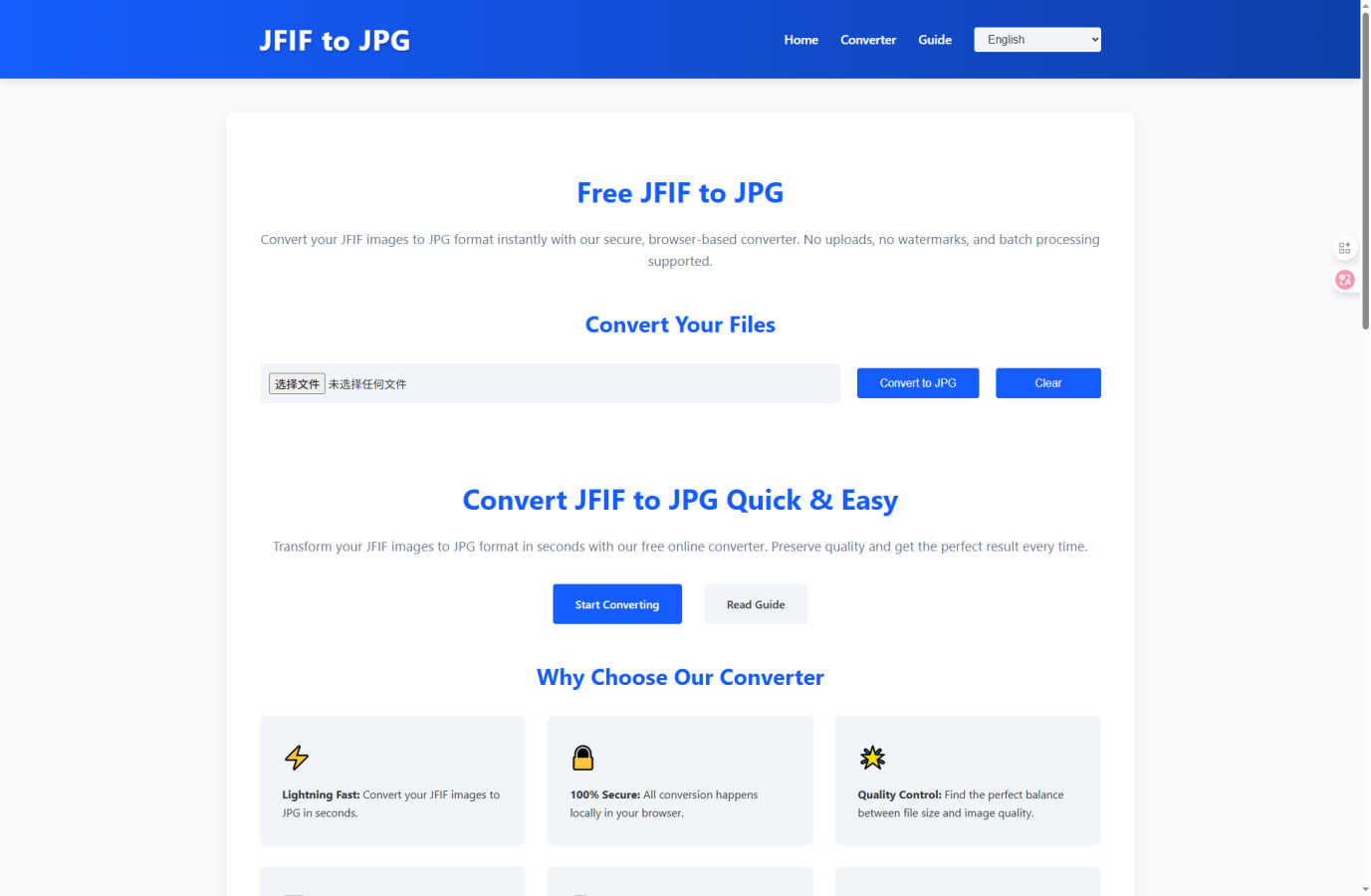
Convert your JFIF images to standard JPG instantly in your browser with no quality loss or uploads.
Last updated: March 1, 2026

Shrinkpad
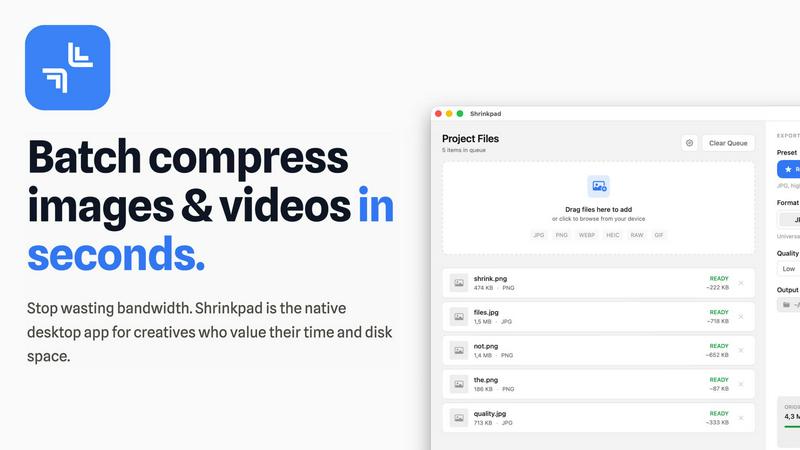
Shrinkpad compresses images and videos on Mac effortlessly, saving space and time for creatives with automatic.
Last updated: February 28, 2026
Visual Comparison
JFIF to JPG Converter
Shrinkpad
Feature Comparison
JFIF to JPG Converter
Browser-Based Local Processing
The cornerstone of our tool is its commitment to your privacy. All conversion happens directly within your browser using JavaScript. Your JFIF files are never sent over the internet to an external server for processing. This local execution guarantees that your images, which could contain personal, sensitive, or proprietary information, never leave your device, providing maximum security and peace of mind that other online tools cannot match.
Lossless Container Conversion
This feature is the technical solution to the quality-loss challenge. The converter does not decode and recompress your image, which would degrade quality. Instead, it performs a smart "container swap." It reads the original JPEG compression data from the JFIF file and writes it into a new, standards-compliant JPG container. The result is a perfectly compatible JPG file where every single pixel, color, and detail is preserved exactly as it was in the original.
Batch Conversion with ZIP Export
Dealing with dozens or hundreds of JFIF files from a project or backup is a major time sink. Our batch conversion feature solves this efficiency challenge. You can drag and drop multiple files at once or select them in bulk. The tool processes them all in one go, and you can download each converted image individually or use the convenient "Download All as ZIP" option to get a single, organized archive, streamlining your workflow dramatically.
Full Metadata Preservation
Converting a file shouldn't mean stripping its identity. Many converters discard valuable metadata. Our tool ensures that important information like EXIF data (camera settings, location, date) and embedded ICC color profiles are carried over from the original JFIF to the new JPG file. This is crucial for photographers and professionals who need to maintain a complete digital asset record and ensure color accuracy across different devices and platforms.
Shrinkpad
Batch Compression
Shrinkpad enables users to compress images and videos in bulk, saving time and bandwidth. The one-drop import functionality allows users to effortlessly drag and drop entire folders, which the app then processes instantly, handling thousands of files without crashing.
Intelligent Compression Settings
Shrinkpad automatically analyzes the visual complexity of files to apply optimal compression ratios without introducing artifacts. This ensures that users receive high-quality results while significantly reducing file sizes, making their assets more efficient and manageable.
Format Compatibility
The application supports a wide range of image and video formats, including JPG, PNG, WEBP, AVIF, MP4, and MOV, among others. This extensive compatibility allows users to process various media types seamlessly, ensuring that every file is optimized according to its unique requirements.
Privacy and Security
All processing occurs locally on the user's machine, meaning that sensitive assets never leave the device. This privacy-first approach eliminates concerns associated with cloud-based tools, providing users with peace of mind while managing their valuable media files.
Use Cases
JFIF to JPG Converter
Fixing Website and CMS Upload Errors
A common frustration is attempting to upload a product photo or blog header to a website like WordPress, Shopify, or a social media platform, only to receive an error stating "Invalid file type" or "File not supported." This often happens with JFIF files. Using our converter solves this instantly. By converting the file to a proper JPG, you ensure seamless uploads, eliminating the need for workarounds or trying different images.
Standardizing Files for Professional Projects
Graphic designers, archivists, and project managers face the challenge of maintaining consistent file formats. A folder mixed with JPG and JFIF files can cause confusion, break automated scripts, and create issues in shared drives or asset libraries. Converting all JFIF files to JPG standardizes your entire project, ensuring reliable performance in all software and simplifying collaboration and archiving processes.
Preparing Images for Print or Client Delivery
Delivering images to a print shop or a client requires files in a universally accepted format. Sending a JFIF file risks the recipient's software failing to open or process it correctly, leading to delays and communication headaches. Pre-emptively converting your deliverables to JPG using our tool guarantees compatibility, presenting a professional and hassle-free experience for everyone involved.
Managing Screenshots and Web Downloads
Many users discover the JFIF problem after taking screenshots in Chrome or Edge or downloading images from the web that are saved with the .jfif extension. These files won't open in some image viewers or editing apps. This converter provides a quick fix, allowing you to convert these captured or downloaded images into standard JPGs for easy viewing, editing, and sharing via email or messaging apps.
Shrinkpad
Photographer's Asset Management
Photographers can utilize Shrinkpad to efficiently compress large batches of high-resolution images before exporting them to clients or uploading them to websites. This not only saves storage space but also ensures that their online portfolios load quickly and efficiently.
Video Content Creation
For video creators, Shrinkpad offers an ideal solution for compressing large video files without compromising quality. This is particularly beneficial when preparing content for web platforms where file size can significantly impact loading times and viewer experience.
Design Workflow Optimization
Designers can streamline their workflow by exporting entire asset folders from tools like Figma or Photoshop and using Shrinkpad to handle the optimization and renaming in bulk. This saves hours of manual work, allowing designers to focus on creativity rather than file management.
Web Development Efficiency
Web developers can benefit from Shrinkpad by reducing app bundle sizes and improving website performance. With faster load times and optimized media files, developers can enhance user experience and boost site rankings, making Shrinkpad an invaluable asset in their toolkit.
Overview
About JFIF to JPG Converter
The JFIF to JPG Converter is an essential online tool designed to solve a specific and frustrating digital compatibility problem. Many users, especially on Windows, encounter images saved in the JFIF (JPEG File Interchange Format) format by browsers like Chrome or screenshot tools. While these files look fine on your computer, they are often rejected by websites, content management systems (CMS), social media platforms, and professional graphic software. This creates a significant roadblock for sharing, publishing, and managing your visual content. Our converter directly addresses this challenge by transforming these problematic JFIF files into universally accepted standard JPG images.
Built for everyone from casual users to professionals, the core value proposition is threefold: guaranteed compatibility, zero quality loss, and uncompromising privacy. Unlike simple renaming, which fails because it doesn't change the internal file structure, our tool performs a precise technical rewrite of the file container. It extracts the original JPEG image data and repackages it into a proper JPG format. This means your photos, screenshots, and graphics will finally upload and display correctly everywhere. Best of all, this entire process happens locally within your web browser. Your files are never uploaded to any server, ensuring your sensitive images remain completely private and secure, eliminating the data risks associated with conventional online converters.
About Shrinkpad
Shrinkpad is a robust, native macOS application engineered to address the storage and workflow challenges faced by today's digital creators. In an era where high-resolution media files, such as 4K videos, intricate design exports, and high-quality photographs can easily consume precious disk space, Shrinkpad emerges as an essential solution. It mitigates the common frustrations of managing bloated files that not only occupy significant storage but also hinder website performance and application speed. Unlike slow online tools that often compromise your privacy or the tedious process of compressing files individually, Shrinkpad offers a seamless experience with its lightning-fast batch compression—all processed locally on your Mac. Tailored for photographers, designers, developers, and content creators, its main value proposition lies in achieving substantial file size reductions—up to 90%—without sacrificing visual quality. Users can effortlessly drag and drop entire folders, configure their preferences, and watch as Shrinkpad swiftly optimizes their media, reclaiming gigabytes of storage while maintaining a private, offline environment.
Frequently Asked Questions
JFIF to JPG Converter FAQ
Will converting from JFIF to JPG reduce my image quality?
No, there is absolutely no reduction in image quality. The conversion process is lossless. The tool does not alter the core JPEG image data. It only rewrites the file's container format from JFIF to the standard JPG structure. The pixels, colors, and compression remain identical, so the visual fidelity of your image is perfectly preserved.
How is this different from just renaming the file to .jpg?
Simply renaming a file only changes the extension, not the internal data structure. The file's header still identifies it as JFIF, which many systems can detect and will still reject. Our tool performs a true format conversion by rewriting the file's internal container to the JPG standard, ensuring it is recognized correctly by all software and platforms, which renaming cannot achieve.
Are my files secure? Where are they uploaded?
Your files are completely secure because they are never uploaded anywhere. All processing is performed locally on your computer within your web browser. Once you close the browser tab, all data is cleared. This client-side approach ensures maximum privacy, making it safe for converting sensitive or confidential images.
Can I convert multiple files at once?
Yes, our tool fully supports batch conversion. You can drag and drop multiple JFIF files into the interface or select them using the file chooser. The converter will process all files sequentially. After conversion, you can download each file individually or use the "Download All as ZIP" feature to get a single compressed archive containing all your converted JPG images.
Shrinkpad FAQ
Can I use Shrinkpad for free?
Yes, Shrinkpad offers a free starter version that includes essential tools for casual use, allowing users to explore its functionality with limited features.
What file formats does Shrinkpad support?
Shrinkpad supports over 30 image formats, including RAW, JPG, PNG, WEBP, and HEIC, as well as major video formats like MP4 and MOV, ensuring versatility in handling various media types.
Does Shrinkpad support video compression?
Absolutely! Shrinkpad provides robust video compression capabilities, allowing users to reduce the size of their video files significantly while maintaining high visual quality.
How many files can I process at once?
Shrinkpad allows unlimited batch processing, enabling users to handle thousands of files simultaneously without crashing, making it a powerful tool for creators with extensive media libraries.
Alternatives
JFIF to JPG Converter Alternatives
JFIF to JPG Converter is a specialized online tool in the image and photo category designed to transform JFIF files into the more universally compatible JPG format. It solves the common problem of encountering JFIF files, which are not always supported by websites, social media, or editing software, by providing a quick, quality-preserving conversion directly in your web browser. Users often explore alternatives for various reasons. Some may require a downloadable desktop application for offline use, while others might seek integrated conversion within a larger photo editing suite. Budget considerations, specific feature needs like advanced editing tools, or platform compatibility (such as mobile apps) can also drive the search for different solutions. When evaluating an alternative, key factors to consider include the tool's core functionality for your specific needs, its approach to privacy and data security, how it handles image quality and metadata, and the overall user experience. The right choice balances these elements with your workflow, whether you're converting single images or processing large batches.
Shrinkpad Alternatives
Shrinkpad is a native macOS application that specializes in compressing images and videos to optimize storage and streamline workflows for creators. It addresses the common problem of managing large media files which can bog down both devices and applications. Users often seek alternatives to Shrinkpad due to various reasons, including pricing, specific feature requirements, or compatibility with different platforms. When exploring options, it's crucial to consider factors such as privacy, batch processing capabilities, and overall ease of use to ensure that the alternative meets your unique needs. As the demand for efficient media management continues to grow, finding the right compression tool is vital for photographers, designers, and content creators. Look for alternatives that not only offer similar compression rates but also prioritize user privacy and provide a seamless, intuitive interface. Ultimately, the best choice will align with your workflow requirements while guaranteeing the preservation of visual quality in your media files.