Job Boardly vs TemplateFox
Side-by-side comparison to help you choose the right tool.

Job Boardly
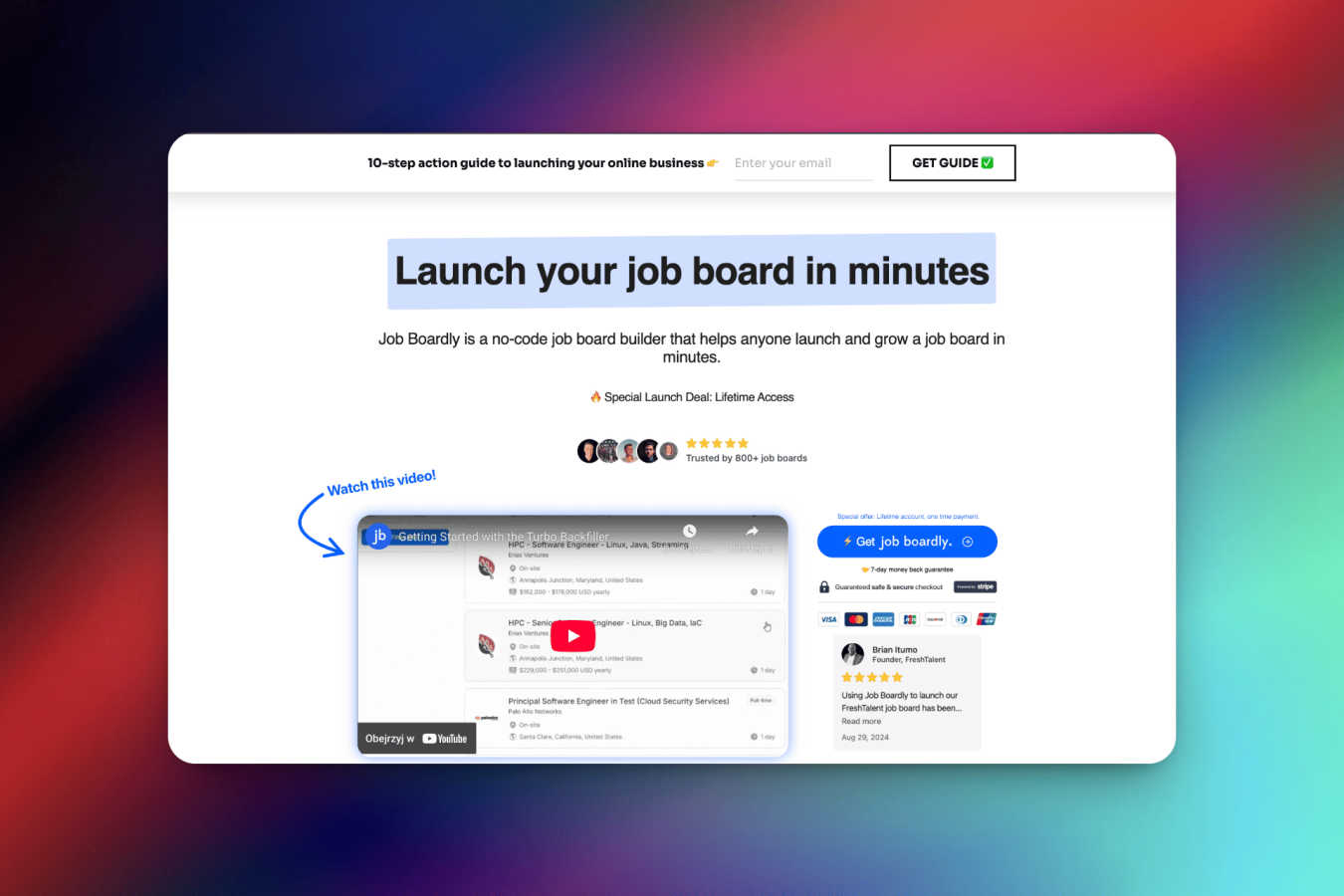
Launch your profitable niche job board without any coding required.
Last updated: March 1, 2026

TemplateFox
TemplateFox designs professional PDFs visually and generates thousands automatically from your data.
Last updated: February 28, 2026
Visual Comparison
Job Boardly
TemplateFox

Feature Comparison
Job Boardly
No-Code Job Board Builder
Job Boardly eliminates the need for any programming knowledge. With its intuitive, drag-and-drop interface, you can launch a fully functional job board in under five minutes. This feature allows you to bypass the traditional hurdles of hiring developers or learning complex systems, putting the power to create and iterate directly in your hands. You can focus on your strategy and audience instead of technical roadblocks.
Paywall & Monetization Tools
Turning your job board into a sustainable business is made simple with built-in monetization features. The Paywall feature allows you to gate premium job listings behind a subscription, offering a freemium model where visitors browse some jobs for free but pay for full access. Combined with Stripe integration and coupon code support, this provides a flexible and powerful system to generate recurring revenue directly from your platform.
Automated Job Backfilling & Aggregation
The challenge of launching an empty job board is solved by Job Boardly's automated content engines. Using the Turbo Backfiller or Magic Aggregator, you can automatically import millions of relevant job listings from various career sites based on category, country, and keywords. This instantly populates your board with valuable content, improving user experience and SEO from the moment you go live.
Complete Brand Customization & SEO
Job Boardly gives you full control over your board's appearance and discoverability. Easily customize logos, colors, and layouts to match your brand identity. Furthermore, dedicated SEO tools and the ability to connect a custom domain (like jobs.yourwebsite.com) ensure your job board ranks well on search engines and presents a professional, trusted face to both job seekers and employers.
TemplateFox
Visual Drag-and-Drop Editor
TemplateFox's core feature is an intuitive, no-code visual editor that allows anyone to design professional PDF templates. You can drag and drop components like text, images, tables, and barcodes onto a canvas, positioning them exactly where you need them. Each element has a detailed properties panel for fine-tuning content, borders, colors, sizes, and alignment. This eliminates the traditional pain of wrestling with HTML and CSS, giving you pixel-perfect control over your document's layout and branding without writing a single line of code.
Dynamic Data Binding & Expressions
Go beyond simple text replacement. TemplateFox allows you to inject any dynamic data into your templates using placeholders like {{customer_name}}. Furthermore, you can use powerful expressions and over 100 built-in functions to format dates, calculate totals (like subtotals and taxes), round numbers, and conditionally control content. System variables like {{sys.page_number}} and {{sys.current_date}} are automatically available, enabling fully automated, context-aware document generation.
Smart Tables & Automatic Layouts
Creating documents with variable-length data, like invoices or packing slips, is seamless. TemplateFox's table components are designed to grow dynamically with your data. Whether you have 3 line items or 300, the table will expand, and rows will automatically flow onto new pages if necessary. This ensures your documents always look professional and structured, regardless of the data volume, removing the manual effort of adjusting layouts for different content lengths.
Built-in Barcodes, QR Codes & Headers/Footers
TemplateFox includes specialized components for real-world business needs. You can generate scanner-ready barcodes (Code128, EAN-13) and QR codes on the fly directly from your data. Headers and footers are effortlessly managed—define them once with your logo, page numbers, or legal disclaimers, and they will automatically repeat on every page of your generated PDF. This guarantees brand consistency and professional polish across all documents.
Use Cases
Job Boardly
Niche Industry or Community Hub
Professionals in specialized fields like renewable energy, graphic design, or remote work often struggle to find relevant opportunities on generic large-scale boards. An industry specialist can use Job Boardly to create a targeted hub, aggregating only the most relevant jobs. This builds a dedicated community, establishes authority in the niche, and creates a premium destination for both specialized talent and hiring companies.
Entrepreneurial Business Venture
For entrepreneurs looking to build an online business with recurring revenue, Job Boardly provides a turnkey solution. By identifying an underserved job market, they can quickly launch a board, use backfilling to create immediate content, and employ the paywall feature to start generating subscription income, all with minimal upfront cost and technical risk.
Media Company or Blog Extension
Blogs and media sites with established audiences can dramatically increase engagement and revenue by adding a job board. Using Job Boardly, they can seamlessly extend their brand into the recruitment space, offering curated job listings to their readers. This adds immense value for the audience and opens up a new, high-value advertising or subscription revenue stream for the publisher.
Professional Association or Non-Profit
Associations and non-profits aim to serve their members, and career advancement is a key member benefit. These organizations can use Job Boardly to create a private or public job board tailored to their profession. It enhances member retention, provides a valuable service, and can also become a source of non-dues revenue through employer posting fees or premium listings.
TemplateFox
Ecommerce Order Fulfillment
Automate the entire post-purchase documentation process. Generate personalized packing slips, shipping labels with tracking barcodes, and commercial invoices directly from your order data. Connect TemplateFox to platforms like Shopify via Zapier to create and attach PDFs to emails or print batches automatically, speeding up fulfillment and reducing manual errors for businesses of any size.
Automated Invoicing & Billing
Streamline your accounts receivable workflow. Design a branded invoice template once, then automatically generate and send personalized invoices by integrating TemplateFox with your CRM, accounting software, or a simple database. Dynamic tables calculate totals, and data binding populates client details, due dates, and line items, ensuring accuracy and saving countless hours each month.
Certificate & Document Generation
Easily produce personalized certificates for events, courses, or achievements. Educational institutions, training providers, and event organizers can use TemplateFox to design a master certificate template and then generate hundreds of unique, named certificates in seconds by feeding a list of participants. This scales what is typically a manual, time-consuming task into an efficient, automated process.
Business Reporting & Compliance
Create consistent, branded reports for internal or client use. Agencies, consultants, and startups can automate the generation of monthly performance reports, legal agreements, audit documents, or compliance certificates. By pulling data from analytics platforms or databases, TemplateFox ensures every report is perfectly formatted, professionally presented, and generated without manual copy-pasting or layout adjustments.
Pricing Comparison
Job Boardly
Job Boardly offers straightforward, tiered pricing with significant savings for annual billing. All plans include a 30-day money-back guarantee.
Standard Plan - $27/month (billed annually at $320/year)
Ideal for launching your core job board. Includes the Job Board Builder, Paywall feature, Turbo Backfiller, Magic Aggregator, XML & CSV Importer, multi-language support, and Google Indexing API.
Pro Plan - $53/month (billed annually at $640/year)
Designed for scaling and advanced monetization. Includes all Standard features, plus Candidate Profiles & Dashboards, Employer Profiles & Dashboards, a Job Board API, Employer Subscriptions, and Job Board Unbranding (white-label) options.
TemplateFox
TemplateFox offers a free plan that includes 60 PDF generations per month, perfect for testing and low-volume use. Paid plans start with the Starter tier, which includes higher generation limits and access to premium templates, and scale up to Business and Agency plans designed for high-volume, automated workflows with increased limits, priority support, and advanced features. You can start for free without a credit card, and all plan details are available on the TemplateFox website.
Overview
About Job Boardly
Launching a successful, revenue-generating job board has traditionally been a daunting challenge. It required significant upfront investment in custom software development, deep technical expertise to manage the platform, and endless hours to source and post job listings. This high barrier to entry meant that niche communities, industry specialists, and entrepreneurs with great ideas were often locked out of the market. Job Boardly was created to dismantle these barriers entirely. It is a revolutionary, no-code software platform that empowers anyone to create, customize, and launch a professional job board in minutes, not months. Designed for individuals, organizations, and niche community builders, Job Boardly provides an all-in-one solution that handles everything from branding and job aggregation to monetization and SEO. Its core value proposition is delivering enterprise-grade job board functionality without the enterprise-level complexity or price tag, enabling users to focus on growing their community and revenue from day one.
About TemplateFox
Creating professional, branded documents is a universal business need, yet it remains a persistent bottleneck. Developers often struggle with complex HTML/CSS layouts and unreliable PDF libraries, while business teams waste hours manually editing templates in clunky software. This process drains valuable time, introduces errors, and makes automation at scale seem impossible. TemplateFox directly solves this challenge by providing a complete, no-code-to-full-code platform for PDF generation. It empowers indie hackers, developers, and businesses of all sizes to visually design perfect templates using an intuitive drag-and-drop editor, eliminating the need for HTML or CSS skills. Once a template is designed, users can generate thousands of personalized, print-ready PDFs in seconds through a simple, reliable API call or via no-code automation tools like Zapier and Make. The core value proposition is clear: eliminate the friction of document creation. You design once with absolute control over layout and branding, then automate forever by injecting dynamic data. This turns a tedious, error-prone task into a seamless, scalable workflow component for any use case, from invoices and packing slips to complex legal agreements and certificates.
Frequently Asked Questions
Job Boardly FAQ
Can I customize the appearance of my job board to match my brand?
Absolutely! Job Boardly offers easy customization options, allowing you to personalize the look and feel of your job board completely. You can upload your logo, select custom color schemes, and adjust layouts to ensure the platform seamlessly reflects your brand identity and provides a cohesive experience for your users.
How can I backfill jobs on my board using Job Boardly?
Job Boardly provides powerful automatic backfill features to populate your board instantly. You can use either the Magic Aggregator or the Turbo Backfiller tool. Simply customize your search by category, country, and keywords, and the system will import relevant listings. You can also backfill jobs manually using CSV or XML import tools for maximum control.
How do backfiller credits work?
Backfill credits are used on a pay-as-you-go basis for the Turbo Backfiller and Magic Aggregator tools, which give you access to over 7 million active job listings. Credits can be purchased within the app starting at $9 for 1,000 credits ($0.009 per API credit). Using these automated tools is completely optional, and you can also add jobs for free via manual posting or file imports.
Can I connect my own domain to my job board?
Yes, you can! Job Boardly makes it simple to connect your own custom domain (e.g., careers.yourcompany.com) to your job board. This process is quick and ensures your job board maintains a professional, branded presence that users will trust. Our support team is available to assist if you need any help during the setup process.
TemplateFox FAQ
Do I need coding skills to use TemplateFox?
No, you do not need any coding skills to start creating templates. The primary method of designing PDFs is through the visual, drag-and-drop editor, which is built for no-code users. You can create complex, dynamic templates using the graphical interface. Coding skills are only beneficial if you wish to use the advanced API directly for integration into custom software.
How do I get my data into the PDF templates?
You can populate your templates with data in two main ways. For no-code users, direct integrations with platforms like Zapier, Make, Airtable, and Bubble allow you to trigger PDF generation from those apps. For developers, you can send data directly to the TemplateFox API via a simple POST request in JSON format. The platform binds the data to the placeholders you defined in your template.
Can I reuse elements like headers on every page?
Yes, absolutely. TemplateFox provides dedicated header and footer sections for your templates. Any content you place in these areas—such as your company logo, document title, page numbers, or legal text—will automatically appear on every page of the generated PDF. You define them once in the editor, and the system handles the rest.
What kind of support do you offer?
TemplateFox provides comprehensive support through multiple channels. We offer complete API documentation and guides for developers. For all users, there is a library of ready-to-use sample templates to get started quickly. You can also contact the support team for help, and there are detailed guides for common workflows, such as setting up automation with Zapier.
Alternatives
Job Boardly Alternatives
Job Boardly is a no-code platform that allows anyone to create and monetize a niche job board without technical skills. It simplifies the process of launching, managing, and growing a dedicated job site with built-in tools for revenue generation and content automation. Users often explore alternatives for various reasons. Some may have specific budget constraints or require advanced customization options beyond the platform's core features. Others might be evaluating different business models or need deeper integrations with their existing tech stack. When considering other platforms, focus on your primary goals. Key factors include the ease of setup, available monetization methods, automation capabilities for job listings, and the level of customer support. The right solution should align with your technical comfort and long-term vision for your job board.
TemplateFox Alternatives
TemplateFox is a specialized PDF generation and automation platform in the productivity software category. It allows users to visually design professional document templates and then generate thousands of personalized PDFs automatically via API or no-code integrations. This solves the common bottleneck of manually creating or coding branded invoices, reports, and certificates. Users often explore alternatives for various reasons. These can include budget constraints, the need for different feature sets like advanced e-signatures, specific platform integrations, or a preference for a different user experience. Some may seek simpler tools for occasional use, while others require more developer-centric control or enterprise-level compliance features. When evaluating an alternative, consider your primary need: is it ease of design, automation power, or developer control? Look for a solution that balances a user-friendly template editor with reliable, high-volume generation capabilities. Ensure it supports your data formats and integrates seamlessly with your existing tech stack, whether through API, SDKs, or no-code connectors, to create a truly scalable document workflow.