
LuxSign vs Quickfix AI
Side-by-side comparison to help you choose the right tool.

LuxSign simplifies secure document signing with legally valid eIDAS compliant electronic signatures from Luxembourg.
Last updated: February 27, 2026

Quickfix AI
Quickfix AI instantly diagnoses and explains your system's performance issues in plain English.
Last updated: February 28, 2026
Visual Comparison
LuxSign

Quickfix AI
Feature Comparison
LuxSign
Multiple Signature Methods
LuxSign offers diverse signature methods tailored to user preferences. You can draw your signature using a mouse, type your name, or upload an image for quick document signing. This flexibility ensures that every user can find a signing method that suits them best, making the process smooth and efficient.
Document Support for Various Formats
The platform supports multiple document formats including PDF, DOC, and DOCX with automatic conversion capabilities. Users can upload files up to 10MB effortlessly, allowing businesses to work with the formats they are already using without hassle.
Advanced Security Protocols
LuxSign prioritizes security with industry-standard encryption for all documents during upload, storage, and transmission. Documents are securely stored in EU data centers, complying with strict data protection regulations, which is crucial for businesses handling sensitive information.
Collaboration Workspaces
The platform features collaboration workspaces that enable teams to organize documents in folders and manage member access effectively. This feature allows for seamless collaboration on signing workflows, ensuring that all project members can contribute efficiently while maintaining control over document access.
Quickfix AI
Comprehensive One-Click Scan
With a single click, Quickfix AI performs a full system diagnostic, analyzing all critical components of your computer. It examines CPU usage and temperatures, memory pressure, GPU performance, disk health and available space, battery health and cycle count, network connection speeds, and core security settings. This holistic scan gathers everything you need to know about your system's current state in one unified, easy-to-read report, saving you from manually checking a dozen different system panels.
AI-Powered Plain English Explanations
The tool doesn't just show you raw data and technical graphs. Its integrated AI assistant reads your full diagnostic report and explains what it means in simple, understandable language. You can ask questions like "Why is my Mac running slow?" and receive specific, contextual answers that pinpoint the exact applications or processes causing issues, making advanced system insights accessible to users of all technical skill levels.
Secure Remote Diagnostics with Sharing Codes
This feature is a game-changer for IT support teams and anyone helping friends or family. Instead of trying to guide someone through complex steps over the phone, you can generate a secure sharing code. The other person simply enters this code into Quickfix AI, and you instantly gain a view of their system's diagnostic report, allowing for fast, accurate remote troubleshooting without compromising sensitive data.
Cross-Platform Performance & Health Monitoring
Quickfix AI provides dedicated, detailed metrics for both Windows and macOS systems. It tracks vital signs like memory pressure, storage health, and battery degradation over time. For gamers and power users, it monitors GPU and CPU temperatures under load, while for all users, it audits essential security statuses like firewall and encryption settings, offering a versatile monitoring solution for personal and professional use.
Use Cases
LuxSign
Streamlining Contract Management
Businesses can utilize LuxSign to streamline their contract management processes. By quickly sending contracts for signature and tracking their progress, organizations can reduce turnaround times and improve efficiency in closing deals.
Onboarding New Employees
HR departments can leverage LuxSign to handle onboarding paperwork digitally. This feature allows new hires to sign employment contracts, tax forms, and other necessary documents seamlessly, ensuring a smooth onboarding experience without the hassle of physical paperwork.
Client Agreement Formalization
Consultants and freelancers can use LuxSign to formalize agreements with clients. By sending proposals and receiving signed agreements electronically, they can ensure that all parties are on the same page, enhancing professionalism and trust.
Regulatory Compliance Documentation
Organizations in regulated industries can rely on LuxSign to manage compliance documentation securely. The platform's end-to-end encryption and detailed audit trails provide the necessary security and transparency required for regulatory oversight.
Quickfix AI
Proactive System Troubleshooting
When your computer is unexpectedly slow, freezing, or behaving erratically, identifying the root cause is the first major hurdle. Quickfix AI is designed for this exact scenario. Instead of searching forums or reinstalling software blindly, users can run a scan to immediately see if the issue is high CPU from background apps, critically low memory, a failing drive, or an overheating component, getting straight to a data-driven solution.
IT and Helpdesk Support Efficiency
IT support teams face the constant challenge of diagnosing issues on remote machines with limited information. Quickfix AI streamlines this process dramatically. A support agent can send a secure link or sharing code to an end-user, who can run the scan without any technical knowledge. The agent then receives a comprehensive report instantly, cutting down diagnosis time from hours to minutes and enabling faster, more accurate resolutions.
Performance Optimization for Enthusiasts
Gamers, video editors, developers, and other power users need to ensure their systems are running at peak performance. Quickfix AI serves as an essential optimization tool, providing deep insights into GPU and CPU utilization during intensive tasks, monitoring thermal throttling, analyzing memory allocation, and checking disk speeds. This allows enthusiasts to fine-tune their settings, close resource-hogging processes, and upgrade the right components.
Pre-Purchase Device Audits and Security Checks
When buying a used computer or auditing company hardware, assessing the true internal health and security posture is critical. Quickfix AI can quickly reveal a device's battery health, potential storage drive problems, installed security protections, and overall performance baseline. This use case empowers both individuals and IT managers to make informed decisions and ensure systems are secure and reliable before they are put into use.
Overview
About LuxSign
LuxSign is a secure, cloud-based electronic signature platform specifically designed for businesses that require high levels of compliance and security in document management. Built in Luxembourg, this platform ensures that all documents are encrypted end-to-end and stored exclusively within the country, thereby guaranteeing full compliance with GDPR regulations. LuxSign is particularly valuable for organizations operating across the European Union, as it supports eIDAS Simple Electronic Signatures (SES), providing legal validity for contracts in all EU member states. With its user-friendly interface, businesses can quickly set up signing workflows, manage multiple signers, and automate notifications, streamlining the signature process from start to finish. Whether you are a small team or a large enterprise, LuxSign offers the tools necessary to enhance your document signing experience while prioritizing security and compliance.
About Quickfix AI
Quickfix AI is an AI-powered system diagnostics tool that provides instant, comprehensive insight into your computer's performance, health, and security. The challenge of troubleshooting a slow or problematic machine is often a frustrating, time-consuming process that requires technical expertise. Quickfix AI solves this by delivering a complete diagnostic report in under a minute, translating complex system data into plain English explanations and actionable recommendations. Whether you're a regular user puzzled by a sudden slowdown, a tech enthusiast optimizing performance, or an IT professional supporting remote teams, Quickfix AI eliminates the guesswork. It offers a seamless experience from a simple download to a detailed analysis of CPU, memory, storage, battery, network, and security status. By empowering users with clear understanding and specific next steps, Quickfix AI transforms system diagnostics from a cryptic chore into a straightforward, empowering solution for anyone who uses a Windows PC or macOS device.
Frequently Asked Questions
LuxSign FAQ
How does LuxSign ensure document security?
LuxSign employs industry-standard encryption methods to secure documents during upload, storage, and transmission. Additionally, documents are stored in secure servers located in Luxembourg, complying with GDPR and EU data protection laws.
Can I use LuxSign for international transactions?
Yes, LuxSign is compliant with eIDAS SES, making it suitable for international transactions across all EU member states. This ensures that your electronically signed documents are legally valid throughout the European Union.
What document formats can I upload to LuxSign?
LuxSign supports various document formats, including PDF, DOC, and DOCX. Users can upload files up to 10MB, making it easy to work with the formats most commonly used in business.
Is there a mobile version of LuxSign?
Yes, LuxSign is optimized for mobile and tablet use, allowing users to sign documents anytime and anywhere. The touch-friendly interface ensures that the signing process is convenient even on smaller screens.
Quickfix AI FAQ
Is Quickfix AI free?
Yes, Quickfix AI offers a free version that includes the core one-click system scan and access to the AI explanation features for your own machine. This allows you to perform comprehensive diagnostics and get plain-English insights into your system's performance and health at no cost.
Is my data secure?
Absolutely. Security and privacy are paramount. Diagnostic scans are processed locally on your device whenever possible. Any data used to generate AI explanations is handled with strict confidentiality and is not used for training general AI models. For sharing code sessions, data is transmitted securely and is only accessible to those with the unique, one-time code.
Do I need technical knowledge?
Not at all. Quickfix AI is built specifically for users without technical expertise. The entire process, from download to diagnosis, is designed to be simple. Most importantly, the AI assistant explains every finding in clear, plain English, so you understand what's happening with your system and what actions to take, without needing to decipher technical jargon.
What platforms are supported?
Quickfix AI is a cross-platform tool available for both Windows and macOS operating systems. You can download a dedicated version for your specific platform, whether you are using a personal laptop, a professional workstation, or any supported desktop computer.
Alternatives
LuxSign Alternatives
LuxSign is an electronic signature platform designed for businesses seeking compliance and security in document signing. As an eIDAS SES compliant tool, it ensures that signatures are legally valid across all EU member states. Users often seek alternatives to LuxSign for various reasons, including pricing concerns, the need for specific features, or the desire for a platform that aligns better with their unique operational requirements. When looking for an alternative, consider essential factors such as compliance standards, security measures, and the flexibility of features like signing workflows and integration options. Additionally, evaluate the user interface and customer support availability to ensure a smooth transition and effective use of the new platform.
Quickfix AI Alternatives
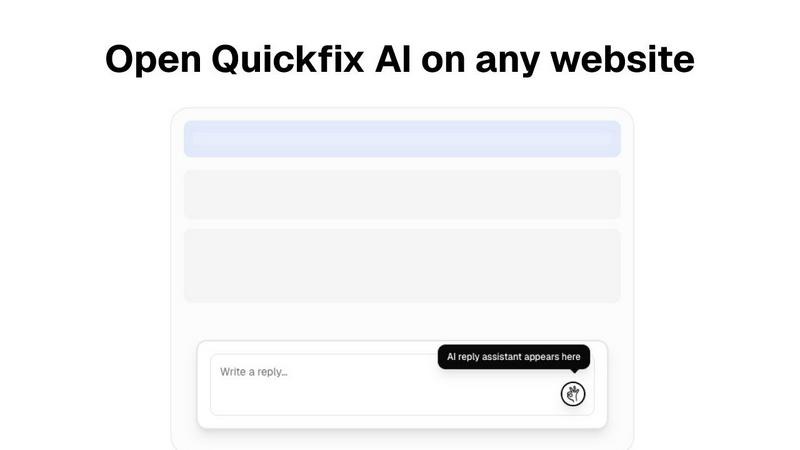
Quickfix AI is a productivity tool designed to streamline online communication. As a browser extension, it uses artificial intelligence to generate instant, context-aware replies across email, social media, and support platforms, saving users significant time and effort. Users often explore alternatives for various reasons. Common motivations include seeking different pricing models, needing specific features not offered, or requiring compatibility with different browsers or desktop applications. The search for the right tool is highly personal and depends on individual workflow demands. When evaluating an alternative, consider core functionality, integration capabilities, and value. The ideal solution should seamlessly fit into your existing communication channels, understand context to provide relevant suggestions, and offer a clear return on investment through saved time and improved response quality.