Outbid vs Quickfix AI
Side-by-side comparison to help you choose the right tool.

OutBid instantly alerts freelancers to new Upwork jobs and provides AI-generated proposals, enabling faster applications and more wins.
Last updated: March 19, 2026

Quickfix AI
Quickfix AI instantly diagnoses and explains your system's performance issues in plain English.
Last updated: February 28, 2026
Visual Comparison
Outbid

Quickfix AI
Feature Comparison
Outbid
Instant Alerts
OutBid provides real-time notifications for new job postings on Upwork within seconds of their release. This ensures that freelancers who use the tool can apply immediately, often before the competition even sees the listing.
AI Proposals
The tool generates personalized proposal drafts tailored to each job posting. Freelancers can simply copy, tweak, and submit these proposals, significantly reducing the time spent on proposal writing and increasing application success.
Smart Filtering
With OutBid's smart filtering system, users can customize their job alerts. They can filter job listings by skills, budgets, experience levels, and even set quiet hours, ensuring they only see the most relevant opportunities.
War Room Strategy Mode
When competition is fierce, OutBid helps freelancers stand out with its War Room strategy mode. This feature allows users to add custom instructions and regenerate proposals, enhancing their chances in crowded job markets.
Quickfix AI
Comprehensive One-Click Scan
With a single click, Quickfix AI performs a full system diagnostic, analyzing all critical components of your computer. It examines CPU usage and temperatures, memory pressure, GPU performance, disk health and available space, battery health and cycle count, network connection speeds, and core security settings. This holistic scan gathers everything you need to know about your system's current state in one unified, easy-to-read report, saving you from manually checking a dozen different system panels.
AI-Powered Plain English Explanations
The tool doesn't just show you raw data and technical graphs. Its integrated AI assistant reads your full diagnostic report and explains what it means in simple, understandable language. You can ask questions like "Why is my Mac running slow?" and receive specific, contextual answers that pinpoint the exact applications or processes causing issues, making advanced system insights accessible to users of all technical skill levels.
Secure Remote Diagnostics with Sharing Codes
This feature is a game-changer for IT support teams and anyone helping friends or family. Instead of trying to guide someone through complex steps over the phone, you can generate a secure sharing code. The other person simply enters this code into Quickfix AI, and you instantly gain a view of their system's diagnostic report, allowing for fast, accurate remote troubleshooting without compromising sensitive data.
Cross-Platform Performance & Health Monitoring
Quickfix AI provides dedicated, detailed metrics for both Windows and macOS systems. It tracks vital signs like memory pressure, storage health, and battery degradation over time. For gamers and power users, it monitors GPU and CPU temperatures under load, while for all users, it audits essential security statuses like firewall and encryption settings, offering a versatile monitoring solution for personal and professional use.
Use Cases
Outbid
Speedy Applications for Busy Freelancers
Freelancers with tight schedules can benefit from OutBid's instant alerts and AI proposals. By receiving job notifications instantly, they can apply to relevant postings without having to spend hours searching Upwork.
New Freelancers Finding Their Footing
For newcomers to freelancing, crafting the perfect proposal can be challenging. OutBid simplifies this process by providing tailored proposal drafts, helping them gain confidence and secure their first jobs more easily.
Experienced Freelancers Seeking Efficiency
Veteran freelancers looking to save time will appreciate OutBid's streamlined application process. The tool allows them to focus on high-priority jobs while ensuring their applications are competitive and well-crafted.
Strategic Job Applications
Freelancers who face intense competition can utilize the War Room strategy mode to enhance their applications. This feature empowers them to customize submissions and improve their chances of being noticed by clients.
Quickfix AI
Proactive System Troubleshooting
When your computer is unexpectedly slow, freezing, or behaving erratically, identifying the root cause is the first major hurdle. Quickfix AI is designed for this exact scenario. Instead of searching forums or reinstalling software blindly, users can run a scan to immediately see if the issue is high CPU from background apps, critically low memory, a failing drive, or an overheating component, getting straight to a data-driven solution.
IT and Helpdesk Support Efficiency
IT support teams face the constant challenge of diagnosing issues on remote machines with limited information. Quickfix AI streamlines this process dramatically. A support agent can send a secure link or sharing code to an end-user, who can run the scan without any technical knowledge. The agent then receives a comprehensive report instantly, cutting down diagnosis time from hours to minutes and enabling faster, more accurate resolutions.
Performance Optimization for Enthusiasts
Gamers, video editors, developers, and other power users need to ensure their systems are running at peak performance. Quickfix AI serves as an essential optimization tool, providing deep insights into GPU and CPU utilization during intensive tasks, monitoring thermal throttling, analyzing memory allocation, and checking disk speeds. This allows enthusiasts to fine-tune their settings, close resource-hogging processes, and upgrade the right components.
Pre-Purchase Device Audits and Security Checks
When buying a used computer or auditing company hardware, assessing the true internal health and security posture is critical. Quickfix AI can quickly reveal a device's battery health, potential storage drive problems, installed security protections, and overall performance baseline. This use case empowers both individuals and IT managers to make informed decisions and ensure systems are secure and reliable before they are put into use.
Overview
About Outbid
OutBid is a revolutionary tool tailored for freelancers eager to thrive in the competitive Upwork marketplace. Designed to continuously monitor job postings around the clock, OutBid sends immediate alerts via Telegram, ensuring users can be among the first to respond to new opportunities. This proactive approach enhances the chances of being noticed by potential clients by allowing freelancers to apply within 60 seconds of a job being posted. Each alert comes with a personalized, AI-generated proposal draft that aligns with both the job description and the user's unique skills, simplifying the application process. OutBid is perfect for freelancers at any stage of their career—whether you're a busy professional who can't constantly check job listings or a newcomer who struggles with proposal writing. By streamlining the application process and providing real-time insights, OutBid empowers freelancers to secure more jobs and maximize their earning potential.
About Quickfix AI
Quickfix AI is an AI-powered system diagnostics tool that provides instant, comprehensive insight into your computer's performance, health, and security. The challenge of troubleshooting a slow or problematic machine is often a frustrating, time-consuming process that requires technical expertise. Quickfix AI solves this by delivering a complete diagnostic report in under a minute, translating complex system data into plain English explanations and actionable recommendations. Whether you're a regular user puzzled by a sudden slowdown, a tech enthusiast optimizing performance, or an IT professional supporting remote teams, Quickfix AI eliminates the guesswork. It offers a seamless experience from a simple download to a detailed analysis of CPU, memory, storage, battery, network, and security status. By empowering users with clear understanding and specific next steps, Quickfix AI transforms system diagnostics from a cryptic chore into a straightforward, empowering solution for anyone who uses a Windows PC or macOS device.
Frequently Asked Questions
Outbid FAQ
How fast are the alerts?
OutBid sends alerts within seconds of a job being posted on Upwork. This rapid notification system ensures that freelancers can act quickly and be among the first to apply.
Do I need to be tech-savvy?
No, OutBid is designed to be user-friendly and requires no technical expertise. Simply message the bot on Telegram to get started, and the setup process is quick and straightforward.
Can I customize the proposals?
Yes, each AI-generated proposal draft can be easily customized. Freelancers can tweak the content to better reflect their personal style and expertise before submitting.
Is this affiliated with Upwork?
OutBid operates independently of Upwork, providing a unique tool to enhance the freelance application experience. It does not have any official affiliation with Upwork itself.
Quickfix AI FAQ
Is Quickfix AI free?
Yes, Quickfix AI offers a free version that includes the core one-click system scan and access to the AI explanation features for your own machine. This allows you to perform comprehensive diagnostics and get plain-English insights into your system's performance and health at no cost.
Is my data secure?
Absolutely. Security and privacy are paramount. Diagnostic scans are processed locally on your device whenever possible. Any data used to generate AI explanations is handled with strict confidentiality and is not used for training general AI models. For sharing code sessions, data is transmitted securely and is only accessible to those with the unique, one-time code.
Do I need technical knowledge?
Not at all. Quickfix AI is built specifically for users without technical expertise. The entire process, from download to diagnosis, is designed to be simple. Most importantly, the AI assistant explains every finding in clear, plain English, so you understand what's happening with your system and what actions to take, without needing to decipher technical jargon.
What platforms are supported?
Quickfix AI is a cross-platform tool available for both Windows and macOS operating systems. You can download a dedicated version for your specific platform, whether you are using a personal laptop, a professional workstation, or any supported desktop computer.
Alternatives
Outbid Alternatives
OutBid is a cutting-edge tool designed for freelancers in the productivity and management category, specifically aimed at enhancing their experience on the Upwork platform. By providing instant job alerts and AI-generated proposals via Telegram, OutBid helps users apply quickly and effectively, increasing their chances of securing jobs in a competitive marketplace. Users often seek alternatives to OutBid due to various factors such as pricing, feature sets, or specific platform compatibility. When evaluating potential alternatives, it’s essential to consider aspects like real-time job alerts, ease of proposal customization, user support, and overall effectiveness in streamlining the application process. The right alternative should align with your unique needs as a freelancer and help you maximize your earning potential.
Quickfix AI Alternatives
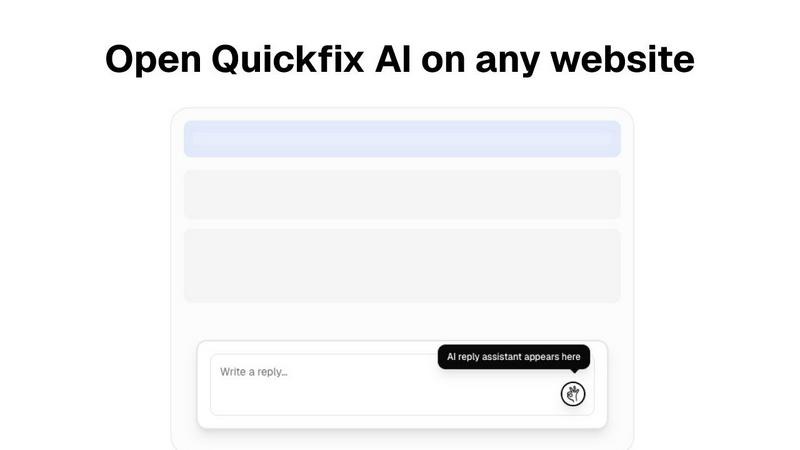
Quickfix AI is a productivity tool designed to streamline online communication. As a browser extension, it uses artificial intelligence to generate instant, context-aware replies across email, social media, and support platforms, saving users significant time and effort. Users often explore alternatives for various reasons. Common motivations include seeking different pricing models, needing specific features not offered, or requiring compatibility with different browsers or desktop applications. The search for the right tool is highly personal and depends on individual workflow demands. When evaluating an alternative, consider core functionality, integration capabilities, and value. The ideal solution should seamlessly fit into your existing communication channels, understand context to provide relevant suggestions, and offer a clear return on investment through saved time and improved response quality.