Rallied AI vs StreamVox - AI Live Translator
Side-by-side comparison to help you choose the right tool.

Rallied AI
Rallied AI autonomously resolves L1 and L2 IT tickets, freeing your team to focus on strategic projects and boosting your MSP's efficiency.
Last updated: April 4, 2026

StreamVox offers real-time AI subtitles and translation for calls and media, breaking language barriers for seamless communication and entertainment.
Last updated: April 4, 2026
Visual Comparison
Rallied AI
StreamVox - AI Live Translator

Feature Comparison
Rallied AI
Autonomous Ticket Resolution
Rallied AI can autonomously resolve a wide range of L1 and L2 tickets, including password resets, account unlocks, and mailbox permission changes. By executing these tasks automatically, it reduces the workload on your human technicians, allowing them to focus on strategic initiatives.
Intelligent Triage and Dispatch
This feature ensures that Rallied asks the right questions to effectively categorize each ticket by priority and urgency. It pulls necessary documentation from IT Glue or Hudu, ensuring that every issue is routed to the appropriate technician for resolution.
Streamlined Onboarding and Offboarding
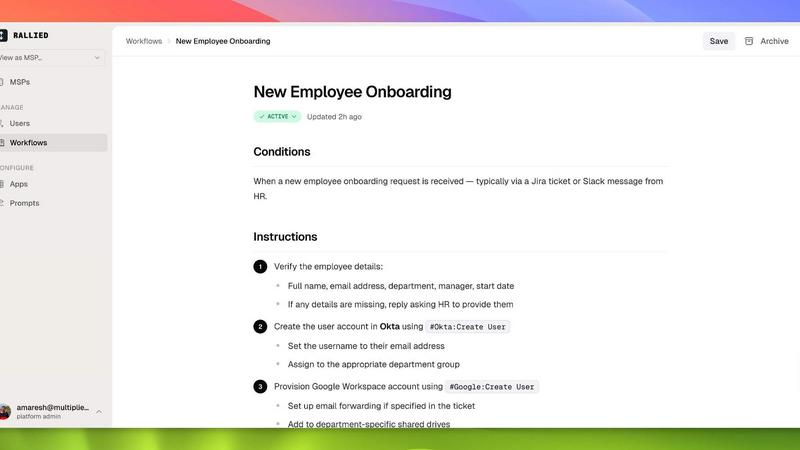
Rallied simplifies the onboarding and offboarding processes for employees. Whether it is setting up M365 licenses for new hires or managing the offboarding of contractors, Rallied handles these tasks with minimal input, saving valuable time and resources.
Seamless Integration with Existing Tools
Rallied connects effortlessly to your existing tech stack, including popular platforms like ConnectWise, Autotask, and Google Workspace. This ensures that all workflows are optimized and that Rallied can function effectively within your existing infrastructure without extensive setup time.
StreamVox - AI Live Translator
Multilingual Support
StreamVox supports over 49 input languages and translates into 49 target languages, providing users with an extensive range of options for effective communication and understanding across different languages.
Per-App Isolation
This feature allows users to capture audio from specific applications, such as Zoom or Discord, while ignoring background noise automatically. This targeted approach ensures that you only hear what matters, making your conversations clearer and more focused.
Customizable Overlay
StreamVox features a transparent overlay that floats above any application, allowing users to see live translations without interrupting their workflow. Users can customize font size, color, and transparency to suit their preferences, enhancing readability.
Privacy-Focused Operation
With a strong commitment to user privacy, StreamVox processes audio in real-time without storing any data. This means users can communicate freely without worrying about their conversations being recorded or misused.
Use Cases
Rallied AI
Resolving Technical Issues
When a user encounters a technical issue, such as being unable to connect to a VPN, Rallied can quickly diagnose and resolve the problem autonomously, ensuring minimal disruption to the user’s workflow and allowing them to focus on their tasks.
Managing High Ticket Volumes
For MSPs facing an influx of support requests, Rallied efficiently manages high volumes of tickets, performing tasks that would typically require multiple L1 technicians. This scalability helps maintain service quality without additional hiring costs.
Automating Routine IT Tasks
Rallied automates routine IT tasks such as password resets and account unlocks. By handling these repetitive tasks, it frees up your skilled technicians to engage in more complex and rewarding work, ultimately enhancing job satisfaction.
Facilitating Efficient Onboarding Processes
With Rallied, the onboarding process for new employees becomes a breeze. The AI can handle all necessary tasks such as setting up accounts and permissions in just one message, reducing the onboarding timeline significantly and improving overall efficiency.
StreamVox - AI Live Translator
International Business Meetings
StreamVox is perfect for professionals engaged in international business. It allows for seamless communication during video calls, ensuring that everyone understands the conversation, regardless of their native language.
Gaming with Friends Worldwide
Gamers can enhance their experience by using StreamVox to translate in-game voice chat in real-time. This feature allows players from different countries to coordinate and strategize together without language barriers.
Enjoying Foreign Content
StreamVox enables users to watch international films, TV shows, and live streams without waiting for official subtitles. This opens up a world of entertainment, allowing viewers to enjoy content in its original language.
Learning New Languages
StreamVox can serve as a valuable tool for language learners. By providing real-time translations while listening to native speakers, users can improve their language skills and comprehension in an engaging way.
Overview
About Rallied AI
Rallied AI is an innovative AI technician designed specifically for Managed Service Providers (MSPs) to streamline their support processes. By connecting to your entire technology stack, Rallied autonomously resolves Level 1 and Level 2 tickets, allowing your technical staff to focus on higher-value project work that drives business growth. With Rallied, you can interact through popular communication platforms like Slack or Microsoft Teams, making it feel like you have a real coworker by your side. The tool not only executes resolutions but also triages requests and handles onboarding and offboarding tasks seamlessly, ensuring that your operations remain efficient and cost-effective. Rallied is the solution for MSP owners and service managers who are tired of wasting valuable resources on repetitive tasks, ultimately enhancing productivity and profitability.
About StreamVox - AI Live Translator
StreamVox is a cutting-edge AI-powered live translation tool designed specifically for Windows users. This innovative software enables real-time subtitles and translations for any audio played on your PC, including calls, gaming, streaming, and videos. Whether you are participating in international Zoom meetings, enjoying foreign films, or diving into multiplayer games, StreamVox breaks down language barriers and enhances your experience. With support for over 49 input and target languages, it adapts to various needs, making it an essential tool for professionals, gamers, and content consumers alike. The main value proposition of StreamVox lies in its ability to provide instant translation with minimal latency, ensuring conversations flow naturally and content is easily comprehensible without missing a beat.
Frequently Asked Questions
Rallied AI FAQ
What if it breaks something?
You have full control over what Rallied can do autonomously. Initially, it can be set to ask for human approval on sensitive tasks, and as you grow comfortable with its capabilities, you can expand its autonomy.
How does Rallied compare to other AI tools?
Unlike other AI tools that often require extensive training and a full-time admin, Rallied is designed to start functioning quickly with minimal setup. This ensures that you can begin reaping the benefits without the usual delays.
Can Rallied integrate with my existing tools?
Yes, Rallied is built to connect seamlessly with a wide range of existing tools such as ConnectWise, Autotask, and Google Workspace, ensuring a smooth integration process without disruption to your operations.
How quickly can I expect to see results?
Rallied can be deployed and start working within a week, significantly faster than many other AI tools that may take months to implement. This quick turnaround allows you to realize the benefits of automation sooner rather than later.
StreamVox - AI Live Translator FAQ
How does StreamVox handle audio privacy?
StreamVox prioritizes user privacy by processing audio in real-time without storing any audio data. This ensures that your conversations and audio streams remain confidential.
Can I use StreamVox for mobile calls?
Yes, StreamVox integrates with Microsoft Phone Link, allowing users to translate mobile calls live on their PC screen. This feature makes it easy to communicate with friends and colleagues regardless of language.
What audio modes does StreamVox offer?
StreamVox provides three audio modes: System Audio, Microphone, and Per-App Capture. This flexibility allows users to tailor their experience based on their needs, capturing exactly what they require.
Is there a free version of StreamVox available?
Absolutely! StreamVox offers a Free Starter plan that provides 20 minutes of real-time translation every day, allowing users to experience the software's capabilities without any cost.
Alternatives
Rallied AI Alternatives
Rallied AI is an advanced AI technician specifically designed for Managed Service Providers (MSPs). It integrates seamlessly with your entire tech stack to autonomously resolve Level 1 and Level 2 support tickets, facilitating communication through popular platforms like Slack and Teams. As technology evolves, users often seek alternatives to Rallied AI due to various factors such as pricing, specific feature sets, or compatibility with their existing platforms. When searching for an alternative, it's essential to consider the solution's ability to integrate with your current tools, the scalability of its features, and the level of support provided. A good alternative should enhance operational efficiency while meeting your unique needs as an MSP.
StreamVox - AI Live Translator Alternatives
StreamVox - AI Live Translator is a cutting-edge software that provides real-time AI translations and subtitles for various audio sources on Windows. It caters to a wide array of users by enabling seamless communication across different languages in calls, gaming sessions, streaming, and video content. However, users often seek alternatives due to factors such as pricing structures that may not fit their budgets, specific feature sets that better align with their needs, or compatibility with different platforms or devices. When searching for an alternative, it's essential to consider key aspects like the range of supported languages, user interface intuitiveness, and the flexibility of audio capture modes. Additionally, users should evaluate the overall pricing strategy and any trial or freemium options available. Understanding these elements can help ensure that the chosen solution effectively meets your translation and communication requirements.