3DAIStudio vs Regi AI
Side-by-side comparison to help you choose the right tool.

3DAIStudio
Transform your ideas into stunning 3D models in seconds with 3DAIStudio's intuitive text and image conversion tools.
Last updated: April 4, 2026

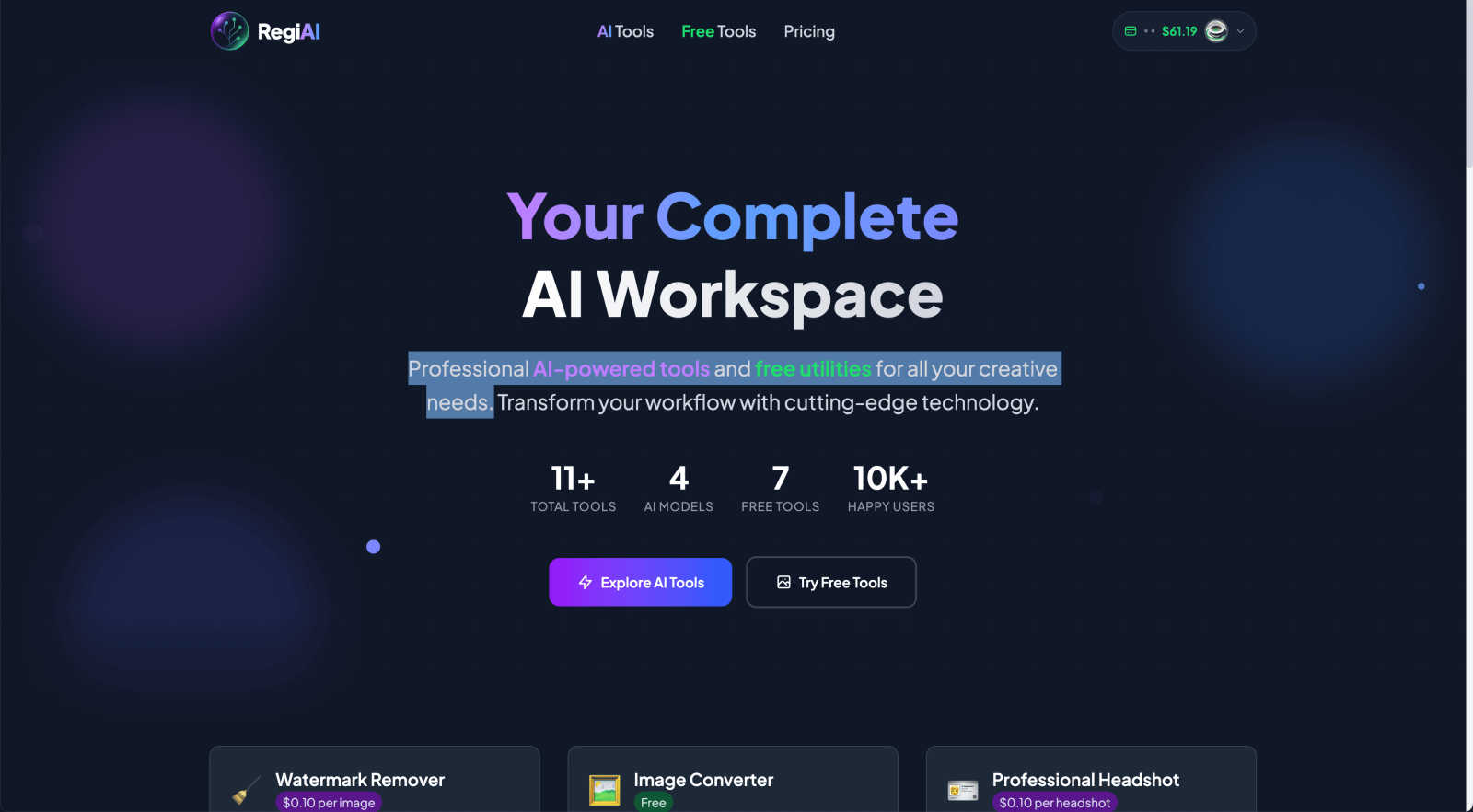
Regi AI provides innovative tools to streamline your creative process and enhance projects with powerful AI technology.
Last updated: March 1, 2026
Visual Comparison
3DAIStudio

Regi AI
Feature Comparison
3DAIStudio
Text to 3D
Transform simple text prompts into detailed 3D models in seconds. By typing descriptions of the desired object, users can generate production-ready assets that are optimized for immediate use, saving hours of manual labor.
Image to 3D
Upload any 2D image, sketch, or illustration and watch it convert into a high-quality 3D model instantly. This feature simplifies the process for artists and designers who want to visualize concepts without complex modeling techniques.
AI Texturing
Enhance your 3D models with realistic textures generated by AI. This feature allows users to apply high-quality, physically-based rendering (PBR) materials effortlessly, ensuring that every model meets industry standards for realism.
Quad-Remesh
Optimize your 3D models with automated retopology that cleans up mesh topology. This tool is essential for developers needing production-ready assets, as it reduces polygon counts and prepares models for efficient use in game engines.
Regi AI
AI Watermark Remover
The AI Watermark Remover is a powerful tool that efficiently eliminates watermarks, logos, and text from images while maintaining the original quality. This feature is perfect for users who need to clean up stock photos or remove unwanted elements quickly. With advanced AI technology, users can achieve precision removal in just seconds, ensuring their images look professional and polished.
AI Photo Restoration
Bring your cherished old memories back to life with the AI Photo Restoration tool. This feature automatically repairs damage, removes scratches, enhances quality, and colorizes black and white photos, making it an invaluable resource for preserving treasured family images. Users can enjoy high-quality restoration results with minimal effort, allowing them to revisit their past with clarity and vibrancy.
AI Professional Headshot
Transform any casual photo into a striking, studio-quality headshot with the AI Professional Headshot feature. This tool uses advanced algorithms to create polished images ideal for LinkedIn profiles, resumes, and other professional uses. With enhanced lighting and background options, users can achieve impressive results without needing a professional photographer.
AI Action Figure Generator
Unleash your creativity with the AI Action Figure Generator, allowing users to turn themselves or others into ultra-realistic action figures complete with custom packaging. This unique feature is perfect for personalized gifts, social media content, or just for fun. With over 100 character templates to choose from, users can create memorable keepsakes that stand out.
Use Cases
3DAIStudio
Game Development
Game developers can utilize 3DAIStudio to quickly prototype and create character models, environments, and assets, drastically reducing the time from concept to playable content while maintaining high-quality standards.
Product Design
Designers can turn sketches or images of products into detailed 3D models, facilitating faster iterations and feedback loops. This accelerates the design process, allowing for more time to focus on innovation and refinement.
Education
Educators can leverage 3DAIStudio in classrooms to teach students about 3D modeling and design principles. The ease of use makes it an ideal tool for introducing complex concepts in a simplified manner, engaging students in creative projects.
VR/AR Applications
For virtual and augmented reality applications, 3DAIStudio provides the ability to create immersive environments and objects quickly. Developers can create engaging content that enhances user experiences in VR and AR applications without extensive 3D modeling knowledge.
Regi AI
Enhancing Professional Profiles
Creative professionals can leverage Regi AI's Professional Headshot feature to enhance their online presence. By transforming casual photos into polished headshots, users can significantly improve their chances of making a positive impression on potential employers or clients.
Restoring Family Photos
Individuals looking to preserve their family history can utilize the AI Photo Restoration tool to restore old, damaged photographs. This feature allows users to breathe new life into cherished memories, making it easier to share and celebrate family legacies.
Creating Engaging Social Media Content
Social media managers and influencers can take advantage of the AI Action Figure Generator to create unique and engaging content. By turning their images into action figures, they can capture their audience's attention and enhance their brand's visual storytelling.
Cleaning Up Stock Images
Photographers and designers can use the AI Watermark Remover to clean up stock images for commercial use. This feature provides a quick and effective way to remove unwanted elements from images, ensuring that the final visuals are polished and ready for publication.
Overview
About 3DAIStudio
3DAIStudio is an innovative AI toolkit designed to streamline the creation of high-quality 3D models from text or images, making it accessible to everyone, from professional designers to hobbyists. This platform allows users to effortlessly transform their creative visions into stunning 3D assets in mere seconds. Whether you are a game developer looking to create unique characters or a product designer needing realistic prototypes, 3DAIStudio offers the tools to bring your ideas to life. With features like instant model generation and advanced texturing capabilities, it eliminates the traditional lengthy processes involved in 3D modeling. The primary value proposition of 3DAIStudio lies in its ability to enable any user, regardless of experience, to generate production-ready 3D models with efficiency and precision. Unleash your creativity and explore the future of 3D asset creation with 3DAIStudio.
About Regi AI
Regi AI is a state-of-the-art AI platform designed to meet the diverse needs of both creative professionals and casual users. This versatile toolset offers a comprehensive suite of AI-powered utilities that streamline image editing and enhancement tasks. With premium options such as watermark removers, headshot generators, face swaps, and advanced photo restoration capabilities, Regi AI empowers users to achieve professional-quality results with ease. Additionally, it features a range of free tools like image converters and background removers, making it accessible to everyone regardless of their budget. The platform's intuitive interface and cutting-edge technology transform workflows, enhancing both productivity and creativity. With over 10,000 satisfied users, Regi AI is rapidly becoming the preferred solution for individuals looking to elevate their image editing skills. Its pay-per-use pricing model, starting at just $0.01, allows users to pay only for the services they need without any long-term commitments, ensuring maximum flexibility and value.
Frequently Asked Questions
3DAIStudio FAQ
How does 3DAIStudio generate 3D models?
3DAIStudio utilizes advanced AI algorithms to interpret text prompts or images, converting them into high-quality 3D models in seconds. This process eliminates the need for manual modeling skills.
Do I need prior 3D modeling experience to use 3DAIStudio?
No, 3DAIStudio is designed for users of all skill levels. Its intuitive interface allows anyone to create stunning 3D models, making it suitable for beginners and professionals alike.
What types of files can I export from 3DAIStudio?
Users can export optimized 3D models in various formats compatible with major game engines like Unity, Unreal Engine, and more. This ensures that your assets can be used seamlessly in your projects.
Can I use 3DAIStudio for commercial projects?
Yes, 3DAIStudio allows users to create 3D assets for commercial use. Whether for game development, product design, or any other purpose, the generated assets can be utilized in a variety of professional contexts.
Regi AI FAQ
What types of images can I use with Regi AI?
Regi AI supports a wide variety of image formats, including JPG, PNG, and WebP. Users can upload their images for editing and enhancement without worrying about compatibility issues.
Is Regi AI suitable for beginners?
Absolutely! Regi AI is designed with an intuitive interface that makes it user-friendly for both beginners and experienced professionals. Its straightforward tools simplify complex tasks, enabling anyone to achieve stunning results.
How does the pay-per-use pricing model work?
Regi AI operates on a pay-per-use pricing model, allowing users to pay only for the services they use. Prices start as low as $0.01, making it an affordable option for those who may not need to edit images frequently.
Can I access Regi AI tools on mobile devices?
While Regi AI is primarily designed for desktop use, many of its features can be accessed through mobile devices. Users can create and edit images on the go, ensuring flexibility and convenience in their creative workflows.
Alternatives
3DAIStudio Alternatives
3DAIStudio is an innovative AI toolkit designed to transform images and text into high-quality 3D models quickly and efficiently. As a powerful tool within the content creation category, it caters to designers, developers, and creatives who seek to streamline their workflow and generate custom 3D assets with ease. Users commonly explore alternatives for various reasons, including pricing concerns, the need for specific features, platform compatibility, or seeking enhanced usability. When evaluating alternatives, it is crucial to consider aspects such as ease of use, the variety of features offered, customer support, and overall value for money.
Regi AI Alternatives
Regi AI is a comprehensive AI platform designed to enhance creative projects and streamline workflows for both professionals and casual users. With a robust suite of tools that includes features like watermark removers and photo restorations, Regi AI stands out as a versatile solution for image editing and enhancement needs. However, users often seek alternatives due to various factors such as pricing, specific feature sets, or the need for compatibility with different platforms. When looking for an alternative to Regi AI, it is essential to consider the unique requirements of your projects. Evaluate the range of features offered, the pricing model, and the ease of use of the platform. Additionally, consider whether the alternative can meet your specific workflow needs and if it offers the same level of quality and reliability that you expect.