DataPhotos.AI vs RemoveTexts
Side-by-side comparison to help you choose the right tool.

DataPhotos.AI
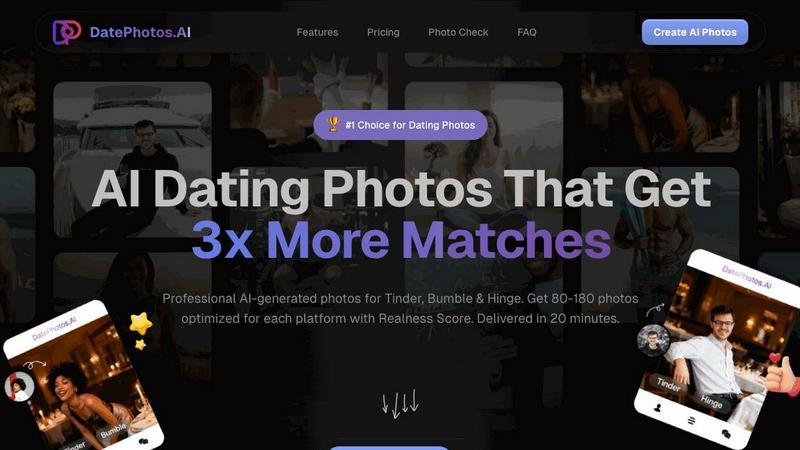
Get 3x more matches with AI dating photos created from your selfies in 20 minutes.
Last updated: February 28, 2026

RemoveTexts
AI-powered tool that removes text from any image in seconds — no Photoshop needed.
Visual Comparison
DataPhotos.AI
RemoveTexts

Overview
About DataPhotos.AI
In the modern dating scene, your profile photos are your most critical asset. The challenge? Professional photoshoots are expensive, time-consuming, and often produce stiff, unnatural results. Meanwhile, relying on casual selfies can make your profile blend into the crowd, drastically reducing your chances of getting noticed and matched. DataPhotos.AI is the innovative solution designed to solve this exact problem. It is an AI-powered platform that transforms a handful of your selfies into a vast portfolio of authentic, high-quality dating profile photos in just 20-30 minutes. Designed for singles using Tinder, Bumble, Hinge, and other platforms, it eliminates the need for costly photographers and long waits. The core value proposition is powerful: generate 80-180 diverse, professionally optimized images that showcase your personality across 40+ realistic scenes. With its unique Realness Score for quality control, DataPhotos.AI ensures you get photos that look genuinely like you, helping you stand out, attract more attention, and ultimately secure 3x more matches. It's the fast, affordable, and effective way to upgrade your online dating presence from invisible to irresistible.
About RemoveTexts
No Photoshop, no manual selection - just upload and get clean results in seconds.
Perfect for cleaning screenshots, removing watermarks, or erasing unwanted text.
RemoveTexts is an AI-powered image editing tool that removes unwanted text from any image with one click. Whether it's watermarks, meme text, subtitles,date stamps, or branded overlays — our AI detects and erases text while seamlessly reconstructing the original background.
Key Features:
- Paint to Remove — Brush over specific text areas for precise control
- Auto Remove All — AI detects and removes every text element automatically
- Edit & Replace Text — Change existing text in images while matching the original style
- Remove Objects — Erase unwanted objects, logos, and visual elements
- 50+ Languages — Works with English, Chinese, Japanese, Korean, Arabic, and more Powered by state-of-the-art generative AI with 4K output quality. No design skills required. Results in seconds, not hours. Used by 100,000+ creators, marketers, and designers worldwide.