
RemoveTexts
RemoveTexts is an AI tool that effortlessly removes text from images in seconds, making editing simple and accessible for everyone.
Visit
About RemoveTexts
RemoveTexts is an innovative, AI-powered image editing tool designed to effortlessly eliminate unwanted text from images with just a single click. It is perfect for anyone who needs to clean up visuals without the need for complex software like Photoshop or extensive design skills. Whether you are a marketer looking to remove watermarks, a creator aiming to erase meme text, or a professional needing to eliminate sensitive information from screenshots, RemoveTexts provides a fast and efficient solution. The tool leverages advanced deep learning techniques to analyze images and intelligently reconstruct backgrounds, ensuring that the final result is seamless and professional-grade. With over 100,000 images processed and a growing user base of more than 50,000, RemoveTexts is revolutionizing the way people edit images, providing clean results in seconds rather than hours.
Features of RemoveTexts
Paint to Remove
This feature allows users to have precise control over the text removal process. Simply brush over the specific areas of text you want to eliminate, and the AI will erase only those sections, preserving the surrounding image. This is particularly useful for targeted edits and ensures that only unwanted elements are affected.
Auto Remove All
For users who want a quick solution, the Auto Remove All feature detects and removes every text element in the image automatically. This one-click removal option is ideal for cleaning up images with multiple text elements, saving time and effort while delivering clean results.
Edit & Replace Text
The Edit & Replace Text feature enables users to change existing text in images while matching the original font style. This is beneficial for those who want to update or customize information in visuals without compromising the overall design integrity.
Remove Objects
In addition to text, RemoveTexts also offers the ability to erase unwanted objects, logos, or visual elements from images. This feature provides even greater versatility, allowing users to clean up their images beyond just text removal, making it a comprehensive editing solution.
Use Cases of RemoveTexts
E-commerce Product Photography
Online sellers can use RemoveTexts to clean up product images by removing watermarks, logos, or any distracting text overlays. This results in visually appealing product photos that enhance customer engagement and sales.
Social Media Content Creation
Marketers and content creators can benefit from this tool by quickly removing unwanted text from images used in social media posts. This ensures that visuals remain clean and professional, helping their content stand out in a crowded digital landscape.
Legal Document Redaction
Legal professionals can use RemoveTexts to redact sensitive information from screenshots or scanned documents. By removing dates, names, or other identifying information, they can maintain confidentiality while still sharing necessary information.
Personal Photo Editing
Individuals looking to enhance their personal photos can easily remove unwanted text, such as date stamps or captions, to improve their overall aesthetic. This makes it simple to share polished images with friends and family without the distraction of unnecessary text.
Frequently Asked Questions
How does RemoveTexts remove text from images?
RemoveTexts utilizes advanced AI and deep learning inpainting technology to analyze the surrounding pixels in an image and intelligently reconstruct the background after text has been removed. This ensures seamless and professional results.
Is there a limit to the size of images I can upload?
Yes, RemoveTexts supports images in JPG, PNG, and WebP formats with a maximum file size of 10 MB. This allows for efficient processing of a variety of image types while maintaining quality.
Can I remove watermarks and logos?
Yes, RemoveTexts includes a feature that allows users to erase watermarks and logos from images effectively. However, it is important to note that removing copyrighted or trademarked content without permission may violate legal guidelines.
Do I need to download any software to use RemoveTexts?
No, RemoveTexts is a free online tool that works directly in your web browser. There is no need for any downloads or installations, making it accessible and user-friendly for everyone.
Similar to RemoveTexts
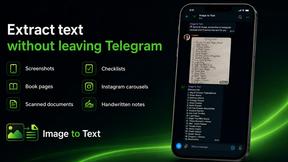
imgtxtapp.laviolab.com
imgtxtapp.laviolab.com is a Telegram-based image-to-text converter that turns photos, screenshots, scanned documents into editable text
SightRadar
Face recognition API, a drop-in replacement for AWS Rekognition. Index, search, compare and detect faces, billed per photo with no subscription.
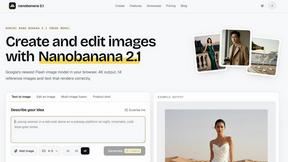
Nano Banana 2.1
A fast, simple image studio powered by Nano Banana 2.1. Create and edit high-quality images with accurate details, readable text, consistent character
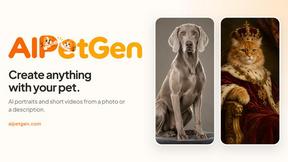
AIPetGen
AIPetGen turns a photo of your dog, cat, or other pet, or a written description, into a new picture or a short animation.


Image to Layers AI
Turn any image into editable transparent PNG/PSD layers with AI
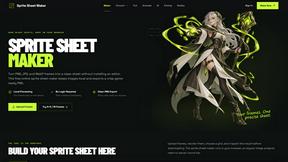
Sprite Sheet Maker
A free browser-based toolkit for creating, cutting, converting, and previewing sprite sheet animations.

AIEnhancer
Enhance photos, create images, and generate videos with flexible AI workflows and creative effects.