RocketShare vs SupaSidebar
Side-by-side comparison to help you choose the right tool.

RocketShare
Share files with complete privacy using encryption that even we cannot access.
Last updated: March 4, 2026

SupaSidebar
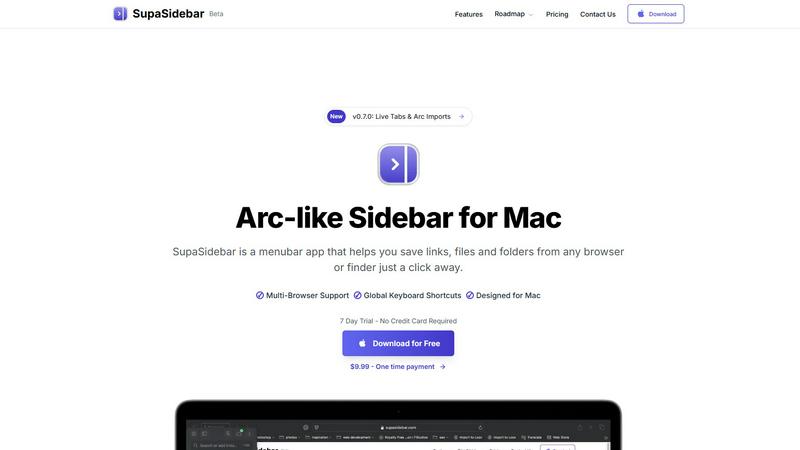
SupaSidebar instantly saves and accesses your links and files from any Mac app.
Last updated: February 28, 2026
Visual Comparison
RocketShare

SupaSidebar
Feature Comparison
RocketShare
Zero-Knowledge Encryption
This is the cornerstone of RocketShare's security model. Every file you share is encrypted locally on your device before it ever leaves for the internet. The encryption key remains solely with you, typically as part of the shareable link. This ensures that the servers only handle unreadable, encrypted data, making it technically impossible for RocketShare or any third party to access your files' contents. Your privacy is non-negotiable and architecturally guaranteed.
Dual Sharing Modes: Cloud & Local
RocketShare offers unparalleled flexibility with two distinct sharing methods. For convenience and accessibility, use Cloud Share to upload encrypted files to secure EU-based servers, allowing recipients to download at any time. For maximum speed and privacy in real-time collaboration, use Local Share (peer-to-peer), which creates a direct, encrypted connection between devices without the files ever touching an external server, giving you complete control over the data transfer.
EU-Based Data Storage
All data uploaded via the Cloud Share function is stored on servers located within the European Union. This provides users with the strong data protection and privacy regulations afforded by EU jurisdiction, offering an additional layer of legal security and peace of mind for businesses and individuals concerned with data sovereignty and compliance with strict privacy laws like the GDPR.
Private-by-Design Architecture
RocketShare's entire system is engineered from the ground up to protect user privacy. From client-side encryption and zero-knowledge protocols to secure data handling, every technical decision reinforces that your files are for your eyes only. The platform requires no credit card to start, minimizing data collection, and provides transparent resources like a security whitepaper, demonstrating a full commitment to its private-by-design philosophy.
SupaSidebar
Universal Save & Copy Shortcuts
Confronted with the tedious process of manually bookmarking or copying URLs? SupaSidebar provides global keyboard shortcuts that work across your entire system. With a simple press of CMD + CTRL + S, you can instantly save the current website link directly to your sidebar. Need to copy it instead? CMD + CTRL + C handles that in one action. This turns a multi-step chore into a instantaneous, fluid part of your browsing, saving you valuable seconds countless times a day.
Intelligent Recents & Favorites Pinning
Lost in a sea of tabs and can't remember where you saw that crucial article or document? SupaSidebar's "Recents" feature automatically tracks every website you've visited in the last 48 hours, creating a searchable history that's just a click away. For your most vital resources, the "Favorites" function lets you pin items to the top of your sidebar. This ensures your go-to links, files, and folders are always immediately accessible, eliminating repetitive searching and opening.
Blazing-Fast Global Search
Switching between apps to find a file, launch a program, or reopen a website breaks your concentration and slows you down. SupaSidebar's powerful search solves this. By pressing CMD + CTRL + K, you can summon a search bar and type to find anything—be it an application, a saved website, a local file, or a folder—instantly. This unified search acts as a spotlight for your entire digital workspace, making navigation effortless.
Privacy-First, Native Mac Design
Worried about cloud services having access to your browsing data and saved links? SupaSidebar is built with privacy as a cornerstone. Nothing you save leaves your Mac; all your data is stored locally, ensuring complete confidentiality. Furthermore, it is meticulously designed as a native macOS application. This means it integrates perfectly with your system, feels fast and responsive, and supports system-wide keyboard shortcuts and behaviors that Mac users expect, providing a seamless and secure experience.
Use Cases
RocketShare
Legal Document Exchange
Law firms and legal professionals constantly exchange highly sensitive case files, contracts, and evidence. Using standard email or consumer cloud storage risks attorney-client privilege and compliance breaches. RocketShare allows lawyers to send these documents with the absolute confidence that the content is inaccessible to anyone except the intended recipient, maintaining confidentiality and meeting stringent legal industry standards for data protection.
Secure Client Deliverables for Creatives
Photographers and videographers need to deliver high-resolution galleries and raw footage to clients. These files are large and constitute valuable intellectual property. RocketShare enables fast, secure delivery where only the client with the correct link can access the files. The zero-knowledge model ensures that even RocketShare cannot view the creative work, protecting the artist's IP and the client's privacy throughout the process.
Confidential Healthcare Data Sharing
Healthcare providers, therapists, and research teams need to share patient records, lab results, and study data in compliance with regulations like HIPAA. RocketShare's encryption-before-upload and EU data storage provide a secure channel for this sensitive information, ensuring that patient confidentiality is never compromised and helping organizations maintain critical regulatory compliance during digital transfers.
Internal Business Collaboration
Teams working on confidential projects, financial reports, merger details, or proprietary R&D need a safe space to collaborate. RocketShare's local peer-to-peer sharing allows team members in the same office or on a secure call to transfer files directly between computers at high speed, with no copy ever stored on a cloud server, eliminating the risk of external data leaks during internal collaboration.
SupaSidebar
The Research-Intensive Professional
For researchers, writers, or analysts who constantly juggle dozens of source tabs, PDFs, and reference documents, tab overload is a major bottleneck. SupaSidebar allows them to save every relevant source link and local research file into organized spaces with one keystroke. Instead of managing 50+ browser tabs, they have a clean, categorized sidebar. Fast global search lets them retrieve any source in seconds, streamlining the research process and keeping their primary browser window focused and performant.
The Multitasking Project Manager
Project managers coordinating across communication apps, cloud documents, task boards, and team dashboards need swift access to many resources. SupaSidebar becomes their mission control. They can pin the daily stand-up document, the project roadmap, the team's Slack channel, and the analytics dashboard as favorites. Switching contexts between meetings, checking in on tasks, and updating stakeholders becomes a matter of clicking one icon in the menubar instead of navigating through a maze of apps and bookmarks.
The Organized Student
Students managing online coursework, lecture notes, assignment PDFs, and research tabs across multiple classes face digital chaos. SupaSidebar helps them create dedicated spaces for each class (e.g., "Biology 101," "History Essay"). They can save Zoom links, lecture slides, library database pages, and their own notes folder for each subject. This organization replaces frantic, last-minute searches before class or while studying, creating a structured and efficient academic workflow on their Mac.
The Developer or Designer
Developers and designers frequently switch between design mockups, documentation pages, version control systems, and local project folders. Having these resources scattered across the dock, finder, and browser is inefficient. SupaSidebar consolidates everything: GitHub repos, Figma files, API docs, and local project directories can all be saved and accessed instantly. The global search is particularly powerful for quickly opening a specific tool or documentation page without leaving their coding environment.
Overview
About RocketShare
In today's digital landscape, sharing sensitive files is a constant necessity, yet it's fraught with risk. Standard cloud services and email attachments create vulnerabilities, leaving confidential data exposed to breaches, unauthorized access, and even the platform providers themselves. The challenge is finding a solution that doesn't force you to choose between simplicity and ironclad security. RocketShare is the definitive answer. It is a secure file-sharing platform built on the uncompromising principle of zero-knowledge encryption. This means your files are encrypted on your own device before they are uploaded; only you hold the key, often embedded directly in the share link. Not even RocketShare can ever access your content. Designed for professionals and businesses who handle sensitive information—such as lawyers, healthcare providers, accountants, and creative agencies—RocketShare delivers enterprise-grade security in a beautifully simple, self-serve package. With flexible sharing options (both cloud-based and local peer-to-peer) and data stored securely within the EU, it ensures your intellectual property and private communications remain truly private, solving the core dilemma of secure collaboration in a connected world.
About SupaSidebar
SupaSidebar is a revolutionary menubar application for macOS that tackles the modern problem of digital clutter and context-switching fatigue. Inspired by the elegant sidebar of the Arc browser, it provides a centralized, distraction-free command center for everything you need during your workday. The core challenge it solves is the inefficient scramble through endless browser tabs, cluttered Finder windows, and disjointed applications to find the link, file, or folder you need right now. SupaSidebar streamlines this by allowing you to instantly save and access websites, applications, documents, and directories from a sleek, always-accessible sidebar. It works seamlessly across all major browsers like Safari, Chrome, Arc, Firefox, and Brave, ensuring your workflow isn't tied to a single app. Designed for professionals, students, and multitaskers, its main value proposition is profound focus: by eliminating the hunt for resources, it lets you concentrate on the task at hand, dramatically boosting productivity and reducing mental overhead on your Mac.
Frequently Asked Questions
RocketShare FAQ
How does zero-knowledge encryption work with RocketShare?
Zero-knowledge encryption means the encryption and decryption of your files happen exclusively on your device. When you upload a file, RocketShare's application on your computer or phone encrypts it first. The resulting encrypted data is then sent to our servers. The key to unlock this data is not stored with us; it is generated and kept by you, often within the share link itself. Since we never have the key, we can never access the original file content.
What is the difference between Cloud Share and Local Share?
Cloud Share involves uploading your encrypted file to RocketShare's secure servers in the EU. The recipient can then download it using the unique link you provide, at any time. Local Share (peer-to-peer) creates a direct, encrypted tunnel between your device and the recipient's device over the internet. The file transfers directly between you without ever being stored on our servers, offering maximum speed and an additional layer of privacy for real-time sharing.
Where is my data stored?
For files shared via the Cloud Share function, all encrypted data is stored on secure servers located within the European Union. This ensures your data is protected under the EU's robust data privacy regulations. For files shared via Local Share (peer-to-peer), the data never touches our servers; it travels directly between the sender's and recipient's devices.
Is RocketShare compliant with regulations like GDPR?
Yes. RocketShare is designed with compliance in mind. By employing a strict zero-knowledge encryption model where we cannot access user data, and by storing all cloud data within the EU, RocketShare helps users maintain compliance with stringent data protection regulations like the GDPR. However, users are always responsible for ensuring their specific use of the tool meets all applicable legal requirements for their industry and jurisdiction.
SupaSidebar FAQ
Is SupaSidebar a browser extension?
No, SupaSidebar is not a browser extension. It is a standalone, native macOS application that runs from your menubar. It works alongside and integrates with your existing browsers (like Safari, Chrome, Arc, etc.) through system-level accessibility, allowing it to capture the current tab's URL or interact with them, but it operates independently for a more powerful and system-wide experience.
Which browsers does SupaSidebar work with?
SupaSidebar is designed to work seamlessly with all major browsers on macOS. This includes Safari, Google Chrome, Arc, Mozilla Firefox, and Brave. The universal save shortcuts and integration features are built to be compatible across these platforms, ensuring a consistent experience regardless of your browser preference.
Where is my data stored?
Your privacy is paramount. All data you save into SupaSidebar—including your saved links, files, folders, and organizational spaces—is stored locally on your Mac. Nothing is sent to or stored on external servers. This ensures your information remains completely private, secure, and under your control.
What macOS version do I need?
SupaSidebar requires macOS 13 (Ventura) or a later version to operate. This ensures the application can utilize the latest macOS frameworks and technologies to deliver a smooth, stable, and fully-featured native experience with proper system integration and security.
Alternatives
RocketShare Alternatives
RocketShare is a secure file-sharing platform in the productivity and management category, built on a zero-knowledge encryption model. This means files are encrypted on the user's device before upload, ensuring that no one else, including the service itself, can ever access the content. Users often explore alternatives for various practical reasons. These can include budget constraints, the need for specific collaboration features like real-time editing or user management, or a requirement for a different platform or storage location. Some may also seek simpler tools without advanced security or prefer a different pricing structure. When evaluating an alternative, consider your core priorities. Key factors are the level of security and privacy offered, the maximum file size and storage limits, the ease of use for both sender and recipient, and where your data is physically stored and processed. Balancing these elements against your budget will help you find the right fit for your needs.
SupaSidebar Alternatives
SupaSidebar is a menubar productivity application for Mac that centralizes access to your links, files, and folders from a single, streamlined sidebar. It helps users reduce tab clutter and maintain focus by providing instant access to essential resources across all major browsers. Users often explore alternatives for various reasons. Some may seek different pricing models, require specific features like cross-platform compatibility, or prefer a different user interface philosophy. The needs of a power user managing complex projects differ from someone wanting simple bookmark access. When evaluating an alternative, consider your core workflow. Key factors include integration with your preferred browsers and tools, the method for saving and organizing links, real-time features like live tab syncing, and overall ease of use. The right tool should feel like a natural extension of your habits, not a disruption.