
ScopeGuard
ScopeGuard uses AI to identify out-of-scope work, ensuring freelancers get paid for every hour they deserve.
Visit
About ScopeGuard
ScopeGuard is an innovative AI-powered tool meticulously designed to combat the pervasive issue of scope creep that plagues freelancers and independent contractors. This silent profit killer affects a staggering 62% of projects, resulting in freelancers losing an average of over $5,200 annually due to unbilled extra work. ScopeGuard provides a definitive solution by acting as your automated contract watchdog. With its user-friendly interface, freelancers can easily import their Statement of Work (SOW) or contracts, enabling real-time checks against any client request, whether it comes through email, Slack, or project management tools. ScopeGuard logs any out-of-scope work, facilitates client approvals, and generates invoices—all from a centralized dashboard. This tool not only helps freelancers track their time but also serves as a vital revenue protection system, allowing them to recover thousands of dollars in lost income while giving them the confidence to bill for the work they have rightfully completed.
Features of ScopeGuard
AI Scope Checking
ScopeGuard’s AI-driven scope checking allows freelancers to paste any contract text and instantly extract scope items. This feature ensures that any client requests are evaluated against the agreed-upon scope, providing an instant verdict on whether the request is in or out of scope. With a 95% accuracy rate, this functionality empowers freelancers to make informed decisions about their work.
Client Approval Portal
The built-in client approval portal streamlines the process of obtaining approvals for out-of-scope work. Freelancers can send secure approval links to clients, who can review and approve requests with just one click. This feature not only saves time but also solidifies the freelancer's position in billing for additional work.
Centralized Dashboard
ScopeGuard’s dashboard acts as a command center for freelancers, allowing them to monitor unbilled work across all projects at a glance. This centralized approach ensures that freelancers never miss out on revenue opportunities, helping them keep track of every hour worked and every dollar earned.
Chrome Extension
The ScopeGuard Chrome Extension adds an extra layer of convenience by allowing users to check the scope of work directly from any webpage. Users can right-click to import contracts or verify client requests instantly, making it easier to stay on top of scope-related discussions without disrupting their workflow.
Use Cases of ScopeGuard
Freelance Designers
Freelance designers often face modifications to project scopes that lead to unpaid work. ScopeGuard helps them verify whether client requests align with the original contract, ensuring they get paid for every design revision or additional feature added.
Independent Developers
Independent developers can utilize ScopeGuard to safeguard against scope creep in software projects. By checking client requests against their SOW in real time, they can confidently bill for any extra work required, protecting their earnings and maintaining project integrity.
Marketing Consultants
Marketing consultants frequently deal with evolving project parameters. ScopeGuard enables them to manage client expectations and negotiate additional fees for out-of-scope tasks, thus enhancing their profitability and client relationships.
Project Managers
Project managers overseeing multiple freelance teams can leverage ScopeGuard to track project scopes and approvals across all their contractors. This ensures that all team members are compensated fairly for their contributions, minimizing the risk of disputes and enhancing overall project efficiency.
Frequently Asked Questions
How does the AI scope checking work?
The AI scope checking feature allows users to paste any contract text, where the AI then extracts scope items and evaluates client requests in real time. This ensures that freelancers can quickly determine if a request is in or out of scope.
What file formats can I import?
ScopeGuard supports a variety of file formats for import, including PDFs and screenshots of contracts. This versatility enables users to easily upload their existing agreements without needing to reformat documents.
How does the Chrome extension work?
The ScopeGuard Chrome extension allows users to check the scope of work directly from any webpage. Users can right-click to import contracts or verify requests, making it a seamless addition to their existing workflow.
Is my contract data secure?
Yes, ScopeGuard employs enterprise-grade security measures to protect your data. All contracts are stored on secure servers, ensuring that your sensitive information remains confidential and safeguarded from unauthorized access.
Explore more in this category:
Similar to ScopeGuard
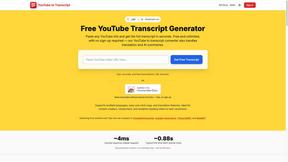
GetYouTubeTranscript
Free YouTube transcripts on the web, a Chrome extension, and an API + MCP server so AI assistants can read YouTube.
Egmatic
No-code 2D game editor: visual node logic, drag-and-drop scenes, live preview. Exports to Windows, macOS, Linux, Android, iOS, Web.
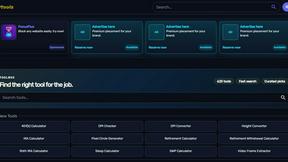
Kody Tools
Free collection of online developer utilities, code formatters, and digital converters designed to streamline your daily workflow.
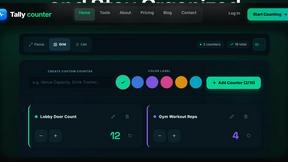
Tally counter
Online tally counter for tracking attendance, workouts, inventory, sports scores, visitors, habits, and everyday counting tasks.
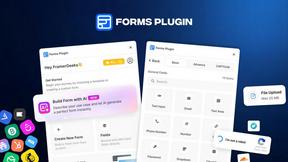
Forms Plugin
The #1 Native Form Builder Plugin for Framer - No Code, No Embeds, No External Platforms.
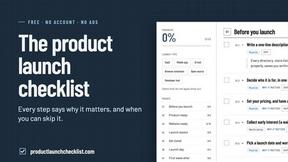
Product Launch Checklist
A free launch checklist for SaaS, apps, AI tools and more. Every step says why it matters and when you can skip it.


Submify
Organize product data, find relevant directories, and track AI-assisted listing submissions in one workflow.