
SubtitlesFast
Create engaging videos in minutes with SubtitlesFast's easy subtitle editing and auto-transcription features.
VisitPublished on:
August 30, 2025
Pricing:
About SubtitlesFast
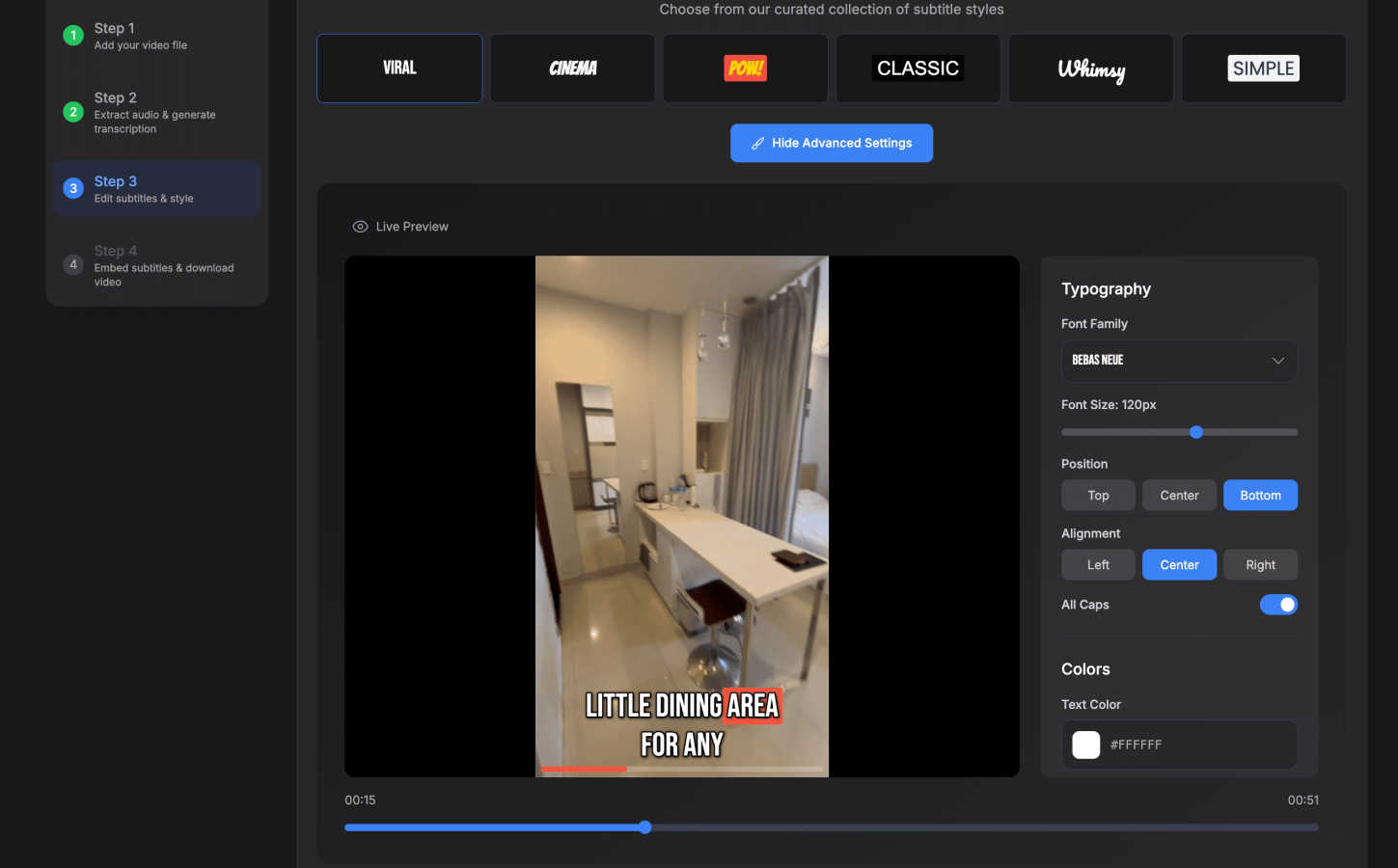
SubtitlesFast is an innovative, browser-based tool designed to help content creators effortlessly add professional subtitles to their videos. This solution is particularly tailored for individuals who post content regularly, such as vloggers, marketers, and accessibility advocates. The platform transforms what has traditionally been a labor-intensive process into a seamless experience with a simple three-step workflow: upload your video, customize the AI-generated subtitles, and download the final product. SubtitlesFast prioritizes speed and simplicity, allowing users to complete the subtitle process in under five minutes from any device without the need for software installation. With powerful AI transcription capabilities in over 50 languages and a variety of customizable animated styles, SubtitlesFast ensures that all content is engaging and accessible. By processing everything locally in the browser, it also guarantees user privacy. It is the essential tool for anyone looking to enhance viewer engagement and maintain brand consistency through effective subtitle integration.
Features of SubtitlesFast
Auto-Transcription
SubtitlesFast utilizes advanced AI technology to automatically transcribe video audio into text in over 50 languages. This feature eliminates the need for manual transcription, saving creators significant time and effort.
Customizable Animated Styles
Users can select from 30+ animated subtitle styles to match their video's branding and aesthetic. This allows creators to enhance their videos visually, making subtitles not just informative but also engaging.
Simple Editor
The intuitive editing interface allows users to easily customize subtitles, add text, images, and music, and perform timeline editing. This feature ensures that there is no learning curve, making it accessible to creators of all skill levels.
One-Click Export
With a single click, users can export their videos with burned-in subtitles, ready for immediate posting on platforms like YouTube, TikTok, Instagram, and more. This streamlines the publishing process, ensuring content is shared quickly.
Use Cases of SubtitlesFast
Daily Vloggers
For daily vloggers, SubtitlesFast provides a rapid solution to adding subtitles, enabling them to maintain a consistent posting schedule without sacrificing quality. This tool allows them to focus on content creation rather than editing.
Social Media Marketers
Social media marketers can utilize SubtitlesFast to create engaging, accessible content for various platforms. The ability to quickly add professional subtitles helps in boosting viewer engagement and retention rates.
Accessibility Advocates
SubtitlesFast is crucial for accessibility advocates who aim to make video content inclusive. By providing accurate subtitles in multiple languages, it ensures that content is accessible to a wider audience, including those with hearing impairments.
Content Creators
General content creators benefit from the efficiency of SubtitlesFast. Whether for educational videos, tutorials, or entertainment, the tool simplifies the subtitle process, allowing creators to produce polished videos faster than ever before.
Frequently Asked Questions
How does SubtitlesFast ensure privacy?
SubtitlesFast processes all data locally in your browser, meaning that your video content and transcription are never uploaded to external servers, ensuring full privacy and security.
Is there a learning curve to using SubtitlesFast?
Not at all! SubtitlesFast is designed with a user-friendly interface that makes it easy for anyone, regardless of their technical skills, to add subtitles to their videos in just a few clicks.
Can I customize the subtitles after they are generated?
Yes, SubtitlesFast allows users to customize the automatically generated subtitles. You can edit text, choose from various animated styles, and adjust timing to fit your video perfectly.
What platforms can I publish my videos to after using SubtitlesFast?
SubtitlesFast supports one-click exports for popular platforms such as YouTube, TikTok, and Instagram, making it easy to share your content directly after adding your subtitles.
Similar to SubtitlesFast

hotel-lobby
Two-person AI video duet scenes in a warm orange recording booth, with two performers sharing one microphone.
GetYouTubeTranscript
Free YouTube transcripts on the web, a Chrome extension, and an API + MCP server so AI assistants can read YouTube.

Egmatic
No-code 2D game editor: visual node logic, drag-and-drop scenes, live preview. Exports to Windows, macOS, Linux, Android, iOS, Web.
Kody Tools
Free collection of online developer utilities, code formatters, and digital converters designed to streamline your daily workflow.
Tally counter
Online tally counter for tracking attendance, workouts, inventory, sports scores, visitors, habits, and everyday counting tasks.

Rankbox
Rankbox helps websites get discovered, mentioned, and cited by AI search engines like ChatGPT and Google AI.
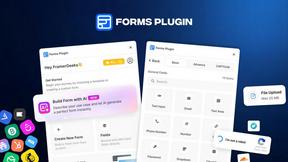
Forms Plugin
The #1 Native Form Builder Plugin for Framer - No Code, No Embeds, No External Platforms.

Product Launch Checklist
A free launch checklist for SaaS, apps, AI tools and more. Every step says why it matters and when you can skip it.