

Alternatives to CodeAva
CodeAva lets developers catch issues early with browser-based website audits, code validation, and practical tools that turn noisy checks into.
20 alternatives found


aSERP AI Visibility Platform
aSERP is an AI visibility and AEO platform for monitoring brand mentions, citations and competitor performance across AI-powered search.

FeatQ
Feature request boards for software teams. Customers vote with just an email; your coding agent pulls the top request over MCP.

ButterShare
Realtime peer-to-peer file transfer in the browser. Send files directly between devices, no account and no upload to a server.


Emailyy
Free email tools for signatures, subject lines, HTML previews, word counts, and email headers. Browser-based, simple to use, and no signup required.

EnjoySEOs
Free SEO toolkit with 10 SEO tools for SERP previews, schema, sitemaps, robots.txt, hreflang, redirects, meta tags and OG previews.

LaunchIntel
Your AI agent picks relevant directories, submits your product in your browser and tracks every step. One-time purchase.

JoMatter
Jomatter provides free online tools for HTML, CSS, and JavaScript developers, helping simplify common web development and coding tasks.



Todowing
Chrome extension that nests Todoist sub-tasks inline in Today, Upcoming, Filters and Labels, where Todoist shows them flat.

Uniclip
Clip pages, take full-page screenshots and batch-capture list data to Notion, Feishu, Obsidian, Markdown, CSV or JSON.

TroveKey
Search tabs, Chrome bookmarks and history, run browser commands, and save webpages and social posts locally—no account.

Foreman
See every app and what it's using in plain English, and end or slow down the one that's hogging your Mac.

Typebar
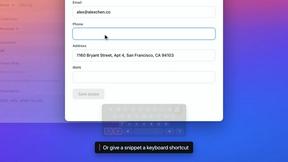
Every key you press lights up on an on-screen keyboard, and each shortcut is named. For screen recordings, demos and learning shortcuts.

Notchpals
Little characters peek out of your Mac's notch to remind you to drink water, eat, sit up and get to bed. Quiet during calls. $4.99 once.

LightScreen
Free fullscreen light screen tool online. Turn any display into a flashlight, ambient light, or solid-color screen. No download or sign-up.

About CodeAva Alternatives
Every developer has faced the frustration of juggling multiple tabs for quick technical fixes—opening a JSON validator here, a timestamp converter there, and a text diff tool somewhere else, often dealing with cluttered interfaces, annoying ads, or unexpected data privacy risks. This is the exact problem CodeAva solves: it is a browser-based developer toolkit designed for debugging, validation, formatting, conversion, and everyday technical workflows, falling squarely into the Dev Tools and Productivity & Management categories. Users commonly look for alternatives when they need a broader feature set, encounter pricing limitations on premium plans, require offline functionality, or find that a specific tool within the platform doesn’t meet their advanced or niche requirements. When evaluating an alternative, you should prioritize clean, ad-free interfaces that support a wide range of common tasks like JSON handling, timestamp conversion, text comparison, and security token validation. Equally important are factors like data privacy (ensuring no server-side storage of sensitive code), cross-browser compatibility, and the potential for the tool to scale with your workflow—ideally moving from one-off utilities into a more comprehensive validation assistant that saves you time on repetitive debugging and auditing tasks. The best alternative will not just replicate CodeAva’s core functions but will also offer seamless integration into your existing development pipeline, whether that means supporting command-line usage, offering API access for automation, or providing collaborative features for team-based QA and technical SEO audits. Look for solutions that minimize friction: fast load times, keyboard shortcuts, and the ability to handle multiple input formats without requiring sign-ups or installations. Additionally, consider whether the tool can evolve with your needs—for example, moving beyond simple formatting into automated validation and troubleshooting for complex workflows involving sitemaps, robots.txt, or hash verification. By focusing on these criteria, you can find a platform that not only matches CodeAva’s utility but also addresses any specific gaps in your daily technical tasks.
FAQs about CodeAva Alternatives
What is CodeAva?
CodeAva is a browser-based developer productivity platform designed to solve the small but constant technical tasks that slow development down. It provides fast, privacy-friendly online tools for debugging, validation, formatting, conversion, and other everyday workflow needs. The platform is built without cluttered interfaces, ads, or unnecessary installs, allowing developers to open a tool, solve a problem, and move on quickly.
Who is CodeAva for?
CodeAva is built for developers, QA teams, support engineers, technical SEO professionals, and product teams who need to work with JSON, timestamps, tokens, headers, hashes, text comparison, robots.txt, sitemaps, and other common web and data utilities. It is ideal for anyone who frequently performs quick technical tasks directly in the browser and values speed, privacy, and a distraction-free experience. The platform is designed to support real workflows across technical roles without requiring software installation.
Is CodeAva free?
CodeAva is designed to be accessible and privacy-friendly, offering a range of free tools for common developer tasks directly in the browser. While many core utilities are available at no cost, the platform’s broader vision includes evolving into an Automated Validation Assistant that may introduce premium features for more complex workflows. Users should check the official pricing page for the most current details on any free versus paid tiers.
What are the main features of CodeAva?
CodeAva features a comprehensive set of browser-based tools for debugging, validation, formatting, and conversion tasks. Key utilities include JSON formatters and validators, timestamp converters, token and header analyzers, hash generators, text comparison tools, and support for robots.txt and sitemap validation. The platform is designed to be fast, ad-free, and privacy-focused, with no server-side storage of sensitive data, enabling users to solve technical problems efficiently without leaving the browser.