

Alternatives to Crops
Crops uses AI to organize creative assets, catch errors, and streamline approvals for marketing teams.
20 alternatives found

Emailyy
Free email tools for signatures, subject lines, HTML previews, word counts, and email headers. Browser-based, simple to use, and no signup required.

LaunchIntel
Your AI agent picks relevant directories, submits your product in your browser and tracks every step. One-time purchase.


Todowing
Chrome extension that nests Todoist sub-tasks inline in Today, Upcoming, Filters and Labels, where Todoist shows them flat.

Uniclip
Clip pages, take full-page screenshots and batch-capture list data to Notion, Feishu, Obsidian, Markdown, CSV or JSON.

TroveKey
Search tabs, Chrome bookmarks and history, run browser commands, and save webpages and social posts locally—no account.
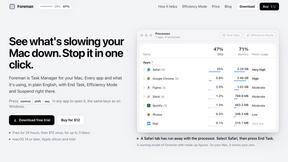
Foreman
See every app and what it's using in plain English, and end or slow down the one that's hogging your Mac.
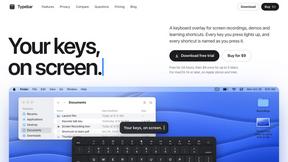
Typebar
Every key you press lights up on an on-screen keyboard, and each shortcut is named. For screen recordings, demos and learning shortcuts.

Notchpals
Little characters peek out of your Mac's notch to remind you to drink water, eat, sit up and get to bed. Quiet during calls. $4.99 once.

LightScreen
Free fullscreen light screen tool online. Turn any display into a flashlight, ambient light, or solid-color screen. No download or sign-up.
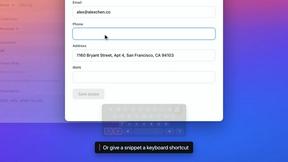


LevCharity
Fundraising platform for nonprofits combining donations, campaigns, donor CRM, events, communications, and reporting.


Kovnerov
Personal site of Vlad Kovnerov: analytics dashboards, web development, Telegram bots and browser tools for sellers and subscription tracking.

Everywhere
Fast file search for the Mac. Results as you type, files inside Mail and Photos, works with Wi-Fi off. $19 once.
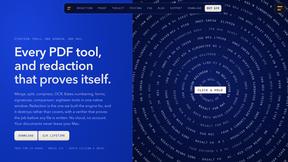
Basalt
Eighteen PDF tools in one native Mac window: merge, split, compress, OCR, Bates numbering, forms, signing and redaction. Offline. $29 once.

Voice Keyboard Pro
Hold a key, say what you mean, let go. Clean, punctuated text lands at the cursor in any app on your Mac or iPhone.
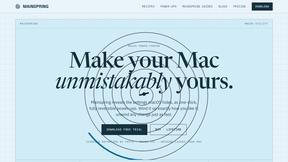
Mainspring
Mainspring turns the settings macOS hides into 90+ one-click, fully reversible power-ups for Finder, Dock, screenshots and more. $29 once.

About Crops Alternatives
Crops is a Digital Asset Management (DAM) platform built for creative and marketing teams. It uses AI to solve core workflow problems like disorganized files, scattered feedback, and quality control errors, helping teams organize assets, streamline approvals, and ensure brand consistency. Teams often explore alternatives to Crops for various reasons. Budget constraints or specific pricing models can be a primary driver. Others may need different feature sets, deeper integrations with their existing tech stack, or a platform better suited for a company of a particular size or industry. When evaluating other DAM solutions, focus on how they address your team's biggest pain points. Key considerations should include the sophistication of asset organization and search, the flexibility of approval workflows, built-in quality assurance tools, and the overall security and ease of sharing final assets. The right alternative should demonstrably save your team time and reduce errors.
FAQs about Crops Alternatives
What is Crops?
Crops is an AI-powered Digital Asset Management (DAM) software designed to streamline asset organization, approvals, and error-checking for creative and marketing teams.
Who is Crops for?
Crops is built for creative and marketing teams who struggle with disorganized files, fragmented feedback, and the risk of errors in their production workflow.
What are the main features of Crops?
Its core features include AI for smart asset organization and tagging, streamlined approval workflows with visual feedback, automated AI quality control checks, and secure asset sharing.
Why choose Crops?
Crops helps teams reclaim time lost to confusion, maintain brand consistency, deliver error-free work, and accelerate campaign launches by centralizing and automating key workflow stages.