

Alternatives to HappyHorse
HappyHorse solves the challenge of generating cinematic videos with strong motion quality by unifying text, image, and audio control into a single.
20 alternatives found



ImageGenerator
Create and edit AI images online with multiple models, text-to-image, image-to-image, background removal, and upscaling.
Genjutsu AI Video Editor
AI video-to-video editing for character, outfit, object, and style swaps guided by your source clip and reference images.


Raindance AI Video Generator
Turn two photos into the Raindance AI pier video with the soundtrack included

Nano Banana 2.1
A fast, simple image studio powered by Nano Banana 2.1. Create and edit high-quality images with accurate details, readable text, consistent character

DanseAI - Alors on Danse AI Video
Make the Alors on Danse AI meme video from two photos, soundtrack included
Opus 5.5 Video Generator
Turn a prompt into a 1080p motion-graphics MP4 planned and coded by Claude Opus 5.5

Rumpelstiltskin AI Video Generator
Make the viral Rumpelstiltskin tiptoe dance meme video from two photos

AIPetGen
AIPetGen turns a photo of your dog, cat, or other pet, or a written description, into a new picture or a short animation.

Hotel Lobby AI Video Generator
Turn two photos into a Hotel Lobby dance video in the orange A COLORS SHOW booth.

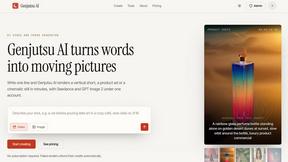
Genjutsu AI
Genjutsu AI turns your ideas into cinematic videos, product ads, social shorts, and high-quality images in minutes.

Honer AI
Android AI assistant with chat, web search, photo and document analysis, and voice input.
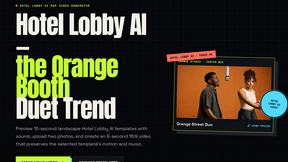

hotel-lobby
Two-person AI video duet scenes in a warm orange recording booth, with two performers sharing one microphone.

AI Album Cover Maker
Create release-ready album covers from a prompt or photo. Generate, refine, and export art for singles, EPs, mixtapes, and playlists.
About HappyHorse Alternatives
HappyHorse is a specialized AI platform that blends cinematic video generation with high-fidelity image creation, placing it squarely in the intersection of AI Assistants, Video, and Image Generation tools. It is designed to transform simple prompts, reference frames, and scene directions into polished video clips, leveraging its proprietary HappyHorse 1.0 model for superior prompt adherence and human-centric motion quality. While powerful, users often begin searching for alternatives when they encounter specific friction points, such as a pricing model that doesn't scale with their project volume, a need for different output formats or aspect ratios, or a desire for a more streamlined workflow that integrates with their existing editing or production pipeline. When evaluating potential alternatives, you should focus on a few critical criteria to ensure the new tool solves your specific challenges. First, assess the quality of prompt adherence and scene consistency, as these are the core strengths of cinematic AI generation. Second, consider the platform's multimodal control—how well it handles combining text, images, and video references. Third, examine the pricing structure for your use case, whether you need high-volume batch generation or long-form scene creation. Finally, look for a solution that offers robust community support, frequent model updates, and a clear roadmap for future features like longer scene durations or improved motion realism.
FAQs about HappyHorse Alternatives
What is HappyHorse?
HappyHorse is a cinematic AI video and high-fidelity image generation platform built around the proprietary HappyHorse 1.0 model. It allows users to turn text prompts, reference frames, and scene direction inputs into polished video clips with a focus on cinematic quality. The platform excels at providing stronger prompt adherence, unified multimodal control, and longer scene consistency compared to general-purpose generators.
Who is HappyHorse for?
HappyHorse is designed for content creators, filmmakers, video editors, and marketing professionals who need high-quality, cinematic video and image assets without a full production crew. It is particularly useful for those who require strong control over human-centric motion and scene direction, such as in narrative storytelling, commercial advertising, and concept visualization. The platform serves users who value prompt adherence and multimodal input (text, images, and scene references) in their creative workflow.
Is HappyHorse free?
HappyHorse typically operates on a usage-based or subscription pricing model, and while it may offer a limited free tier or trial for new users to test its capabilities, full access to its cinematic AI features and high-fidelity generation requires a paid plan. The specific pricing details, including credits per generation and available subscription levels, are usually outlined on the official HappyHorse website. Users looking for extended scene consistency or higher resolution outputs should expect to invest in a paid tier.
What are the main features of HappyHorse?
The main features of HappyHorse include cinematic AI video generation from text prompts, reference frames, and scene direction, powered by the HappyHorse 1.0 model. It offers strong prompt adherence, unified multimodal control that integrates text, images, and video inputs, and a focus on human-centric motion quality for realistic character animation. Additionally, it provides longer scene consistency, allowing for more coherent and polished clips compared to standard AI video tools.