

Alternatives to Seedance 2.0
Seedance 2.0 turns text prompts and reference images into AI video, with multi-shot generation for creators seeking consistent characters and motion.
20 alternatives found

FoxyLab
FoxyLab turns plain-language chat requests into product videos and banner sets, with website context and multiple output sizes.

StikSound
Make a short sound sticker clip from video, photo or GIF, with a simple trim and preview workflow.

Flux3Max.io
Flux3Max.io creates short videos with sound from text, photos, or up to 10 keyframes, with 720p and 1080p options.
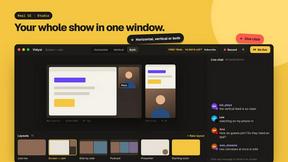
Vidyst
Vidyst is a Mac studio for multistreaming, 4K recording, browser-based guests, and simultaneous horizontal and vertical video.

LobbyClip
LobbyClip makes short two-subject AI videos from separate photos, with people and pet scenes and flexible output formats.
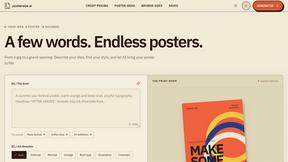
PosterSize
PosterSize combines a poster size catalogue with an AI generator for early designs across print, social, and presentation formats.
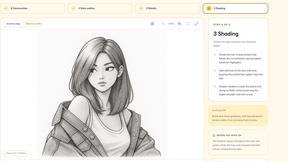
Drawcil
Drawcil guides paper drawing with four illustrated stages from a reference photo, with a free sample lesson to start.

QSharpener
QSharpener helps users restore and decode blurry or damaged QR codes, then rebuilds a clean QR image for scanning.

Tiny Desk AI
Make a shareable Outstanding Tiny Desk meme with your photos, friends, and a short AI-generated soundtrack.

Tip Toeing in My Jordans AI
Personalize the Rumpelstiltskin tiptoe meme with photos and generate a 12-second clip in vertical or widescreen format.
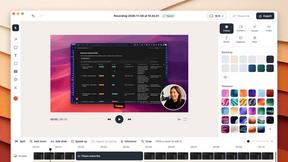
ScreenOtter
ScreenOtter is a native Mac app for recording, editing, captioning and sharing screen videos, with automatic zooms and screenshot tools.

VD6S.online
VD6S.online prepares YouTube downloads in a browser, with temporary links and no stored account history for users seeking a quick, low-friction save.

Rhinobird
Rhinobird creates product advertisement images and videos, with tools for listing visuals, packaging concepts, and video cloning.

Vikas Editor AI
Create AI portrait edits and five-second photo videos from adaptable prompts, with styles for Indian creators.

AI Tiny Desk
Create a 19-second desk-concert video from a clear adult portrait, with four cast options and audio or silent downloads.

Promptclay
Find tested AI image prompts with their results and model details, and copy prompt text free without creating an account.

EditTextPhoto
EditTextPhoto uses AI to replace text in finished images, helping sellers and marketing teams update authorized graphics without source files.
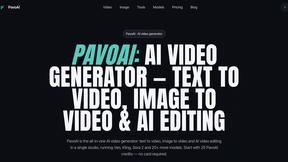
Pavo AI
Pavo AI helps creators turn text descriptions into short video scenes and images, with generation settings in one workspace.

AnyRedact
AnyRedact detects sensitive information in files and gives users controls to review, adjust, and permanently redact matches.
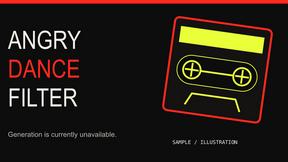
Angry Dance Filter
Angry Dance Filter turns one consenting adult's portrait into a short, exaggerated dance video, with a preview to review before unlocking.
About Seedance 2.0 Alternatives
Seedance 2.0 suits projects that benefit from both text and image inputs or from linked shots. If the goal is one quick animated still, compare image-to-video tools and the degree of reference adherence they offer. For tightly timed edits, layered audio, and final assembly, compare a dedicated video editor. Check the expected clip length, generation limits, and rights for the specific use.
FAQs about Seedance 2.0 Alternatives
When is a dedicated video editor a better fit?
Consider one when you need timeline-based trimming, precise timing, or layered finishing controls not described on the Seedance page.
What should I look for in image-to-video alternatives?
Check how the tool uses reference images, the motion it can create, and the allowed output length.