

Alternatives to VideoAny
Stop struggling with multiple AI tools. VideoAny solves this by letting you generate uncensored videos, images, and audio from text or photos in one.
20 alternatives found
Angry Dance Filter
Upload one photo and get a 15-second angry dance video. Free watermarked preview, then optional one-time video packs.
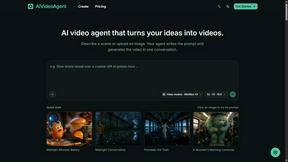
AIVideoAgent
Turn text ideas or reference images into videos through conversation, with agent-assisted prompts and a choice of video models.
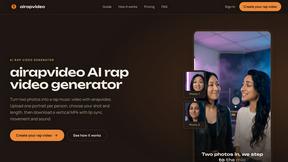
airapvideo
AI rap video generator that turns two portraits into a lip-synced vertical music video for TikTok, Reels, and Shorts.
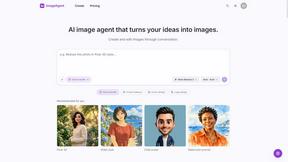
ImageAgent
Create and edit AI images through conversation, using text or reference images and refining results in chat.

GenX
All-in-one AI workspace to generate images, videos, and audio with multiple leading AI models.

AppIconGenerator
Generate iOS and Android app icons from any image and export all platform sizes for free.
AiAgeFilter
Free AI age filter: upload an adult portrait, add 10-40 years, meet your older self. No app needed.
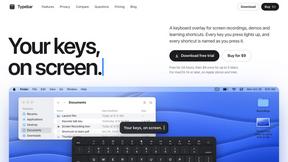
Typebar
Every key you press lights up on an on-screen keyboard, and each shortcut is named. For screen recordings, demos and learning shortcuts.


Nano AI
Create and edit AI images, generate videos, and compare models in one creative workbench.
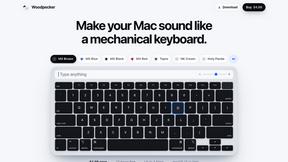
Woodpecker
Make your Mac sound like a real mechanical keyboard. Every key plays its own recording, 22 switches, quiet on calls. $4.99 once.

Manatee
A Mac app that opens damaged video, PDFs, archives and documents and writes out everything it can still read. $9 once, no uploads.


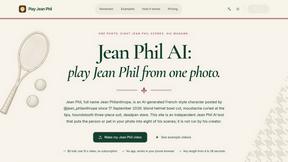
Play Jean Phil
Play Jean Phil is a Jean Phil AI video generator. Upload one photo of a person or a pet and get a vertical 9:16 MP4.

Gas Station Dance AI Generator
Browser-based AI generator that recreates the viral gas station dance video from 1-3 photos as a 15-second clip.

Unforgettable Car AI
Unforgettable Car AI makes the 15-second Unforgettable car trend video from one selfie, with a preset or your own car photo.

Ozil Goal AI
Ozil Goal AI turns one photo into an AI remake of Mesut Özil's famous 2016 chip-and-dribble goal against Ludogorets

Tip Toe AI
Upload a Dancer photo and a Partner photo and get your own AI Tip Toe barn-dance video. Free 5s preview, 12s HD from $4.90. No subscription.

Ozil Goal AI
Turn one photo into the viral Özil goal meme video: you, your dog, a toy or a drawing scores. Free 5s preview, 10s 720p from $4.90. No subscription.
About VideoAny Alternatives
When a creative team needs to produce video, images, and audio in one place, VideoAny offers a centralized AI studio tailored for Brazilian Portuguese speakers. It belongs to the broader content creation category, bridging video generation, image editing, and audio synthesis under a single platform. However, users often seek alternatives due to specific constraints like pricing structures that may not fit high-volume production, the need for more advanced editing controls beyond preset models, or a desire for integration with existing professional tools like Adobe Premiere or DaVinci Resolve. Others may find that the promotional credit model doesn’t scale with their ongoing workflow requirements. Choosing the right alternative requires evaluating your primary use case first. If your work revolves around rapid prototyping of social media videos, look for platforms with robust text-to-video generation and real-time preview. For audio-heavy projects, prioritize tools that offer fine-grained control over voice synthesis and sound effects. Consider the breadth of language support if your audience extends beyond Portuguese, as well as the flexibility of output formats and resolution options. A strong alternative should let you compare model performance, adjust generation settings, and manage assets without forcing you into a single pricing tier, ensuring your creative process remains uninterrupted.
FAQs about VideoAny Alternatives
What is VideoAny?
VideoAny is an AI creative platform available in Brazilian Portuguese that enables users to produce videos, images, and audio from text prompts or visual references. It consolidates multiple generative tools including text-to-video, image-to-video, video-to-video, face swap, lip sync, and creative effects into one online studio. Users can also generate and edit images through prompt-based workflows and create complementary audio assets within the same account.
Who is VideoAny for?
VideoAny is designed for content creators, marketers, and small businesses who need to quickly generate multimedia content in Brazilian Portuguese without requiring advanced editing skills. It is particularly useful for social media managers producing short videos, designers creating visual assets, and audio producers looking for voice synthesis or sound effects. The platform also suits teams that want to manage all AI-driven creative outputs from a single online workspace.
Is VideoAny free?
New accounts on VideoAny can try the service with promotional credits before purchasing additional credit packages. This allows users to explore the platform's features without an upfront financial commitment. After the initial credits are used, ongoing usage requires buying credit packs to continue generating videos, images, and audio.
What are the main features of VideoAny?
VideoAny offers a comprehensive set of AI tools including text-to-video, image-to-video, video-to-video, face swap, lip sync, and creative effects for video production. Its image workspace supports prompt-based generation and editing, while the audio tools provide complementary creation workflows. Users can compare available AI models, choose formats and generation settings, and manage all results from one online studio.