AI Botkit
Transform your website with AI Botkit, an easy-to-install chatbot that automates support, captures leads, and delivers instant answers 24/7.
Visit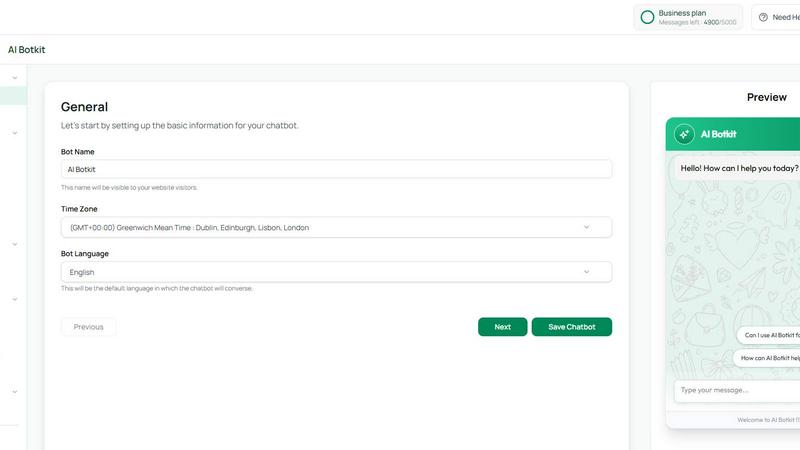
About AI Botkit
AI Botkit is an innovative, no-code platform designed to empower businesses in creating and managing AI chatbots seamlessly. With its user-friendly interface, even those without technical skills can develop a chatbot in just a few minutes. Businesses can leverage their existing content such as FAQs, documents, or website links to train their chatbot. This capability allows organizations to automate customer support, capture leads, and engage visitors around the clock. The AI Botkit is ideal for business owners, marketers, and agencies looking to enhance customer interactions without the need for extensive coding or IT resources. With its reliable performance, businesses can expect improved customer satisfaction, increased lead generation, and efficient management of inquiries, making it a valuable addition to any website.
Features of AI Botkit
Easy Setup
Deploying your AI Botkit chatbot is a breeze, taking only a few minutes without any coding. Simply upload your content or provide links, and the bot will be ready to engage visitors instantly, ensuring you can focus on your core business activities.
Multi-channel Support
AI Botkit provides multi-channel support, allowing businesses to implement their chatbot across various platforms. Whether on a website, social media, or messaging apps, your chatbot can engage customers seamlessly, ensuring consistent communication.
Comprehensive Analytics
Gain insights into your chatbot's performance with detailed analytics. Track chat logs, lead volumes, and customer interactions to understand how well your bot is performing and where improvements can be made, enabling data-driven decision-making.
Customization Options
Make your AI Botkit chatbot truly yours with extensive customization options. Adjust fonts, colors, icons, and even chat bubble designs to align with your brand identity, ensuring a consistent user experience across all touchpoints.
Use Cases of AI Botkit
Customer Support Automation
Businesses can use AI Botkit to automate customer support, providing instant responses to common inquiries. This reduces the workload on human agents and enhances the speed at which customers receive assistance, leading to higher satisfaction rates.
Lead Generation
AI Botkit helps capture leads directly through the chat interface, allowing businesses to collect valuable customer data without needing separate forms. This streamlines the process of gathering information and increases the chances of conversion.
24/7 Engagement
With AI Botkit, businesses can engage with visitors around the clock. Whether it's answering questions, providing product recommendations, or assisting with bookings, the chatbot ensures that customers receive support anytime, enhancing the overall user experience.
Language Support
AI Botkit supports over 75 languages, making it an ideal solution for businesses with a global audience. The chatbot can adapt to different languages and locales, ensuring effective communication and engagement across diverse customer segments.
Frequently Asked Questions
How quickly can I set up my AI Botkit chatbot?
You can set up your AI Botkit chatbot in just a few minutes. The no-code platform allows you to deploy your bot quickly by simply uploading content or sharing links.
Does AI Botkit support multiple languages?
Yes, AI Botkit supports over 75 languages, allowing your chatbot to cater to a global audience and adapt to various customer needs, ensuring effective communication.
Can I customize the appearance of my chatbot?
Absolutely! AI Botkit offers extensive customization options, enabling you to adjust fonts, colors, icons, and layouts to match your brand identity and create a cohesive user experience.
How does AI Botkit ensure data security?
AI Botkit prioritizes data security by employing secure, token-based authentication for third-party integrations. Your training data and customer chats are never shared or used for other purposes, ensuring your information remains confidential.
Similar to AI Botkit
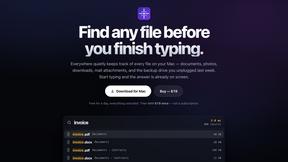
Everywhere
Fast file search for the Mac. Results as you type, files inside Mail and Photos, works with Wi-Fi off. $19 once.
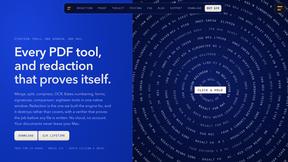
Basalt
Eighteen PDF tools in one native Mac window: merge, split, compress, OCR, Bates numbering, forms, signing and redaction. Offline. $29 once.
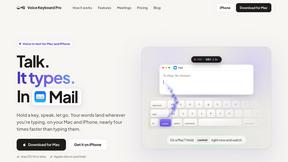
Voice Keyboard Pro
Hold a key, say what you mean, let go. Clean, punctuated text lands at the cursor in any app on your Mac or iPhone.
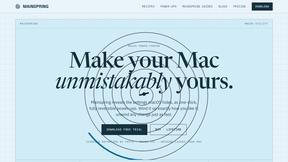
Mainspring
Mainspring turns the settings macOS hides into 90+ one-click, fully reversible power-ups for Finder, Dock, screenshots and more. $29 once.
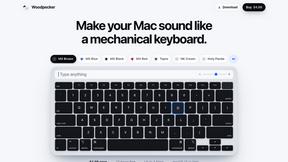
Woodpecker
Make your Mac sound like a real mechanical keyboard. Every key plays its own recording, 22 switches, quiet on calls. $4.99 once.
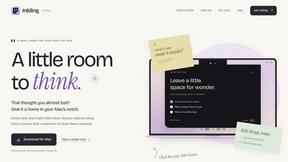
Inkling
Catch a thought without leaving what you are doing. Notes, checklists and a little companion in your Mac's notch. $12 once.