
AI Formatter
Instantly transform raw text into polished documents with professional AI templates for resumes, cover letters, and.
VisitPublished on:
October 14, 2025
Pricing:
About AI Formatter
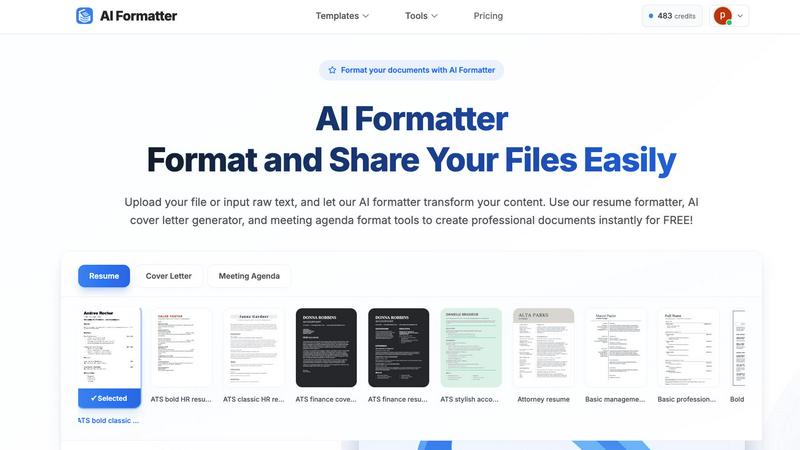
AI Formatter is an innovative AI-driven, cloud-based platform designed to revolutionize document preparation for professionals across various sectors. Whether you are a job seeker, a business professional, or an academic, the task of formatting resumes, cover letters, and other critical documents can often feel overwhelming and tedious. With AI Formatter, you can effortlessly transform raw text or uploaded files into visually stunning documents that adhere to industry standards. The platform's main value proposition lies in its ability to save users over 2 hours per document, ensuring that every piece is not only polished but also optimized for Applicant Tracking Systems (ATS), boasting a 95%+ pass rate. AI Formatter features over 100 professional templates and a user-friendly real-time editor, granting users complete creative control to tailor their documents to best reflect their professional brand. By automating the formatting process, AI Formatter alleviates the stress associated with document preparation, allowing users to focus on their core tasks and opportunities.
Features of AI Formatter
Extensive Template Library
AI Formatter offers an extensive library of over 162 professional templates, including ATS-optimized resumes, cover letters, and meeting agendas. This diverse selection ensures that users can find the perfect design to match their professional needs and impress potential employers or stakeholders.
AI-Powered Formatting
With AI Formatter, users can upload their existing documents or input raw text. The AI processes the content and applies professional formatting automatically, ensuring that every document is structured and visually appealing, saving time and effort in manual formatting.
User-Friendly Editing Tools
The platform includes an intuitive editor that allows users to review and customize their formatted documents easily. Users can make adjustments to content, ensuring that their documents not only look professional but also convey the right message and tone.
Multi-Format Download Options
After editing, AI Formatter enables users to download their documents in various formats, including Word and PDF. This flexibility allows users to share their polished documents seamlessly, catering to different application requirements and preferences.
Use Cases of AI Formatter
Streamlined Job Applications
Job seekers can utilize AI Formatter to create ATS-friendly resumes and cover letters quickly. By transforming their raw text into professionally formatted documents, users enhance their chances of standing out in the competitive job market.
Professional Business Proposals
Businesses can use AI Formatter to generate polished proposals and reports. The platform’s templates help ensure that business documents are not only visually appealing but also structured to effectively communicate key ideas and strategies.
Academic Document Preparation
Academics and students can benefit from AI Formatter by formatting research papers, presentations, and thesis documents. The user-friendly tools simplify the process of adhering to strict formatting guidelines, allowing users to maintain focus on their research and writing.
Meeting Agenda Organization
AI Formatter can also be employed to create structured meeting agendas from raw notes. This ensures that meetings are organized and focused, improving productivity and communication within teams.
Frequently Asked Questions
How does AI Formatter improve document formatting?
AI Formatter uses advanced AI technology to automatically format uploaded documents or raw text into professional layouts, ensuring they meet industry standards and ATS requirements.
What types of documents can I create with AI Formatter?
Users can create a variety of documents, including resumes, cover letters, meeting agendas, business proposals, invoices, and academic papers, all tailored to their specific needs.
Is there a limit to the file size I can upload?
Yes, AI Formatter supports file uploads up to a maximum size of 10MB, accommodating various document types such as PDF, DOC, DOCX, and TXT formats.
Can I edit my documents after formatting?
Absolutely! AI Formatter features an intuitive editing tool that allows you to review and customize your formatted documents before downloading them in your preferred format.
Similar to AI Formatter
Clever AI Humanizer
Clever AI Humanizer is a free tool that makes AI-generated text sound more human.
Egmatic
No-code 2D game editor: visual node logic, drag-and-drop scenes, live preview. Exports to Windows, macOS, Linux, Android, iOS, Web.
Kody Tools
Free collection of online developer utilities, code formatters, and digital converters designed to streamline your daily workflow.
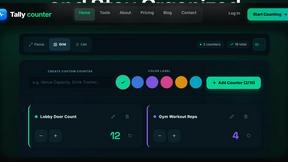
Tally counter
Online tally counter for tracking attendance, workouts, inventory, sports scores, visitors, habits, and everyday counting tasks.
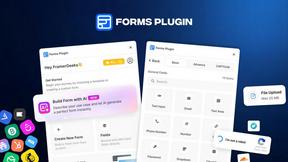
Forms Plugin
The #1 Native Form Builder Plugin for Framer - No Code, No Embeds, No External Platforms.

Product Launch Checklist
A free launch checklist for SaaS, apps, AI tools and more. Every step says why it matters and when you can skip it.

Submify
Organize product data, find relevant directories, and track AI-assisted listing submissions in one workflow.