
Ai Watermark Remover
Remove watermarks instantly with AI while perfectly preserving your image's original quality.
Visit
About Ai Watermark Remover
Ai Watermark Remover is a powerful, AI-driven solution designed to solve a common and frustrating digital challenge: the presence of unwanted watermarks, logos, text, and stamps on images. For photographers, marketers, e-commerce sellers, and everyday users, these overlays can detract from the visual appeal and professionalism of a photo, turning a great image into an unusable one. Manually editing them out requires advanced skills and hours of painstaking work, often resulting in a damaged, blurry, or obviously edited final product. This tool directly addresses that problem by leveraging cutting-edge artificial intelligence to automate the entire process. It intelligently detects and removes unwanted elements in seconds, not hours, while meticulously preserving the original image's resolution, colors, and fine details. The primary value proposition is delivering professional-grade, clean images with zero technical expertise required. Whether you're preparing a portfolio, cleaning up product photos for your online store, or simply wanting to restore a personal memory, Ai Watermark Remover provides a fast, secure, and remarkably effective path from a cluttered image to a pristine final result.
Features of Ai Watermark Remover
Smart AI Detection & Removal
The core of the tool is its advanced AI engine, which automatically identifies watermarks, logos, text, and stamps without requiring you to manually select them. This eliminates guesswork and saves significant time. The AI doesn't just delete pixels; it intelligently analyzes the surrounding area to reconstruct the background seamlessly, ensuring the removal is clean and the image looks naturally untouched.
Original Quality Preservation
A major challenge with editing is degrading image quality. This feature ensures that after the watermark is removed, your image retains its original high resolution, color fidelity, and intricate details. The AI is trained to distinguish between the overlay and the actual photo content, allowing it to remove the former while protecting and perfectly reconstructing the latter for professional, high-quality results.
Lightning-Fast Processing
Gone are the days of waiting for complex software to render edits. The tool is optimized for speed, processing images and delivering a downloadable, watermark-free result typically within 5 to 15 seconds. This high-performance architecture means you can quickly handle batches of images or meet tight deadlines without any frustrating delays in your workflow.
Simple Drag & Drop Interface
Designed for universal ease of use, the platform requires no technical skills or software installation. The entire process is built around a simple drag-and-drop or click-to-upload interface. You just upload your image, the AI handles the complex work automatically, and you download the result. This user-friendly design makes professional image editing accessible to absolutely everyone.
Use Cases of Ai Watermark Remover
Professional E-commerce & Marketing
Online sellers and marketers constantly face the challenge of sourcing clean product images. This tool allows you to remove distracting logos, promotional text, or photographer stamps from supplier images, creating a cohesive, professional-looking catalog for your website or social media ads. This enhances brand presentation and can directly improve customer trust and conversion rates.
Photographer Portfolio Curation
Photographers often add watermarks to protect their work online, but these same watermarks can detract from the visual impact when compiling a professional portfolio for clients or galleries. Using this AI tool, photographers can quickly clean their best shots, presenting their artistry without visual interruptions and creating a more powerful, immersive viewing experience for potential clients.
Personal Photo Restoration & Projects
For personal use, the tool is perfect for cleaning up old scanned photos that have dates stamped on them, removing unwanted text or stickers from personal images, or preparing clean visuals for family presentations, invitations, or digital scrapbooks. It empowers individuals to restore and enhance their personal memories without needing to learn complicated photo editing software.
Content Creation & Presentation Design
Bloggers, educators, and professionals creating presentations or reports often need generic images but find them marred by stock website watermarks or copyright text. This AI solution enables the creation of clean, distraction-free visuals that make content look more polished and authoritative. It helps ensure that the audience's focus remains on the message, not on intrusive image overlays.
Frequently Asked Questions
Is AI Watermark Remover free to use?
Yes, the tool offers a free tier to get started. You can remove your first watermark without any cost or signup required. For continued use beyond the first removal, there is a credit-based pricing system. This approach lets you try the service risk-free to experience its power and quality before committing to any purchase.
What image formats are supported?
The platform supports a wide range of common image formats including PNG, JPG, JPEG, WebP, and HEIC. This ensures compatibility with most images from smartphones, digital cameras, and online sources. There is a maximum file size limit of 5MB per image for upload and processing through the web interface.
How do you handle my privacy and image security?
Privacy and security are top priorities. For anonymous users, images are automatically deleted from the servers shortly after processing. For users with accounts, images are stored privately. The service is designed to process your images safely, ensuring your content remains confidential and is not used for any other purpose.
Is it legal to remove watermarks from images?
It is crucial to only remove watermarks from images for which you own the copyright or have explicit permission from the copyright holder to modify. Removing watermarks to infringe on someone else's intellectual property rights is illegal and against our Terms of Service. The tool is intended for ethical use, such as working on your own content or images you are legally authorized to edit.
Explore more in this category:
Similar to Ai Watermark Remover

Notes Calculator
A notepad calculator that reads plain text and gives instant answers as you type, free on Mac, iOS, Windows, Linux, Android and Web.

CubexSoft EML Converter
Convert EML Files to PST, PDF, EML, MBOX, CSV, Gmail, IMAP, Thunderbird, and more.

AI Email Filter
AI Email Filter sorts incoming mail into folders using plain-language prompts you write. Works with any IMAP mailbox; bring your own LLM if you want.
Egmatic
No-code 2D game editor: visual node logic, drag-and-drop scenes, live preview. Exports to Windows, macOS, Linux, Android, iOS, Web.

Kody Tools
Free collection of online developer utilities, code formatters, and digital converters designed to streamline your daily workflow.
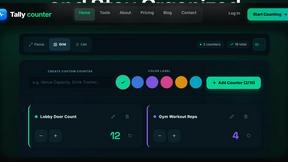
Tally counter
Online tally counter for tracking attendance, workouts, inventory, sports scores, visitors, habits, and everyday counting tasks.

Forms Plugin
The #1 Native Form Builder Plugin for Framer - No Code, No Embeds, No External Platforms.

Product Launch Checklist
A free launch checklist for SaaS, apps, AI tools and more. Every step says why it matters and when you can skip it.