
App-Vault
App-Vault offers iPhone file privacy with pattern access, a 12-word recovery phrase, and optional secure deletion for files you choose to shred.
Visit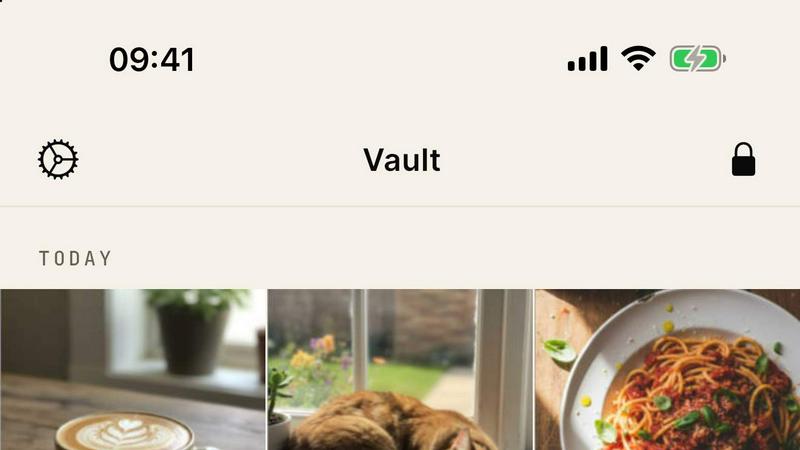
About App-Vault
App-Vault gives users a pattern-based way to separate private material from an iPhone's regular photo library. After importing from Photos, Files, or the camera, the app encrypts each file on-device with AES-256-GCM and removes the original from the source album. A 12-word recovery phrase is generated during setup, making recovery planning part of using the vault rather than an account reset.
For users preparing to pass on an older phone, the Premium file shredder is a distinct option: the product says it overwrites the encrypted blob three times before unlinking it. This is separate from the vault's everyday protection and is not available in the free tier. Premium also includes unlimited files, while the free tier is capped at one file.
Plan recovery before deletion
The pattern derives the encryption key, so forgetting it without the recovery phrase leaves the vault inaccessible. Keep that phrase safely offline before relying on the app for important records, and confirm which files you intend to import or shred.
Features of App-Vault
- Imports from Photos, Files, or the iPhone camera, then encrypts on-device.
- 5×5 pattern lock and a generated 12-word recovery phrase.
- Premium file shredder overwrites encrypted data three times before unlinking.
- Free tier permits one file; Premium includes unlimited files.
Use Cases of App-Vault
- Remove private documents from the standard photo library after import.
- Prepare a device for resale by shredding selected vault files.
- Keep work or identity records behind a pattern lock.
- Test the import and recovery flow with one file before subscribing.
Frequently Asked Questions
What happens to the original after importing?
The product says App-Vault encrypts the file on-device and then removes the original from its source album.
What does the file shredder do?
It overwrites the encrypted blob three times before unlinking it. The product lists this as a Premium feature.
Is the shredder needed for regular vault access?
No. The app's vault protection uses encryption and pattern access; shredding is an optional deletion feature.
Pricing of App-Vault
Free for one file. Premium starts at $3.99 per week or $29.99 per year; the yearly plan includes a 7-day free trial. Prices vary by App Store region.
Similar to App-Vault

Greatooly
Greatooly is a directory of iPhone app picks, with topic and tag filters, recent sorting, and official-source discovery.
Best Latest Apps
Best Latest Apps brings together focused mobile apps and free in-browser tools for sound, documents, and app development.
HeyPolo
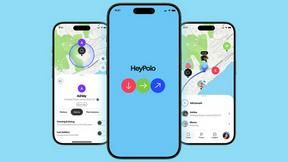
HeyPolo is a family safety app for sharing locations, arrival alerts and emergency updates with controls for how precisely each group can see you.
Snapkin
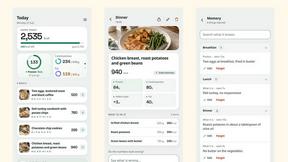
Snapkin is a photo-based calorie and protein tracker with repeat meal logging, weight tracking, and monthly progress check-ins.
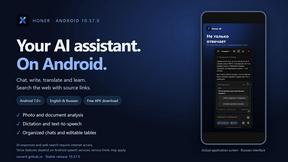
Honer AI
Honer AI is an Android assistant for chat, document and photo analysis, image creation, voice, web search with sources, and service connections.
Wordy
Wordy teaches vocabulary with short movie and TV scenes, subtitle support, and quizzes for learners across 20+ languages.
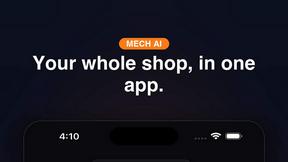
MECH AI
MECH AI helps car owners and repair professionals investigate symptoms, understand OBD-II codes, and choose a vehicle-specific next step.

Coloring Pages Pro
Browse free printable coloring pages for kids and adults, or turn a photo into custom line art with the Coloring Pages Pro app.