BlitzCut
Transform your raw videos into polished content in minutes with AI-powered silence removal and automatic captioning.
Visit
About BlitzCut
BlitzCut is an innovative AI-driven video editing tool designed specifically for content creators looking to streamline their editing process. It caters to the needs of social media influencers, marketers, and casual creators who require quick and efficient video production. BlitzCut automates the tedious aspects of video editing, allowing users to focus on their creative vision rather than getting bogged down in technical details. With features like automatic silence removal and AI-generated captions, BlitzCut transforms raw clips into polished, shareable videos for platforms like TikTok, Instagram, and YouTube in under two minutes. Its mobile-first approach ensures that creators can edit on-the-go, making it a perfect solution for the fast-paced creator economy where speed and quality are paramount.
Features of BlitzCut
Automatic Silence Removal
BlitzCut’s automatic silence removal feature leverages advanced AI algorithms to detect and eliminate silent gaps in your video. This saves creators precious editing time, typically spent manually cutting out pauses, allowing them to focus on crafting engaging content. With just one tap, pauses are removed, ensuring a seamless flow that captivates viewers right from the start.
AI Captions
The AI captions feature offers over 95% accuracy in transcribing speech and applying stylish captions to videos. This automation not only enhances accessibility for viewers but also elevates the overall aesthetic of the video, making it more appealing for social media audiences. Creators can rely on BlitzCut to generate captions that resonate with their target demographics while ensuring their message is clearly communicated.
Text-Based Editing
With BlitzCut’s text-based editing functionality, users can edit their videos directly through the transcription of their audio. By simply deleting or adjusting sentences within the text, creators can make precise edits without needing to scrub through the video timeline. This intuitive approach simplifies the editing process, making it accessible for beginners and efficient for seasoned editors.
Mobile-First Experience
BlitzCut is built with a mobile-first approach, ensuring compatibility with iPhones, iPads, and Macs. This design philosophy allows creators to edit videos anytime, anywhere, without being tethered to a desktop. The streamlined interface is optimized for touch interactions, making it easy to import clips, edit, and export videos directly from mobile devices.
Use Cases of BlitzCut
Content Creation for Social Media
BlitzCut is ideal for social media creators who need to produce engaging videos quickly. The app allows influencers and marketers to create polished content for platforms like TikTok, Instagram Reels, and YouTube Shorts in just a few minutes. This speed enables users to post consistently, enhancing their visibility and engagement with followers.
Educational Video Production
Educators can utilize BlitzCut to create informative content without the hassle of traditional editing. By automating silence removal and captioning, educators can focus on delivering quality information while the app handles the technical aspects of video production. This is particularly beneficial for online courses and tutorials.
Marketing and Promotional Videos
Businesses looking to create quick promotional videos can leverage BlitzCut’s features to produce high-quality content. The fast editing process allows marketers to respond quickly to trends, ensuring their campaigns remain relevant. The app’s capability to export directly to social media platforms makes sharing easy and efficient.
Vlogging and Personal Projects
Vloggers and creators working on personal projects can benefit from BlitzCut’s user-friendly interface and powerful features. With minimal effort, users can edit travel videos, personal stories, and behind-the-scenes content, making it simple to share their experiences with an audience. This accessibility encourages more frequent content creation.
Frequently Asked Questions
What platforms is BlitzCut available on?
BlitzCut is available for free on iPhone and Mac. Its mobile-first design allows users to edit videos seamlessly on their devices, making it convenient for creators on the go.
How accurate are the AI-generated captions?
BlitzCut boasts over 95% accuracy in its AI-generated captions. This high level of accuracy ensures that the captions are both reliable and stylistically appealing, enhancing the viewer's experience.
How long does it take to edit a video with BlitzCut?
With BlitzCut, the total editing time for a video is approximately two minutes. This quick turnaround allows creators to maintain a steady posting schedule in the fast-paced social media environment.
Do I need to create an account to use BlitzCut?
No, BlitzCut does not require users to create an account. This feature simplifies the process, allowing users to start editing their videos immediately after downloading the app.
Explore more in this category:
Similar to BlitzCut

Leadeon
AI growth tool for X and LinkedIn: write posts in your voice, schedule at your best times, find leads on X and see what works.

Bulin 47 AI
Put yourself in the viral Bulin 47 freestyle video from one photo.
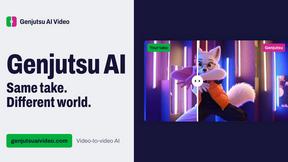
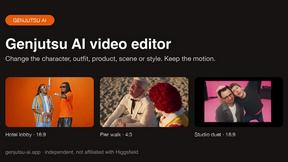
Genjutsu AI Video Editor
AI video-to-video editing for character, outfit, object, and style swaps guided by your source clip and reference images.

Raindance AI Video Generator
Turn two photos into the Raindance AI pier video with the soundtrack included
DanseAI - Alors on Danse AI Video
Make the Alors on Danse AI meme video from two photos, soundtrack included
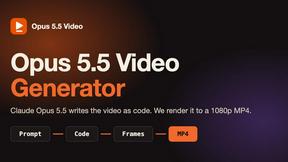
Opus 5.5 Video Generator
Turn a prompt into a 1080p motion-graphics MP4 planned and coded by Claude Opus 5.5

Rumpelstiltskin AI Video Generator
Make the viral Rumpelstiltskin tiptoe dance meme video from two photos