
Blueberry
Blueberry unifies your editor, terminal, and browser in one workspace to streamline web app development with AI.
Visit
About Blueberry
Blueberry is an innovative macOS application designed specifically for modern product builders who seek to streamline their development process. By consolidating the essential tools required for web app development—editor, terminal, and browser—into a single focused workspace, Blueberry eliminates the inefficiencies of juggling multiple windows. This AI-native platform allows developers to connect various AI models, including Claude, Gemini, and Codex, through its built-in MCP server, ensuring they have live context from their code, terminal output, and browser at all times. This seamless integration enhances productivity, reduces context-switching, and empowers developers to build and ship delightful user experiences without the hassle of traditional development environments. With Blueberry, the development process becomes more intuitive and collaborative, making it an indispensable tool for anyone involved in building software products.
Features of Blueberry
Integrated Workspace
Blueberry offers a unified workspace that combines a terminal, code editor, and browser preview seamlessly. This integration allows developers to work without the distraction of switching between multiple applications, enhancing focus and productivity.
Live Contextual AI
With Blueberry's MCP server, developers can run various AI models in the terminal with full access to their project files, browser previews, and terminal outputs. This constant context ensures that AI assistance is relevant and informed, reducing the need for repetitive explanations and context setup.
Pinned Apps
The platform allows users to dock essential applications like GitHub, Linear, Figma, and PostHog within their workspace. These pinned apps maintain live context with the projects, facilitating real-time collaboration and feedback without leaving the Blueberry environment.
Visual Context Tools
Blueberry includes features for capturing screenshots and selecting elements directly from the preview browser. This capability provides visual context to AI models, enabling them to understand and assist with design elements and layout decisions effectively.
Use Cases of Blueberry
Streamlined Web App Development
Developers can utilize Blueberry to create and ship web applications with ease, as the integrated tools provide everything needed in one place. This reduces the friction often encountered when using separate tools for coding, testing, and deployment.
Enhanced Collaboration
Teams can leverage Blueberry’s pinned apps and live context features to collaborate more effectively. Designers and developers can work side by side, sharing insights and feedback instantly within the same workspace, ultimately speeding up the development cycle.
AI-Powered Code Assistance
With the ability to connect multiple AI models, developers can receive real-time code suggestions and error fixes directly in the terminal or editor. This feature helps in improving code quality while saving time on debugging and rewriting.
Responsive Design Testing
Blueberry’s built-in preview options allow developers to test their applications across different devices without leaving the platform. This ensures that the end product is optimized for various screen sizes and improves user experience.
Frequently Asked Questions
What is Blueberry and who is it for?
Blueberry is a macOS application designed for product builders, particularly web developers. It integrates essential development tools into a single workspace, making it easier to manage projects and collaborate efficiently.
How does Blueberry enhance productivity?
By consolidating the editor, terminal, and browser into one workspace, Blueberry minimizes context-switching and distractions. Developers can focus on coding, testing, and deploying without juggling multiple applications.
Can I use AI models with Blueberry?
Yes, Blueberry allows you to connect various AI models like Claude, Gemini, and Codex through its built-in MCP server. This enables real-time context sharing and enhances the assistance provided by the AI.
Is Blueberry free during its beta phase?
Yes, Blueberry is currently available for free during its beta phase, allowing users to explore its features and provide feedback to help shape the final product.
Explore more in this category:
Similar to Blueberry
SightRadar
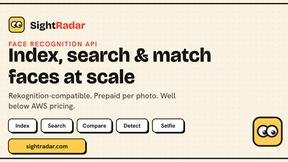
Face recognition API, a drop-in replacement for AWS Rekognition. Index, search, compare and detect faces, billed per photo with no subscription.

CubexSoft EML Converter
Convert EML Files to PST, PDF, EML, MBOX, CSV, Gmail, IMAP, Thunderbird, and more.

Egmatic
No-code 2D game editor: visual node logic, drag-and-drop scenes, live preview. Exports to Windows, macOS, Linux, Android, iOS, Web.
laya.tools
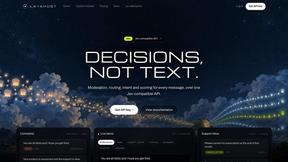
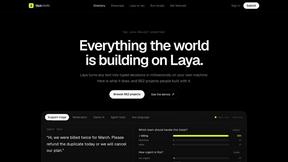
A free directory of 950+ projects built on Laya, the open-source decision model. Updated daily.
Sprite Sheet Maker
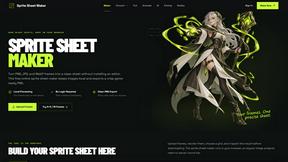
A free browser-based toolkit for creating, cutting, converting, and previewing sprite sheet animations.
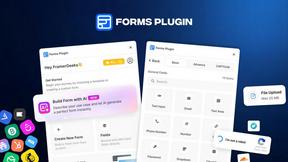
Forms Plugin
The #1 Native Form Builder Plugin for Framer - No Code, No Embeds, No External Platforms.

Product Launch Checklist
A free launch checklist for SaaS, apps, AI tools and more. Every step says why it matters and when you can skip it.