
Clockbeam
Clockbeam provides a free, customizable browser clock with seconds, plus focus timers, alarms, and tools for comparing city times.
Visit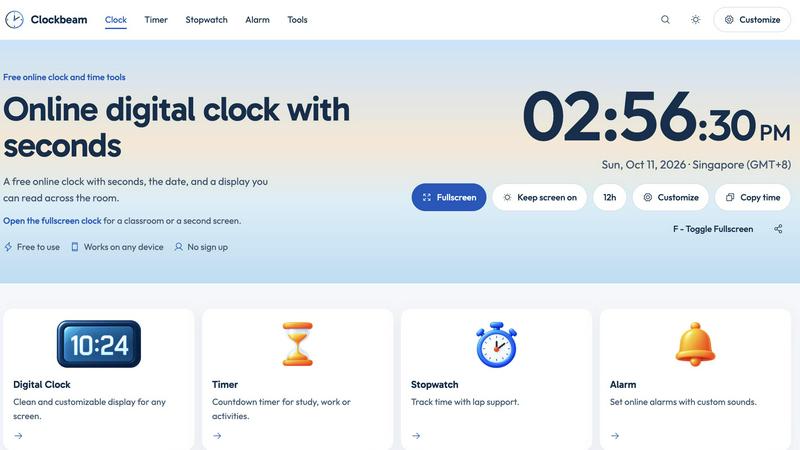
About Clockbeam
Clockbeam brings several time utilities into one browser-based toolkit. The main clock shows seconds and the date, and can be expanded for a classroom or second screen. Minimal, flip, analog, and scenic display options are available. The toolkit also includes a countdown timer, stopwatch with laps, an alarm with custom sounds, a Pomodoro timer, a world clock, and a meeting planner.
Its approach is simple: the time comes from your device, and city offsets come from time-zone data in your browser. That keeps the tools available without an account, but means the clock is only as accurate as the device clock. Settings and named setups are saved in the browser, with JSON export. Keep the tab open on an awake device if you expect an alarm or focus chime.
Features of Clockbeam
- Digital time with seconds, date, and selectable time zone
- Fullscreen option and four clock styles
- Countdown timer, lap stopwatch, and alarm with custom sounds
- Pomodoro, world clock, and multi-city meeting planner
Use Cases of Clockbeam
- Display a clock on a classroom screen or spare monitor
- Time study, work, or leisure with countdowns
- Track laps during a timed activity
- Compare local time and working hours across cities
Frequently Asked Questions
Can I use an alarm with a custom sound?
Yes. The online alarm is described as supporting custom sounds.
Does Clockbeam keep time if my device clock is wrong?
It follows the device clock and does not add a separate synchronization service.
Can I move saved setups?
Settings and named setups are stored in the browser. Export the JSON file to keep a copy you can move.
Pricing of Clockbeam
Free to use; no sign-up is needed.
Explore more in this category:
Similar to Clockbeam
Kivloo
Kivloo helps teams complete and search daily workplace safety checks on a phone, with photos, readings and records across sites.
QSharpener
QSharpener helps users restore and decode blurry or damaged QR codes, then rebuilds a clean QR image for scanning.
ScreenOtter
ScreenOtter is a native Mac app for recording, editing, captioning and sharing screen videos, with automatic zooms and screenshot tools.

Leadmatically
Leadmatically helps small businesses spot buying signals across social platforms and manage first contact and replies from one inbox.

GigUp
GigUp scores new Upwork listings against your profile and preferences, helping freelancers understand why a job may fit before deciding to apply.

Greatooly
Greatooly is a directory of iPhone app picks, with topic and tag filters, recent sorting, and official-source discovery.

Safe Outreach
Review LinkedIn extension detection results and how tools handle sessions before deciding which browser tools fit your workflow.

Promptclay
Find tested AI image prompts with their results and model details, and copy prompt text free without creating an account.