
Published on:
November 13, 2025
Pricing:

About Cosy
Cosy is a powerful, Slack-native platform designed to transform static Slack workspaces into vibrant, self-sustaining communities. The core challenge for community managers and team leaders is that manual engagement—welcoming new members, facilitating connections, and surfacing valuable content—is incredibly time-consuming and difficult to scale. This often leads to member churn, low engagement, and a sense of disconnection. Cosy directly solves this by automating the essential but repetitive tasks of community management directly within the Slack environment you already use. It is built for community managers, team leaders, and organizations of all sizes who want to foster genuine connections without the administrative overhead. By automating personalized onboarding sequences, facilitating 1:1 member introductions, providing a searchable member directory, and highlighting top content, Cosy ensures every member feels welcomed and connected from day one. The value proposition is clear: reclaim hours of manual effort each week while building a more engaged, cohesive, and thriving community, all without ever leaving Slack.
Features of Cosy
Automated Onboarding Sequences
Cosy eliminates the manual burden of welcoming new members by allowing you to create and automate up to 10 distinct welcome DM sequences. These can be triggered immediately or on a custom delay when a new member joins. You can fully customize messages with the member's name, links, and emojis, and choose to send them from yourself, a team member, or the Cosy bot. This ensures every new member receives a warm, timely welcome, even outside of business hours, saving you hours of effort and preventing anyone from slipping through the cracks.
Member Introductions & Connections
To combat the isolation that can occur in large communities, Cosy automatically introduces opted-in members to each other via direct message on a regular cadence you set (e.g., every 1-4 weeks). Introductions happen in a 3-person DM with the two members and the Cosy bot, fostering serendipitous connections. The system intelligently avoids recent matches, ensuring members meet new people each time. This feature automates relationship-building, driving deeper engagement and helping members build their network effortlessly.
Searchable Member Directory
Cosy solves the problem of members not knowing who's in their community or how to find help. It creates a simple, searchable directory entirely within Slack. You can customize up to 10 profile fields (text, single-select, multi-select) and prompt members to fill them out via automated notifications. Members can then search for keywords or filter profiles using the /member-directory slash command, making it easy to find the right people without ever leaving the Slack workspace.
Content Highlights & Moderation
Surfacing valuable conversations and identifying issues is a key community challenge. Cosy provides instant insights with simple slash commands. Use /most-engaged-messages to highlight the top posts in a channel, or /most-engaged-messages-all for top content across all public channels. The /unreplied-messages command helps you find posts that need attention. Additionally, Cosy allows community managers to instantly flag abusive or spam messages, helping maintain a positive and safe environment for all members.
Use Cases of Cosy
Scaling Community Onboarding
For growing communities, personally welcoming dozens or hundreds of new members each week is impossible. Cosy automates this entire process with personalized, multi-step welcome sequences. New members feel immediately valued with timely messages that guide them, share important resources, and set the tone for engagement, all while freeing the community manager to focus on higher-level strategy and interaction.
Fostering Peer-to-Peer Networking
In large Slack groups, members often struggle to break out of their cliques or find relevant connections. Cosy's automated introduction system proactively connects members with shared interests or complementary skills on a regular schedule. This transforms a passive member list into an active network, increasing collaboration, knowledge sharing, and overall member satisfaction through facilitated, serendipitous meetings.
Building an Accessible Knowledge Hub
Communities lose valuable insights when great questions and answers get buried in busy channels. Cosy's content highlight features allow managers to instantly surface the most engaged-with posts and identify unanswered questions. This turns the community's own conversation history into a searchable knowledge base, rewarding contributors and ensuring helpful information doesn't go to waste.
Maintaining Community Health & Safety
Managing disruptive behavior manually is reactive and stressful. Cosy empowers community managers by providing tools to instantly flag spam or abusive messages for review. Combined with the ability to monitor engagement and unreplied posts, managers can proactively nurture positive discussions and quickly address issues, maintaining a respectful and valuable environment for all members.
Frequently Asked Questions
How does the automated onboarding work?
When a new member joins your Slack workspace, Cosy can automatically send them a sequence of welcome direct messages. You create and customize up to 10 messages, deciding the content, sender (you, a teammate, or the Cosy bot), and the timing delay between each message (from immediately to months in the future). This happens 24/7, ensuring every member is welcomed consistently, even if they join in the middle of the night.
How are members matched for introductions?
Opted-in members are randomly selected to be introduced to each other, similar to tools like Donut, to enhance serendipity. Cosy's algorithm avoids matching people who have been recently introduced to ensure fresh connections. You control the frequency (every 1, 2, 3, or 4 weeks) and the specific day and time (in UTC) when these introductions are sent out via a 3-person DM.
Can members opt-out of the introductions?
Yes. Community members have full control and can opt-out of receiving automated introductions at any time. The system only matches members who have chosen to participate, ensuring the connections are welcome and desired, which leads to more meaningful interactions and higher engagement rates.
Is there a free plan available?
Yes, Cosy offers a free plan that supports communities with up to 250 members. This allows you to experience the core automation features. For communities needing to support unlimited members, a 30-day free trial of the paid plan is available, after which you can choose to subscribe based on your community's size and needs.
Explore more in this category:
Similar to Cosy

Egmatic
No-code 2D game editor: visual node logic, drag-and-drop scenes, live preview. Exports to Windows, macOS, Linux, Android, iOS, Web.
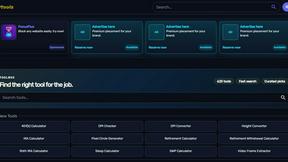
Kody Tools
Free collection of online developer utilities, code formatters, and digital converters designed to streamline your daily workflow.
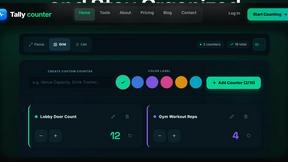
Tally counter
Online tally counter for tracking attendance, workouts, inventory, sports scores, visitors, habits, and everyday counting tasks.

Rankbox
Rankbox helps websites get discovered, mentioned, and cited by AI search engines like ChatGPT and Google AI.
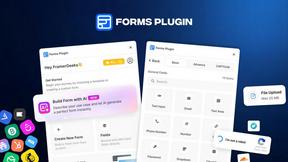
Forms Plugin
The #1 Native Form Builder Plugin for Framer - No Code, No Embeds, No External Platforms.

Product Launch Checklist
A free launch checklist for SaaS, apps, AI tools and more. Every step says why it matters and when you can skip it.
