
Easy Watermark Remover
Remove Gemini watermarks instantly with AI Smart Removal or Quick Crop, no signup needed, preserving full image quality or perfectly trimming the.
Visit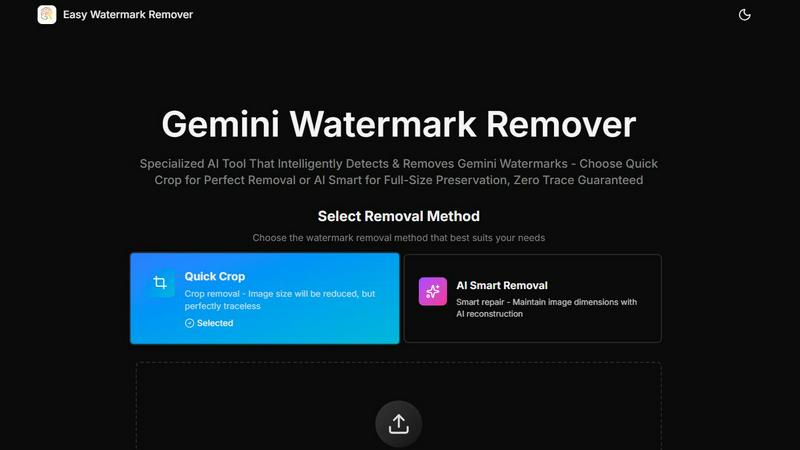
About Easy Watermark Remover
Easy Watermark Remover is a free, browser-based online tool specifically engineered to solve a singular, frustrating problem: removing the visible Gemini AI lightning logo and the invisible SynthID watermark from images generated by Google's Imagen 3 model. Unlike generic photo editors or object removers that struggle with the unique placement and context of these marks, this tool is purpose-built for the task. It offers two distinct removal methods: Quick Crop, which trims the corner for a perfectly traceless result, and AI Smart Removal, which uses deep learning pixel reconstruction to erase the watermark while maintaining the original image dimensions. All processing happens locally on your device, ensuring absolute privacy as no files are ever uploaded to a server. The tool supports common formats like PNG, JPG, and WebP up to 16MB, enables batch processing for efficiency, and works seamlessly across all devices without the need for signup or installation. It is the ideal solution for content creators, marketers, e-commerce professionals, and anyone who needs clean, professional images free from AI generation markers, delivered in original quality.
Features of Easy Watermark Remover
Two Targeted Removal Methods
The tool provides a strategic choice between two methods, each designed for a specific scenario. Quick Crop instantly trims the lower-right corner where the Gemini watermark typically sits, delivering a clean, traceless image with no risk of reconstruction artifacts. This is the fastest option when the corner contains no important detail. AI Smart Removal, on the other hand, uses deep learning to reconstruct the watermark area pixel by pixel, preserving the full canvas size. This is critical for images where the watermark overlaps a subject edge, product shadow, or layout detail that cannot be cropped.
Privacy-First Local Processing
All image processing is executed entirely within your browser on your own device. No images are uploaded to any server, which means your data never leaves your computer. This local architecture eliminates the privacy and security concerns associated with cloud-based tools, making it safe for sensitive or proprietary content. The tool respects your confidentiality by design, ensuring that the images you process remain under your complete control at all times.
Batch Processing for Efficiency
Recognizing that users often need to clean multiple images, the tool supports batch processing. You can drag and drop or select several images at once, and the tool will process them sequentially without requiring individual uploads for each file. This feature dramatically accelerates workflows for content creators, marketers, and e-commerce professionals who need to remove watermarks from a large set of product images, social media graphics, or presentation materials in one session.
High-Quality Export Without Degradation
After removal, the tool exports your cleaned images in their original quality. There is no compression or resolution loss, ensuring that the final output is as crisp and detailed as the source file. This is crucial for professional use cases where image fidelity is paramount, such as in product mockups, high-resolution presentations, or print materials. The tool supports PNG, JPG, and WebP formats up to 16MB, accommodating a wide range of image sizes and uses.
Use Cases of Easy Watermark Remover
Cleaning Product Mockups for E-Commerce
E-commerce sellers often use AI-generated images for product mockups, but the Gemini watermark in the corner can make the image look unprofessional. If the watermark sits on a plain background or empty space, Quick Crop provides an instant, traceless fix. For mockups where the watermark overlaps the product edge or a shadow, AI Smart Removal reconstructs the corner without altering the crucial dimensions, delivering a clean, ready-to-use product image for your online store.
Preparing Presentation and Ad Graphics
Marketers and designers frequently need clean images for presentations, social media ads, and blog thumbnails where exact dimensions are non-negotiable. The Gemini watermark can ruin a carefully composed layout. AI Smart Removal is the ideal solution here, as it erases the mark while preserving the original canvas size. This ensures the cleaned image fits perfectly into your template without requiring a layout redesign or compromising the visual balance of your graphic.
Removing Watermarks from Batch of Social Media Content
Content creators who generate multiple AI images for a social media campaign face the tedious task of removing watermarks one by one. Easy Watermark Remover's batch processing capability solves this challenge directly. You can load all your images at once, apply your chosen removal method, and download the cleaned versions in a single streamlined workflow. This turns a time-consuming chore into a quick, efficient process, allowing you to focus on content strategy and posting.
Recovering Images for Blog Thumbnails and Visuals
Bloggers and writers who use AI-generated visuals to illustrate their articles need the final image to look clean and professional. The watermark, especially if it overlaps a subject's face, text, or a detailed texture, presents a risk. The tool's preview-before-download feature allows you to inspect the repaired area for any artifacts. If the corner is plain, Quick Crop is instant. If the mark touches a critical detail, AI Smart Removal provides a safer, dimension-preserving cleanup, ensuring your blog visuals are polished and publication-ready.
Frequently Asked Questions
How is Easy Watermark Remover different from a generic object removal tool?
Generic object removers are designed to erase any object from the middle of a photo, often struggling with the specific context of a Gemini watermark. This tool is purpose-built for that exact problem. It focuses on the predictable lower-right corner where the Gemini mark typically sits, and it offers two corner-aware methods: Quick Crop for a traceless trim and AI Smart Removal for dimension-preserving reconstruction. This targeted approach yields more reliable results for this specific watermark type.
Does the tool remove invisible SynthID watermarks as well?
Yes, the tool is designed to handle both the visible Gemini AI lightning logo and the invisible SynthID watermark embedded by Imagen 3. The AI Smart Removal method uses deep learning pixel reconstruction to address the entire watermark footprint, including the invisible digital marker, ensuring a comprehensive cleanup. However, the primary visual impact users notice is the removal of the visible logo.
Is my image data safe and private?
Absolutely. All processing is performed locally on your device within your web browser. Your images are never uploaded to any external server. This local architecture ensures that your data remains completely private and under your control. You do not need to create an account or sign up, further enhancing your privacy.
What happens if the watermark overlaps important image content?
The tool gives you two options based on the content. If the corner with the watermark contains empty space, sky, or a plain background, Quick Crop is the safest and fastest method. If the watermark overlaps a subject edge, product shadow, text, or other critical detail, you should use AI Smart Removal. This method reconstructs the pixels in the watermark area to match the surrounding image, preserving the original dimensions and the integrity of the overlapping content.
Explore more in this category:
Similar to Easy Watermark Remover
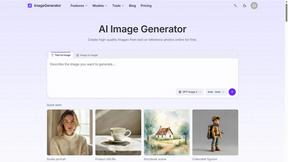
ImageGenerator
Create and edit AI images online with multiple models, text-to-image, image-to-image, background removal, and upscaling.
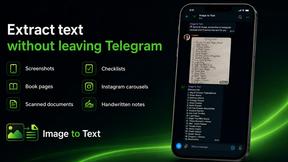
imgtxtapp.laviolab.com
imgtxtapp.laviolab.com is a Telegram-based image-to-text converter that turns photos, screenshots, scanned documents into editable text
SightRadar
Face recognition API, a drop-in replacement for AWS Rekognition. Index, search, compare and detect faces, billed per photo with no subscription.

Nano Banana 2.1
A fast, simple image studio powered by Nano Banana 2.1. Create and edit high-quality images with accurate details, readable text, consistent character
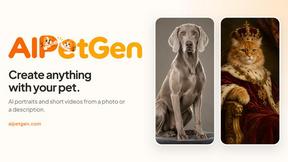
AIPetGen
AIPetGen turns a photo of your dog, cat, or other pet, or a written description, into a new picture or a short animation.


Image to Layers AI
Turn any image into editable transparent PNG/PSD layers with AI
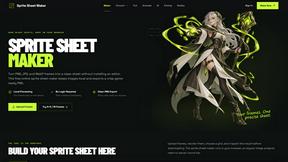
Sprite Sheet Maker
A free browser-based toolkit for creating, cutting, converting, and previewing sprite sheet animations.