
JustPDF
JustPDF offers a privacy-first, browser-based toolkit with 17 free tools to easily manage, convert, and edit your PDFs without leaving your device.
Visit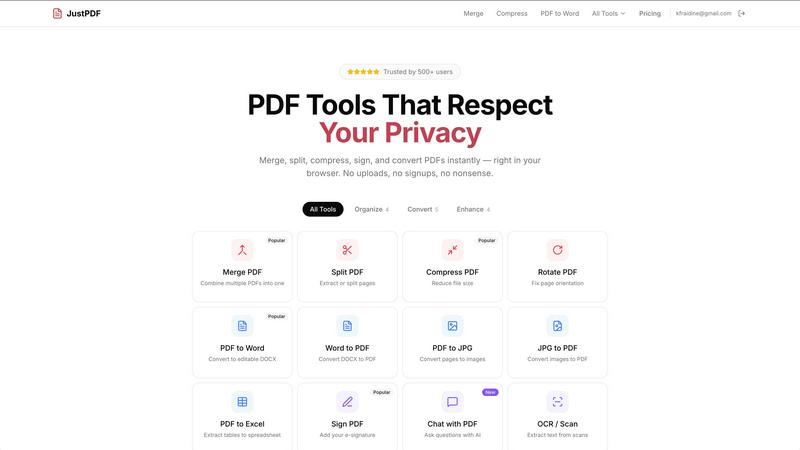
About JustPDF
JustPDF is an innovative online PDF tool that provides users with a comprehensive suite of 17 professional-grade PDF functionalities, all while ensuring that their files remain secure and private. Unlike other platforms such as Smallpdf and iLovePDF that require file uploads to external servers, JustPDF operates entirely within the user's browser. By utilizing advanced JavaScript and WebAssembly technologies, this tool processes files locally on the device, assuring that sensitive documents never leave the user's control. This feature is especially appealing for individuals and organizations concerned about data privacy, such as educational institutions, as JustPDF is FERPA-compliant. Users can access a variety of tools, including PDF merging, compression, conversion, and even AI-driven chat capabilities, with no sign-up necessary for the free tier, which allows up to three operations per day. For those seeking unlimited access, a Pro subscription starts at just $4 per month, making JustPDF a cost-effective solution for anyone needing reliable and secure PDF management.
Features of JustPDF
Merge PDF
The Merge PDF feature allows users to effortlessly combine multiple PDF documents into a single file. This is particularly useful for organizing related documents, such as contracts or reports, into one cohesive file, making it easier to share or store. The process is straightforward: just drag and drop the files into the browser, and the tool handles the rest without any uploads to remote servers.
Compress PDF
With the Compress PDF feature, users can significantly reduce the file size of their PDFs in just seconds. This is ideal for those needing to send large files via email or store documents efficiently without sacrificing quality. The compression occurs entirely within the browser, ensuring that files remain secure and private, and there are no watermarks left on the output.
PDF to Word
This feature allows users to convert PDF documents into editable Word files (DOCX format) seamlessly. It eliminates the hassle of retyping text or formatting documents manually, making it highly beneficial for professionals who need to make changes to existing PDFs. The conversion is performed locally, guaranteeing that sensitive content stays on the user’s device.
Chat with PDF (AI)
The Chat with PDF feature represents a cutting-edge approach to interacting with documents. Users can ask questions about the content of the PDF, and AI will provide relevant answers based on the document's information. This tool is especially beneficial for students or professionals who need quick access to specific information without sifting through entire documents.
Use Cases of JustPDF
Organizing Business Documents
Business professionals often deal with multiple documents that need to be combined into a single file for presentations or reports. JustPDF's Merge PDF feature simplifies this process, allowing users to compile contracts, proposals, and other related documents into one easy-to-manage PDF, enhancing productivity and organization.
Preparing Educational Materials
Educators can benefit from JustPDF by using the PDF to Word feature to convert reading materials and handouts into editable formats. This enables them to customize content for their classes, making learning more tailored and effective for students, all while maintaining compliance with privacy regulations.
Efficient File Sharing
Individuals and businesses frequently need to share large PDF files. With JustPDF's Compress PDF feature, users can quickly reduce file sizes while maintaining quality, making it easier to send documents via email or upload them to cloud services without hitting size limits.
Enhancing Document Interaction
For researchers or students, the Chat with PDF feature provides an interactive way to engage with lengthy documents. Instead of manually searching through text for specific data, users can ask questions and receive immediate answers, streamlining the research process and saving valuable time.
Frequently Asked Questions
How does JustPDF ensure my files are secure?
JustPDF processes files locally in your browser using JavaScript and WebAssembly, which means your documents never leave your device. This eliminates the risk associated with uploading files to remote servers.
Is there a limit to how many PDFs I can process for free?
Yes, with the free tier, you can perform up to three operations per day. For unlimited access to all features, users can subscribe to the Pro version starting at $4 per month.
Can I use JustPDF offline?
Yes, JustPDF is designed to work entirely in your browser, allowing you to access its features even when you are offline, provided you have previously loaded the site.
What types of file conversions does JustPDF support?
JustPDF supports a wide range of conversions, including PDF to Word, Word to PDF, PDF to JPG, JPG to PDF, PDF to Excel, and more, making it a versatile tool for various document management needs.
Similar to JustPDF
Novastart
Apps and files on an infinite canvas where people and AI agents work together.

Notes Calculator
A notepad calculator that reads plain text and gives instant answers as you type, free on Mac, iOS, Windows, Linux, Android and Web.

CubexSoft EML Converter
Convert EML Files to PST, PDF, EML, MBOX, CSV, Gmail, IMAP, Thunderbird, and more.
AI Email Filter
AI Email Filter sorts incoming mail into folders using plain-language prompts you write. Works with any IMAP mailbox; bring your own LLM if you want.
Egmatic
No-code 2D game editor: visual node logic, drag-and-drop scenes, live preview. Exports to Windows, macOS, Linux, Android, iOS, Web.
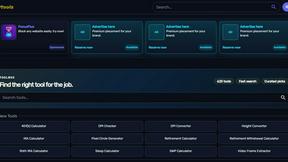
Kody Tools
Free collection of online developer utilities, code formatters, and digital converters designed to streamline your daily workflow.
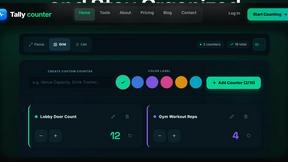
Tally counter
Online tally counter for tracking attendance, workouts, inventory, sports scores, visitors, habits, and everyday counting tasks.
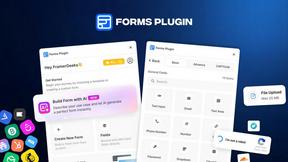
Forms Plugin
The #1 Native Form Builder Plugin for Framer - No Code, No Embeds, No External Platforms.