
MindMap AI
Transform ideas and documents into structured, editable mind maps with intuitive AI support and multi-language.
Visit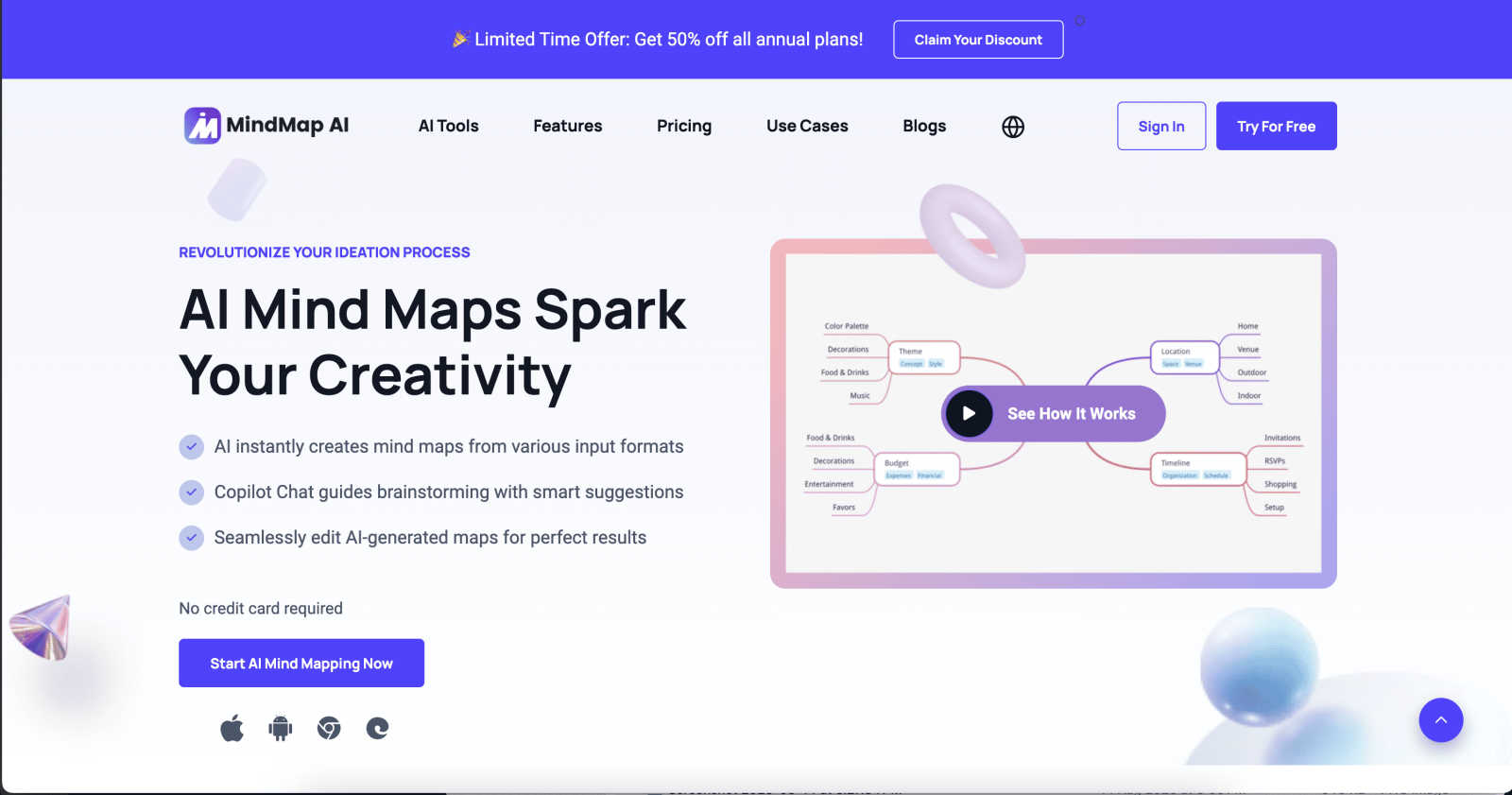
About MindMap AI
In an era where information overload is the norm, professionals are often left grappling with the challenge of organizing vast amounts of data efficiently. MindMap AI emerges as an innovative solution tailored for individuals and teams seeking clarity amidst chaos. This AI-powered mind mapping software offers users the ability to transform diverse inputs—ranging from text documents and PDFs to audio recordings and images—into structured, interactive visual maps in mere seconds. Its unique value proposition lies in its capacity to aid users in not just visualizing information but creating an intelligent workspace where they can engage directly with their content. MindMap AI is perfect for professionals, researchers, and students who require a systematic approach to brainstorming, planning, and strategizing. With features such as collaborative co-editing with AI, multi-language support, and customizable layouts, MindMap AI empowers over one million thinkers to convert fragmented ideas into coherent workflows, ensuring that the intricacies of their thoughts are captured accurately without losing the essence of their original ideas.
Features of MindMap AI
AI Thinking Mode for Accuracy
MindMap AI utilizes a sophisticated reasoning engine that understands context, hierarchy, and relationships within your data. This ensures that every generated mind map is structured and meaningful, avoiding the pitfalls of random, disorganized branches.
File-to-Map Conversion
With MindMap AI, you can seamlessly transform various formats—such as text, PDFs, images, and audio—into clean, visually appealing mind maps. This feature eliminates the need for manual formatting, allowing users to focus on ideation and creativity right from the start.
Continuous Editing
MindMap AI offers a collaborative editing environment where users can co-create with the AI. Whether you prefer manual adjustments or AI assistance, you have full control to expand, summarize, and reorganize your mind map effortlessly without losing your unique structure.
Instant Aesthetics
Users can choose from a curated library of beautiful themes to enhance their mind maps instantly. This feature allows for rapid customization, transforming your map into a polished, presentation-ready visual that can be mixed and matched according to your preferences.
Use Cases of MindMap AI
Strategic Planning
MindMap AI is ideal for strategic planning sessions where teams need to streamline complex ideas into actionable plans. By converting extensive reports and discussions into visual maps, teams can identify priorities and align their objectives more effectively.
Project Management
Project managers can utilize MindMap AI to outline project scopes, deadlines, and responsibilities in a structured format. This clarity helps teams stay on track and fosters better communication among members, reducing the chances of misalignment.
Academic Research
Students and researchers can employ MindMap AI to organize their findings and literature reviews. By turning dense information into visual maps, they can easily identify connections between concepts, making it simpler to write papers and prepare presentations.
Brainstorming Sessions
During brainstorming sessions, MindMap AI facilitates the free flow of ideas by allowing participants to visualize their thoughts in real-time. This interactive approach encourages creativity and collaboration, ensuring that no valuable insights are overlooked.
Frequently Asked Questions
How does MindMap AI handle large documents?
MindMap AI is designed for large document processing, maintaining structure and efficiency even with extensive content. Users can confidently generate stable charts and reliable summaries without excessive credit consumption.
Can I customize my mind maps?
Absolutely. MindMap AI allows users to customize their mind maps with various colors, fonts, and shapes. You can also add widgets like priority flags and due dates to enhance the functionality of your maps.
Is there multilingual support available?
Yes, MindMap AI supports over 25 languages, ensuring that users can create and edit mind maps with the same level of accuracy and structure, regardless of the language used.
How does the co-editing feature work?
The co-editing feature allows users to work alongside the AI, which respects your manual edits and personal structures. You can expand ideas, add connections, and style your map while maintaining complete control over your design.
Explore more in this category:
Similar to MindMap AI

@fuck.it - email with attitude
Private email. Pure. Secure. Exclusive. No ads, no tracking, no data selling. GDPR compliant, EU-hosted.

Novastart
Apps and files on an infinite canvas where people and AI agents work together.

imgtxtapp.laviolab.com
imgtxtapp.laviolab.com is a Telegram-based image-to-text converter that turns photos, screenshots, scanned documents into editable text
PythonExercise.com
An interactive coding platform featuring bite-sized Python exercises designed to build real coding skills through hands-on practice.

PracticeSIEM
PracticeSIEM.com is an interactive, browser-based hands-on cybersecurity learning platform designed for Security Operations Center (SOC) analysts.
SQLCrab
SQLCrab (sqlcrab.com) is an interactive, browser-based SQL learning platform that lets you practice database queries directly in your browser.
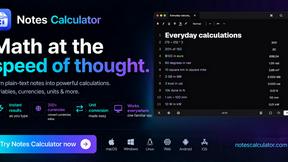
Notes Calculator
A notepad calculator that reads plain text and gives instant answers as you type, free on Mac, iOS, Windows, Linux, Android and Web.