Pacgie
Stop juggling paid subscriptions and clunky workarounds Pacgie gives you 50+ free developer tools for frontend backend SEO and design without signups.
Visit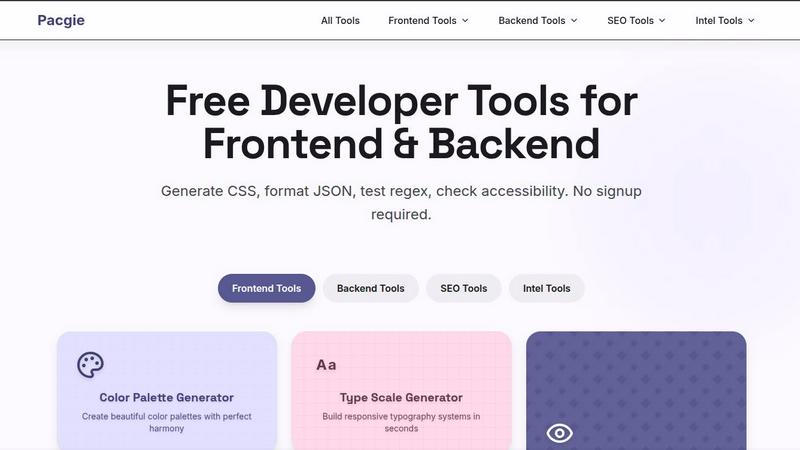
About Pacgie
Pacgie is a comprehensive suite of free developer tools designed to eliminate the repetitive, time-consuming tasks that slow down web development. It solves the core challenge developers face daily: the need to switch between multiple disconnected tools, memorize complex syntax, and manually test code, all while trying to ship features faster. Pacgie brings together over 30 specialized tools under one roof, covering everything from frontend styling and backend data formatting to SEO monitoring and accessibility testing. The platform is built for designers, frontend and backend developers, and anyone involved in creating modern web applications who wants to work smarter, not harder. Its main value proposition is simplicity and speed: no signup is required to start using any tool, and every generator produces production-ready code with instant visual feedback. Whether you are generating CSS gradients, validating JSON data structures, checking color contrast against WCAG standards, or converting pixels to responsive units, Pacgie provides a frictionless experience. The tool suite is organized into clear categories like Frontend Tools, Backend Tools, SEO Tools, and Intel Tools, making it easy to find exactly what you need. By centralizing these utilities, Pacgie addresses the common developer pain point of context switching and tool fragmentation, allowing you to focus on building great applications rather than wrestling with setup and configuration.
Features of Pacgie
Frontend Visual Effects Generators
This feature tackles the challenge of creating complex CSS effects without memorizing intricate syntax or writing code by hand. Pacgie includes dedicated generators for box shadows, CSS gradients, glassmorphism, and neumorphism effects. Each tool provides a real-time visual preview, allowing you to tweak parameters like color, blur, opacity, and shadow depth until the effect looks perfect. Once satisfied, you can copy the production-ready CSS code with a single click. This eliminates the trial-and-error cycle of manually adjusting CSS properties in a browser's developer tools, saving significant time and reducing frustration when crafting modern UI aesthetics.
Backend and Data Formatting Utilities
Pacgie addresses a common backend development pain point: the need to quickly format, validate, and manipulate data. The suite includes tools to format JSON, validate data structures, test regex patterns, encode Base64, and generate UUIDs. These utilities are essential for API development, data processing, and debugging. Instead of opening separate online tools or writing temporary scripts, developers can perform these tasks instantly within Pacgie. This feature streamlines the workflow for backend work, ensuring data is correctly structured and debugged without leaving the development environment, leading to faster iteration and fewer errors.
Accessibility and Responsive Testing Tools
Ensuring web applications are accessible and responsive is a critical but often tedious task. Pacgie solves this by providing an accessibility contrast checker that instantly verifies color combinations against WCAG standards, and a responsive checker that tests designs across all common screen sizes. These tools give immediate feedback, allowing developers to catch accessibility issues and layout problems early in the design process. This proactive approach prevents costly redesigns and ensures that interfaces are inclusive and functional for all users, from mobile phones to large desktop monitors, without needing to manually resize browser windows or calculate contrast ratios.
Layout and Typography System Builders
Creating consistent, responsive design systems is a major challenge for frontend developers. Pacgie offers visual builders for CSS Grid and Flexbox layouts, along with a type scale generator and unit converters (PX to REM, DP to PX, etc.). These tools allow you to visually construct complex layouts and typography hierarchies without writing a single line of layout code. You can set parameters, see the result in real-time, and export the underlying CSS. This feature solves the problem of maintaining design consistency across a project, enabling developers to rapidly prototype and implement responsive, well-structured interfaces that adhere to a unified design language.
Use Cases of Pacgie
Rapid Prototyping of UI Components
A frontend developer needs to quickly prototype a new card component with a glassmorphism effect and a box shadow. Instead of writing and debugging CSS by hand, they use Pacgie's Glassmorphism Generator and Box Shadow Generator. They adjust the backdrop blur, transparency, and shadow parameters with the visual sliders, instantly seeing the result. Once satisfied, they copy the generated CSS and paste it directly into their component's stylesheet. This use case highlights how Pacgie speeds up the design-to-code process, allowing developers to iterate on visual concepts in minutes rather than hours.
Debugging and Formatting API Responses
A backend developer is integrating a third-party API and receives a large, unformatted JSON response. To debug the data structure, they copy the raw JSON into Pacgie's JSON formatter tool. The tool instantly structures the data with proper indentation, making it easy to inspect nested objects and arrays. They then use the regex tester to validate a pattern for an email field in the response. This use case demonstrates how Pacgie centralizes essential data manipulation tasks, eliminating the need to switch between different online formatters and testers, thus streamlining the backend debugging workflow.
Ensuring WCAG Compliance for a Client Project
A designer is building a marketing website for a client with strict accessibility requirements. They use Pacgie's Contrast Checker to verify all text and background color combinations. For each pair, the tool instantly shows if it passes WCAG AA and AAA standards for normal and large text. The designer also uses the Color Blindness Simulator to preview the design through the eyes of users with deuteranopia and protanopia. This use case shows how Pacgie helps teams meet compliance standards efficiently, avoiding legal risks and ensuring the final product is inclusive for all users.
Creating a Responsive Design System from Scratch
A solo developer is starting a new web application and needs to establish a consistent design system. They use Pacgie's Type Scale Generator to create a harmonious typography scale, then the PX to REM Converter to ensure all font sizes are responsive. Next, they use the CSS Grid Generator to build the main page layout and the Flexbox Generator to align items within a navigation bar. Finally, they use the Color Palette Generator to define a cohesive color scheme. This use case illustrates how Pacgie acts as a complete toolkit for establishing a project's foundational design elements, ensuring consistency and saving countless hours of manual calculation and code writing.
Frequently Asked Questions
Are these developer tools really free?
Yes, all tools within the Pacgie suite are completely free to use. There are no hidden charges, premium tiers, or subscription fees. You can access every generator, converter, and checker without any cost. The platform is built to provide value to the developer community without financial barriers. You can use the tools as many times as you need, and all generated code is yours to use in any project.
Do I need to create an account?
No, you do not need to create an account or sign up to use any of the Pacgie tools. The platform is designed for instant access. You can simply navigate to the tool you need and start using it immediately. This removes the friction of registration forms and allows you to get your work done faster, especially when you need a quick utility in the middle of a development session.
Can I use the generated code in commercial projects?
Absolutely. All code generated by Pacgie's tools, such as CSS gradients, box shadows, and color palettes, is yours to use in any project, including commercial applications, client work, and personal projects. There are no licensing restrictions or attribution requirements. The purpose of the tools is to help you ship high-quality code, and you have full ownership of the output.
Which tool should I start with?
If you are working on frontend styling, start with the CSS Gradient Generator or the Box Shadow Generator to see instant visual feedback on your designs. If you are debugging data, the JSON formatter is a great starting point. For accessibility, begin with the Contrast Checker. The best tool to start with depends on your immediate task, but all tools are designed to be intuitive and require no setup, so you can jump into any of them right away.
Similar to Pacgie

Ecommerce Data API
Amazon research data APIs for developers, sellers and AI agents. Integrate product, keyword and market research through REST APIs and MCP.
SightRadar
Face recognition API, a drop-in replacement for AWS Rekognition. Index, search, compare and detect faces, billed per photo with no subscription.
Egmatic
No-code 2D game editor: visual node logic, drag-and-drop scenes, live preview. Exports to Windows, macOS, Linux, Android, iOS, Web.
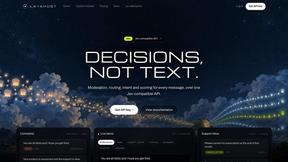
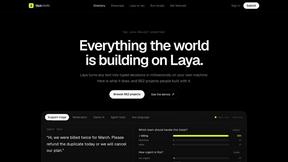
laya.tools
A free directory of 950+ projects built on Laya, the open-source decision model. Updated daily.
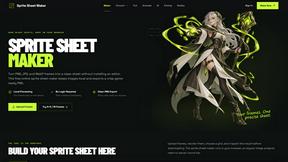
Sprite Sheet Maker
A free browser-based toolkit for creating, cutting, converting, and previewing sprite sheet animations.
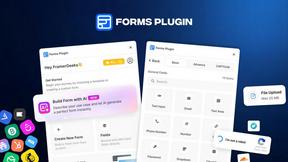
Forms Plugin
The #1 Native Form Builder Plugin for Framer - No Code, No Embeds, No External Platforms.