
Phishly
Phishly uses AI to instantly detect phishing emails, providing seamless security insights through a Chrome extension ...
Visit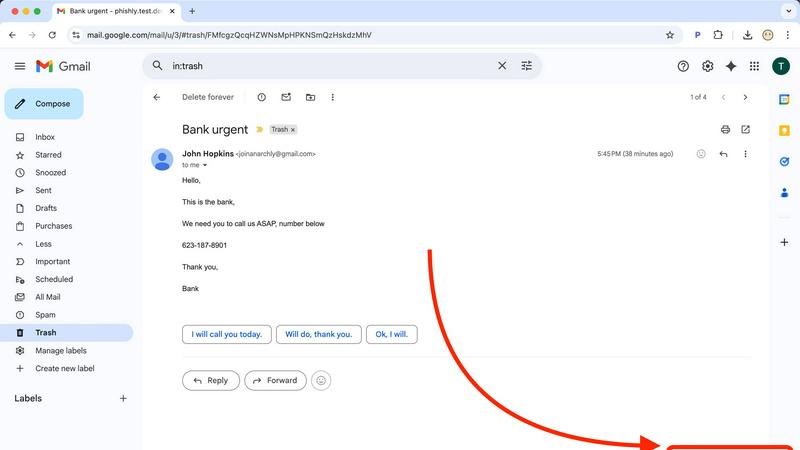
About Phishly
Phishly is an innovative AI-powered phishing detection platform designed to safeguard users from the growing threat of phishing attacks. Available as a Chrome extension for Gmail and a user-friendly web tool, Phishly offers a simple yet effective solution for anyone concerned about email security. Users can effortlessly scan any email in their Gmail inbox by clicking "Scan with Phishly" or by pasting suspicious emails directly on the Phishly website for immediate analysis. The platform utilizes advanced artificial intelligence to identify critical phishing indicators, including suspicious domains, urgent language, spoofed sender addresses, and common social engineering tactics. Phishly is particularly tailored for individuals and small businesses who seek reliable phishing protection without the complexities often associated with enterprise-level solutions. The platform guarantees user privacy by only analyzing emails that users choose to scan, meaning no unsolicited data is collected. With no technical expertise required, Phishly provides instant risk assessments categorized as Safe, Medium Risk, or High Risk, along with detailed explanations of the findings. This empowers users to make informed decisions about email legitimacy, ensuring they remain protected against potential threats.
Features of Phishly
Instant Email Scanning
Phishly allows users to quickly scan any email in their Gmail account with just a click. By selecting "Scan with Phishly," users receive immediate feedback on the email's legitimacy, facilitating rapid decision-making in potentially risky situations.
Comprehensive Risk Assessment
The platform categorizes emails into three risk levels: Safe, Medium Risk, and High Risk. Each classification is accompanied by detailed explanations, helping users understand the specific phishing indicators that triggered the assessment.
User Privacy Protection
Phishly prioritizes user privacy by only analyzing emails that users explicitly opt to scan. This means that no unsolicited data is collected or processed, allowing users to feel secure about their personal information.
Easy-to-Use Interface
With a user-friendly design, Phishly requires no technical knowledge, making it accessible for everyone. Users can easily navigate the platform, scan emails, and interpret results without needing extensive training or experience.
Use Cases of Phishly
Personal Email Safety
Individuals can use Phishly to protect their personal email accounts from phishing attacks. By scanning suspicious emails, users can ensure their sensitive information remains secure and avoid potential financial losses.
Small Business Security
Small business owners can integrate Phishly into their daily operations to safeguard company email communications. By scanning emails from clients and partners, they can protect against fraudulent schemes that could jeopardize their business.
Educational Institutions
Teachers and administrators can utilize Phishly to educate students about phishing threats. By demonstrating how to scan emails, they can instill safe email practices and raise awareness about online security.
Freelancers and Remote Workers
Freelancers and remote workers often deal with various clients and emails. Phishly helps them verify the legitimacy of incoming emails, ensuring they do not fall victim to scams that could disrupt their work or compromise sensitive information.
Frequently Asked Questions
How does Phishly protect my privacy?
Phishly only analyzes emails that users explicitly choose to scan. This means that no unsolicited data is collected, ensuring user privacy is maintained throughout the scanning process.
Is Phishly free to use?
Yes, Phishly is free to use, making it accessible for everyone who wants to protect themselves from phishing attacks without incurring additional costs.
Do I need technical knowledge to use Phishly?
No, Phishly is designed to be user-friendly and requires no technical expertise. Anyone can easily scan emails and interpret the results without prior experience.
How quickly can I expect results from a scan?
Phishly provides instant results after scanning an email. Users receive immediate feedback on the legitimacy of the email, allowing them to act quickly if a potential threat is detected.
Similar to Phishly

@fuck.it - email with attitude
Private email. Pure. Secure. Exclusive. No ads, no tracking, no data selling. GDPR compliant, EU-hosted.
Novastart
Apps and files on an infinite canvas where people and AI agents work together.
Notes Calculator
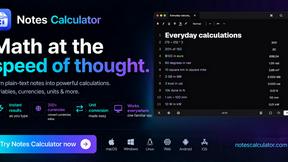
A notepad calculator that reads plain text and gives instant answers as you type, free on Mac, iOS, Windows, Linux, Android and Web.

CubexSoft EML Converter
Convert EML Files to PST, PDF, EML, MBOX, CSV, Gmail, IMAP, Thunderbird, and more.
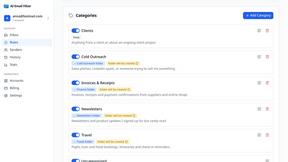
AI Email Filter
AI Email Filter sorts incoming mail into folders using plain-language prompts you write. Works with any IMAP mailbox; bring your own LLM if you want.

Egmatic
No-code 2D game editor: visual node logic, drag-and-drop scenes, live preview. Exports to Windows, macOS, Linux, Android, iOS, Web.