Push My App
Push My App replaces weeks of App Store and Play Store busywork with one dashboard that writes, scans, and submits your optimized listing in an.
Visit
About Push My App
Push My App is an all-in-one platform designed specifically for indie developers and small studios who need to prepare, optimize, and submit their App Store and Play Store listings without the traditional launch-week grind. The core problem it solves is the overwhelming, time-consuming process of app store optimization and submission that pulls developers away from what they do best: writing code. Push My App consolidates six critical tools into a single dashboard, turning what used to take days of manual work into a streamlined process that takes mere minutes. The platform leverages artificial intelligence to generate search-optimized metadata including app names, keywords, descriptions, and release notes tailored for both Apple and Google stores. It also includes a Pre-Flight Rejection Scanner that checks your build and listing against over 80 known rejection reasons before you submit, saving you from the nightmare of being rejected after hours of preparation. Additional capabilities include automatic screenshot resizing across every required device size, translation of your full listing into 14 languages with keywords re-optimized per locale, and direct one-click submission to both App Store Connect and Google Play Console. Push My App is built by an indie developer for other indie developers, with a focus on speed, accuracy, and reducing the friction of mobile app launches.
Features of Push My App
AI-Generated ASO Metadata
Push My App uses artificial intelligence to write your app name, subtitle, keywords, description, and release notes optimized for discoverability on both the App Store and Play Store. The AI generates these elements in seconds, scoring them against search optimization best practices so you can see exactly how your metadata performs. You get a title score out of 30, keywords score out of 100, subtitle score out of 30, and AI generated keyword suggestions to improve your listing's visibility.
Pre-Flight Rejection Scanner
Before you submit your app to Apple or Google, Push My App scans your build and listing against over 80 known rejection reasons. This proactive check identifies blockers such as missing privacy manifests, incorrect permissions, or other compliance issues that commonly lead to rejection. The scanner provides a clear readiness score for both stores, so you know exactly what needs fixing before you hit submit, eliminating the frustration of waiting days for a rejection notice.
Screenshot Resizer and Translator
Upload one set of screenshots and Push My App automatically generates every required device size for both the App Store and Play Store. This eliminates the tedious manual resizing across six or more different screen dimensions. Additionally, the platform translates your full listing into 14 languages including English, Spanish, German, French, Japanese, Portuguese, and eight more, with keywords re-optimized per locale to maintain search visibility in each market.
Direct Submission and App File Scanner
Push My App accepts your .ipa, .apk, or .aab files through a simple drag-and-drop interface. The system automatically extracts your bundle ID, version number, and app icon while validating compliance requirements. From there, you can submit directly to App Store Connect and Google Play Console in one click, with pre-submission validation ensuring your binary meets store requirements. The platform also tracks your submission status automatically.
Use Cases of Push My App
Solo Indie Developer Launching First App
A solo developer who has spent months building their first mobile app faces the daunting task of creating store listings, optimizing for search, resizing screenshots, and navigating submission requirements. Push My App eliminates this barrier by generating all metadata automatically, resizing assets instantly, and guiding the developer through submission with rejection scanning. What would take a first-time developer days of research and trial-and-error becomes a single afternoon of guided work.
Small Studio Managing Multiple App Versions
A small studio releasing regular updates across multiple apps needs to maintain consistent metadata, track version histories, and ensure each submission passes store review. Push My App provides a command center where all app versions, metadata, and status are displayed side by side for iOS and Android. The AI generates release notes automatically, and the diff preview shows changes against the last submission, making it easy to manage complex release cycles without a dedicated operations team.
Freelance Developer Shipping Client Apps
A freelance developer building apps for multiple clients needs to submit to both stores quickly and professionally. Push My App allows them to generate a website and support mailbox for each app using the metadata and screenshots, all from one dashboard. The translation feature helps reach international audiences for clients with global user bases, while the rejection scanner ensures client apps pass review on the first attempt, building trust and reducing revision cycles.
Team Using CI/CD Pipelines for Deployment
Development teams using CI/CD tools like Xcode, Android Studio, Expo, Fastlane, or GitHub Actions can integrate Push My App into their existing workflow. The platform accepts build artifacts from these tools and handles the store-specific formatting and submission requirements. Teams can focus on automating their build pipeline while Push My App manages the store listing side, ensuring that every release has optimized metadata, proper screenshots, and compliance validation without manual intervention.
Frequently Asked Questions
Do I need to keep my App Store Connect or Google Play Console account?
Yes, you still need your Apple Developer and Google Play Developer accounts. Push My App connects to these existing accounts to submit your app on your behalf. The platform simplifies the submission process but does not replace the need for your developer accounts and their associated fees.
How does the Pre-Flight Rejection Scanner work?
The scanner analyzes your app binary and store listing against a database of over 80 known rejection reasons from both Apple and Google. It checks for common issues like missing privacy manifests, incorrect permission descriptions, improper use of APIs, metadata violations, and other compliance requirements. The scanner provides a readiness score and highlights specific blockers that need to be addressed before submission.
Can I edit the AI-generated metadata before submitting?
Absolutely. The AI generates optimized metadata as a starting point, but you have full control to review, edit, and customize every element including the app name, subtitle, keywords, description, and release notes. The platform scores your changes in real-time so you can see how edits affect your search optimization.
What file formats does Push My App accept for direct submission?
Push My App accepts .ipa files for iOS submissions and .apk or .aab files for Android submissions. Simply drag and drop your build file into the dashboard, and the system automatically extracts the bundle ID, version number, and app icon while validating compliance requirements before submission.
Pricing of Push My App
Push My App offers a free Starter plan with no credit card required, plus a 30-day Growth trial for users who want access to advanced features. The platform also provides free tools that require no account to use, allowing you to test specific capabilities before committing. For detailed pricing information on paid plans, visit the Push My App website.
Similar to Push My App

Ecommerce Data API
Amazon research data APIs for developers, sellers and AI agents. Integrate product, keyword and market research through REST APIs and MCP.
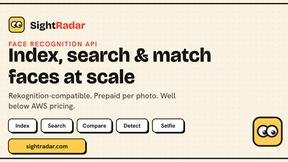
SightRadar
Face recognition API, a drop-in replacement for AWS Rekognition. Index, search, compare and detect faces, billed per photo with no subscription.
Egmatic
No-code 2D game editor: visual node logic, drag-and-drop scenes, live preview. Exports to Windows, macOS, Linux, Android, iOS, Web.

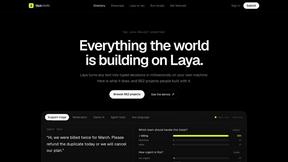
laya.tools
A free directory of 950+ projects built on Laya, the open-source decision model. Updated daily.
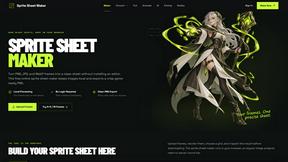
Sprite Sheet Maker
A free browser-based toolkit for creating, cutting, converting, and previewing sprite sheet animations.
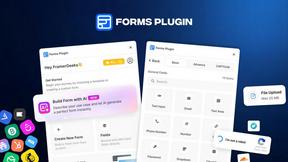
Forms Plugin
The #1 Native Form Builder Plugin for Framer - No Code, No Embeds, No External Platforms.